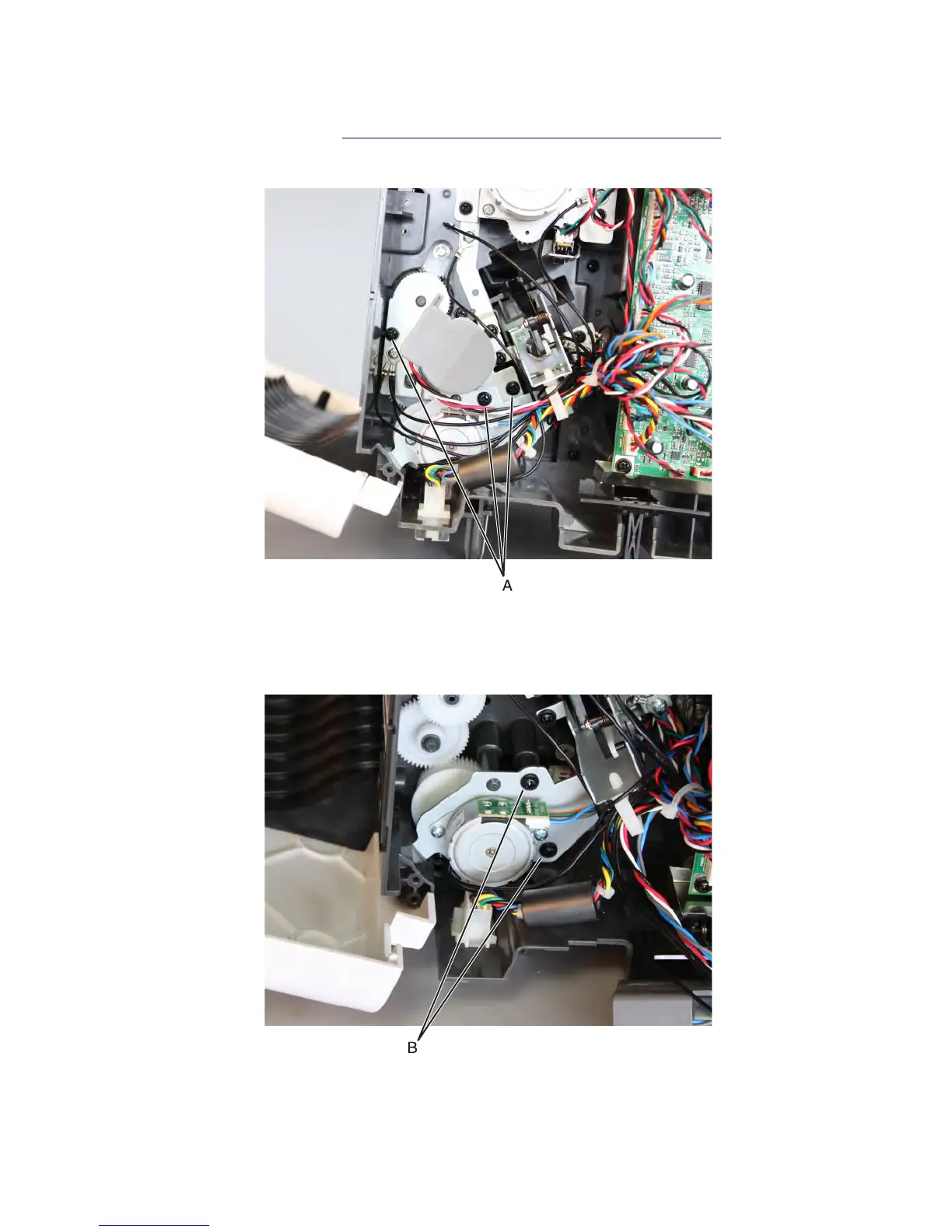
Stapler/offset stacker diverter plunger assembly removal
1 Remove the stapler left cover. See “Stapler/offset stacker left cover removal” on page 726.
2 Remove the three screws (A) from the main motor bracket.
Note: Removing the main motor bracket will not be required. Just move it out of the way to make it easier to
release the diverter motor bracket.
3 Remove the two screws (B) from the diverter motor bracket.
Note: Removing the diverter motor bracket will not be required. Just move it out of the way to access the parts
underneath it.
7463
Repair information
760



 To Next Page