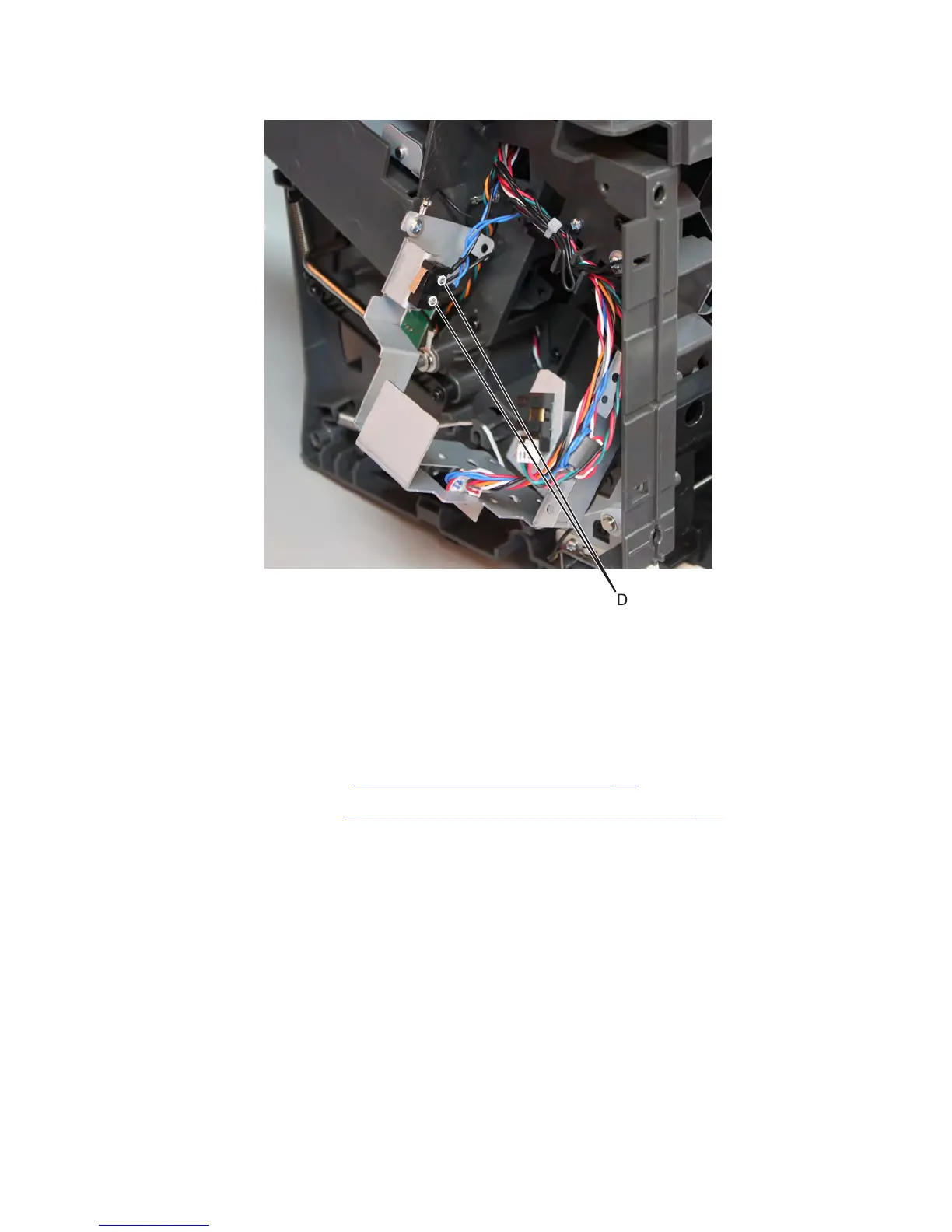
8 Remove the two screws (D) securing the limit switch.
9 Disconnect the cable J7 from the controller board.
10 Route the cable off the stapler, and remove the stapler door close limit switch.
Note: Pay attention to the original routing of the cables.
Sensor (throat media present) removal
1 Remove the stapler right cover. See “Stapler right cover removal” on page 782.
2 Remove the stapler top cover. See “Stapler/offset stacker top cover removal” on page 728.
7463
Repair information
788



 To Next Page