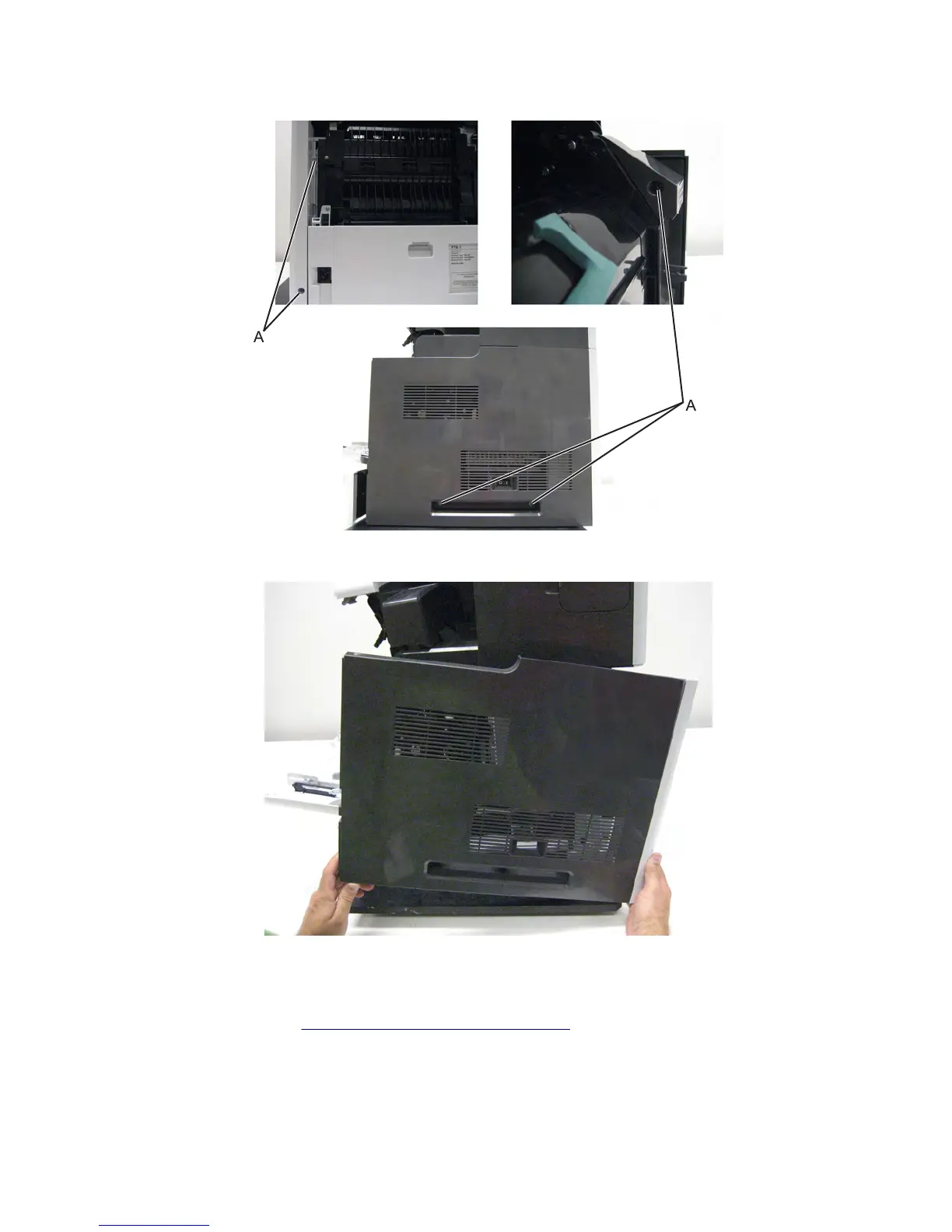
4 Remove the five screws (A) securing the right cover to the machine.
5 Remove the right cover.
Right inner cover removal (MX71x)
1 Remove the right cover. See “Left inner cover removal” on page 420.
2 Remove the three screws (A) securing the right inner cover to the machine.
3 Remove the right inner cover.
7463
Repair information
440



 To Next Page