158
1. PHONE OPERATION
ES350/300h_Navi_OM33A07U_(U)
12.
05.11 08:14
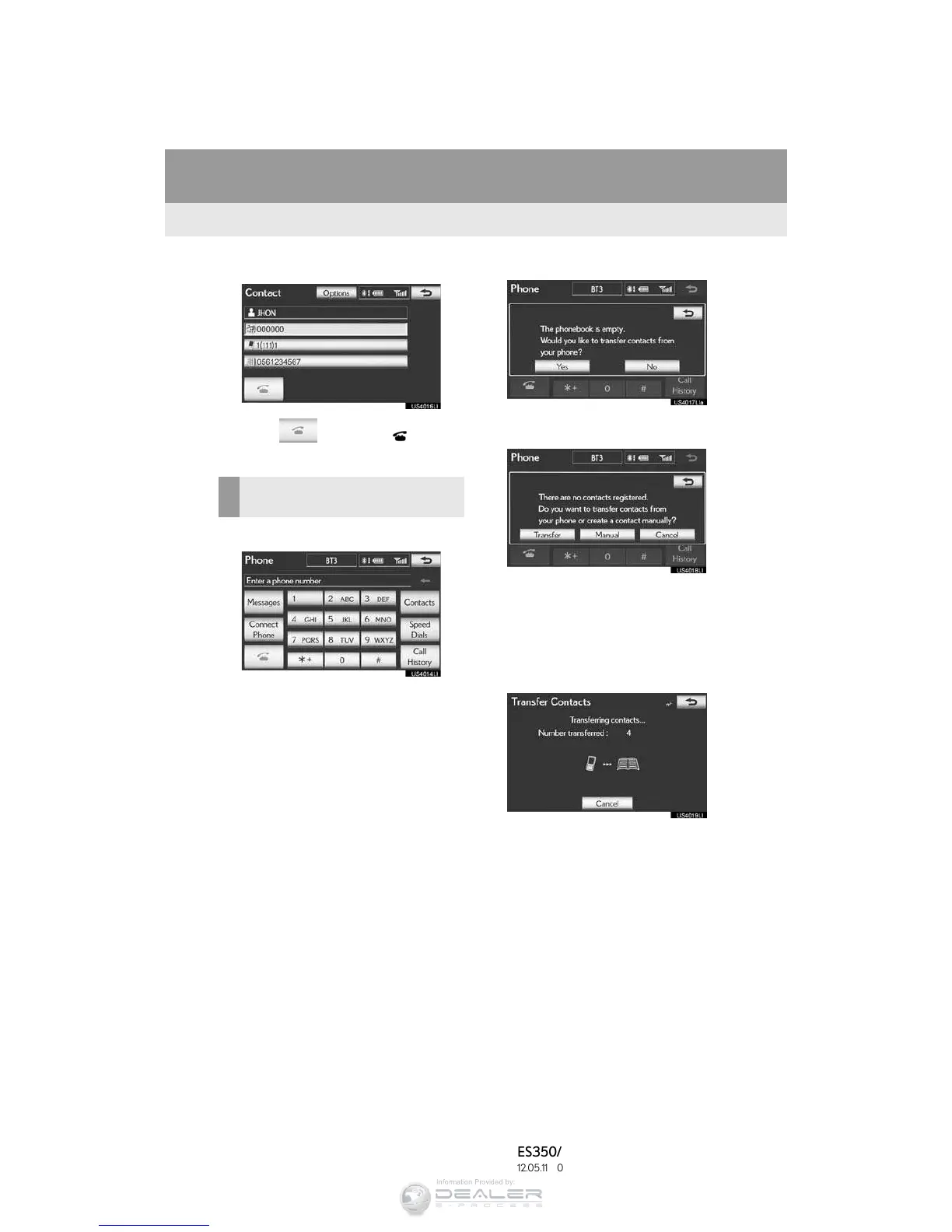
3 Select the desired number from the list.
4 Select or press the switch on
the steering wheel.
1 Select “Contacts”.
2 Select “Yes” or “Transfer” to automati-
cally transfer the phonebook from the
connected phone.
” Select “Manual” to transfer the phonebook
manually. (See “TRANSFERRING A
PHONE NUMBER” on page 175.)
” Select “No” or “Cancel” to cancel transfer-
ring.
” If your cellular phone is neither PBAP nor
OPP compatible, the phonebook cannot
be transferred.
wPBAP compatible models
wPBAP incompatible but OPP compatible
models
3 Transfer the phonebook data to the sys-
tem using the Bluetooth
®
phone.
” Depending on the type of cellular phone,
OBEX authentication may be required
when transferring phonebook data. Enter
“1234” into the Bluetooth
®
phone.
” This screen appears while transferring. To
cancel this function, select “Cancel”.
WHEN THE PHONEBOOK IS
EMPTY



 To Next Page