55
■ Loading a CD
Press the “LOAD” button.
“WAIT” is shown on the display.
Insert a CD when the indicator on the slot turns from amber to green.
The display changes from “WAIT” to “LOAD”.
■ Loading multiple CDs
Press and hold the “LOAD” button until you hear a beep.
“WAIT” is shown on the display.
Insert a CD when the indicator on the slot turns from amber to green.
The display changes from “WAIT” to “LOAD”.
The indicator on the slot turns to amber when the CD is inserted.
Insert the next CD when the indicator on the slot turns from amber to green again.
Repeat the procedure for the remaining CDs.
To cancel the operation, press the “LOAD” button. If you do not insert a CD within 15
seconds, loading will cancelled automatically.
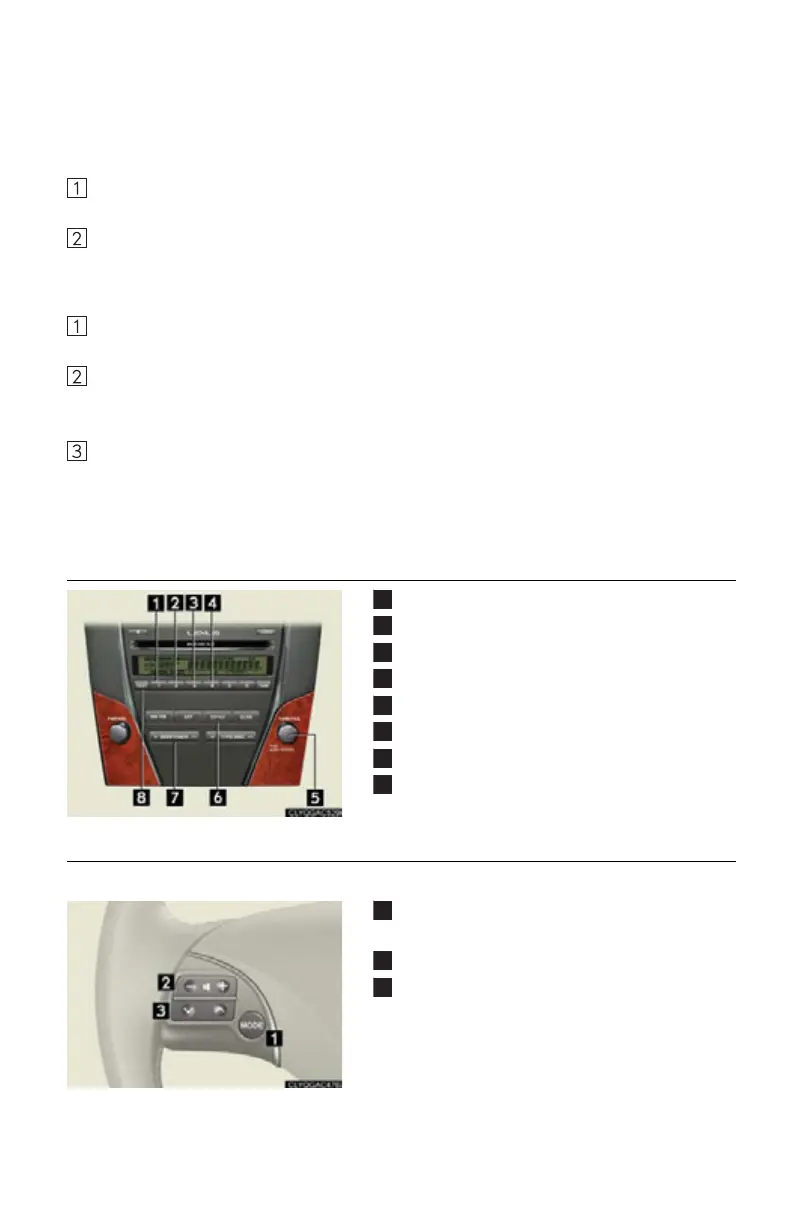
■ Operating an iPod (if equipped)
Random play
Repeat play
Pause/Playback
Go back
Menu/Song select
Playback
Song select/rewind/fast-forward
Text information
■ Remote control (steering wheel audio switches)
The audio system can be operated using the remote control located on the steering wheel.
Power on/change mode: press
Power off: press and hold
Vo l u me
Audio source
Radio: radio tuner
CD: disc/track/file (MP3/WMA) select
iPod (if equipped): song select



 To Next Page