266
2-4. Using other driving systems
LS460_EE
Display
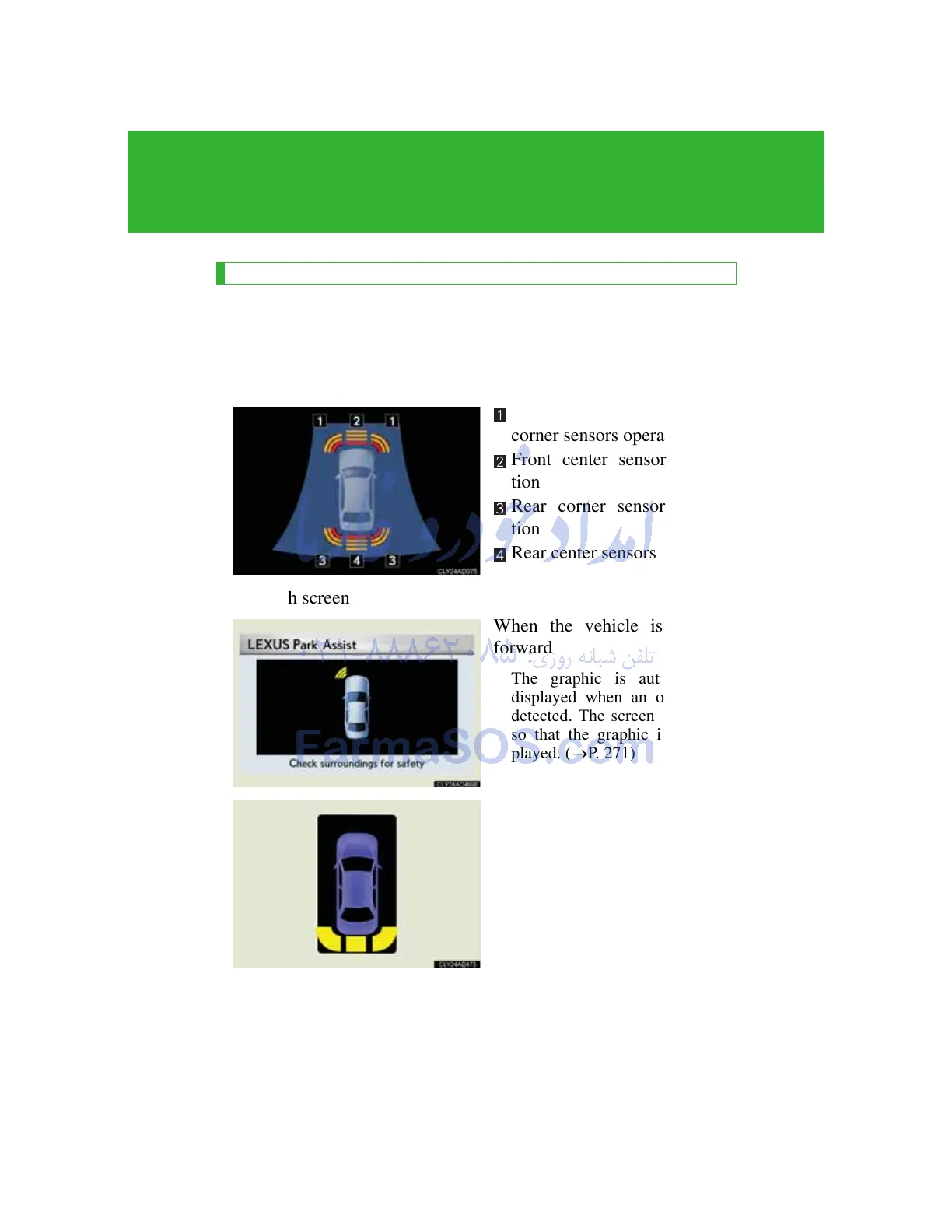
When the sensors detect an obstacle, the graphic is shown on the
multi-information display and touch screen according to position
and distance to the obstacle.
Multi-information display
Front side sensors and front
corner sensors operation
Front center sensors opera-
tion
Rear corner sensors opera-
tion
Rear center sensors operation
Touch screen
When the vehicle is moving
forward
The graphic is automatically
displayed when an obstacle is
detected. The screen can be set
so that the graphic is not dis-
played. (P. 271)
When the vehicle is moving
backward
A simplified image is displayed
on the right upper corner of the
touch screen when an obstacle
is detected.



 To Next Page