506
3-4. Using the rear seat entertainment system
LS460_EE
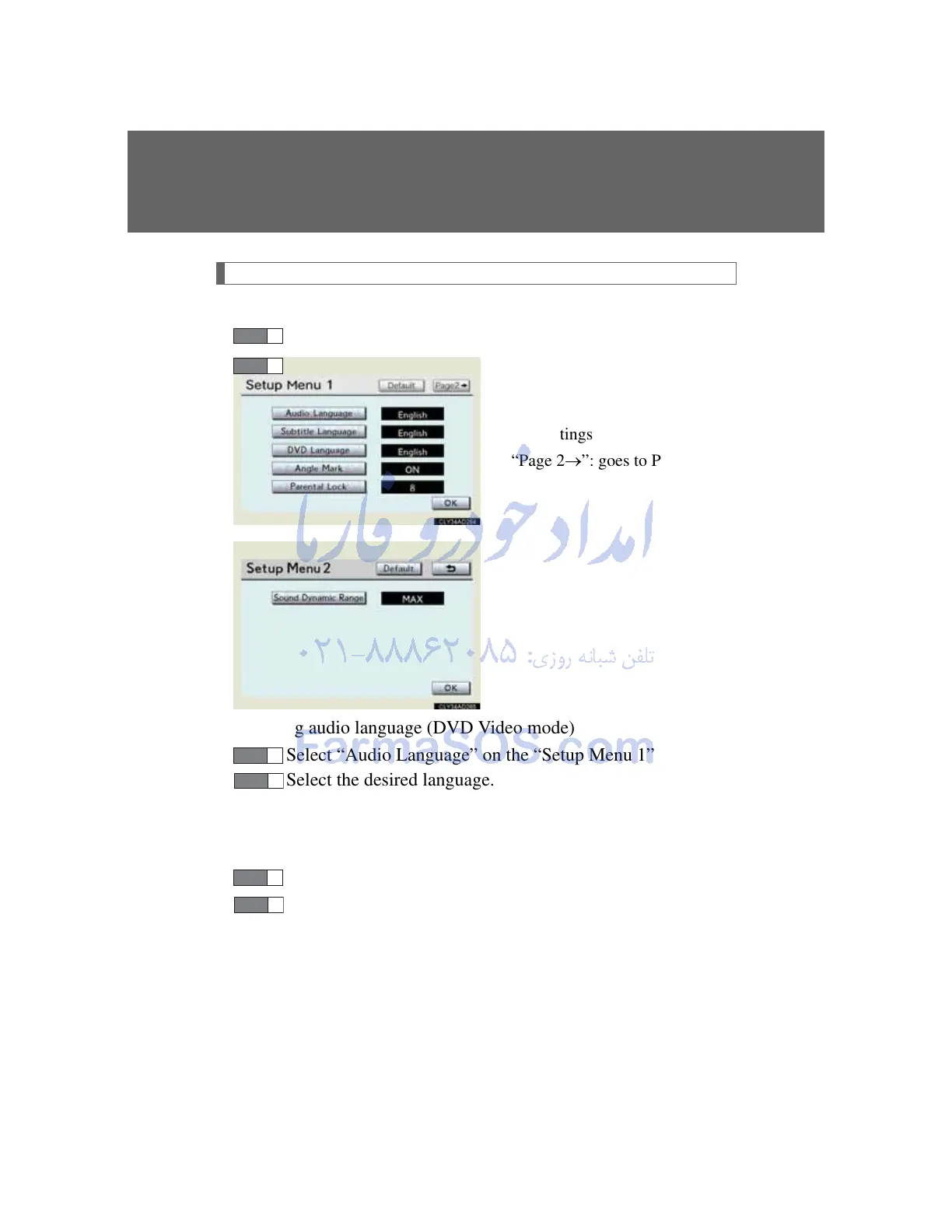
Initial DVD setup
Displaying “Setup Menu” screen
Select “Setup” on the settings screen.
After you change the initial set-
tings, select “OK”.
“Default”: restores default set-
tings
“Page 2”: goes to Page 2
Setting audio language (DVD Video mode)
Select “Audio Language” on the “Setup Menu 1” screen.
Select the desired language.
If you cannot find the desired language, select “Other” and input
the desired language code. (P. 507)
Setting subtitle language
Select “Subtitle Language” on the “Setup Menu 1” screen.
Select the desired language.
If you cannot find the desired language, select “Other” and input
the desired language code. (P. 507)



 To Next Page