322
RC350/RCF_U (OM24636U)
5-1. Basic Operations
Lexus Display Audio System
: If equipped
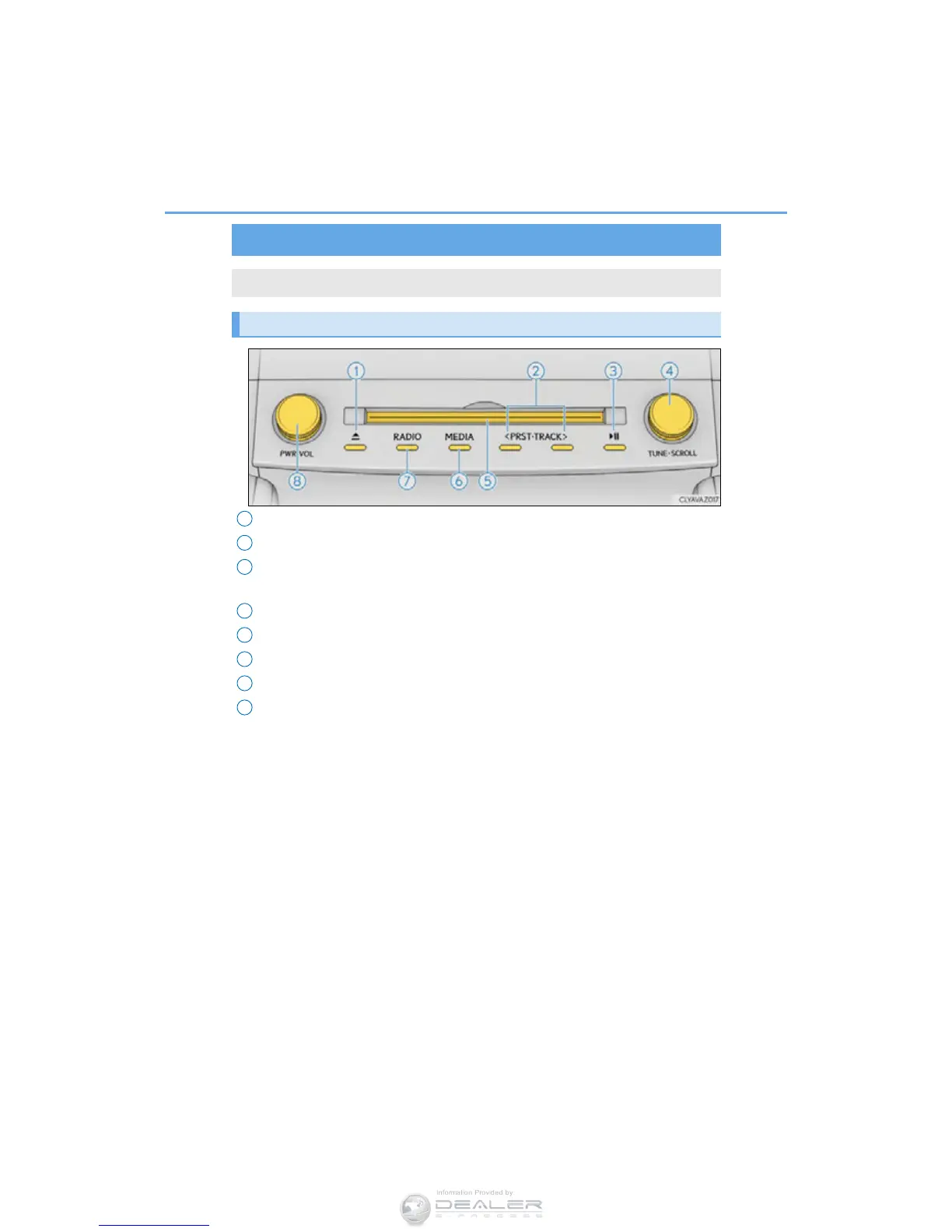
Use the following buttons to start listening to the audio system.
Lexus Display Audio operation buttons
Eject a disc.
Seek up or down for a radio station, or to access a desired track or file.
Except radio and A/V mode: Pause or resume playing a track.
Radio and A/V mode: Turn mute on/off.
Select a radio station band, track or file.
Disc slot
Display the media top screen.
Display the radio top screen.
Press to turn the audio system on/off, and turn to adjust the volume.



 To Next Page
 Loading...








