327
5-1. Basic Operations
5
Lexus Display Audio system
RC350/RCF_U (OM24636U)
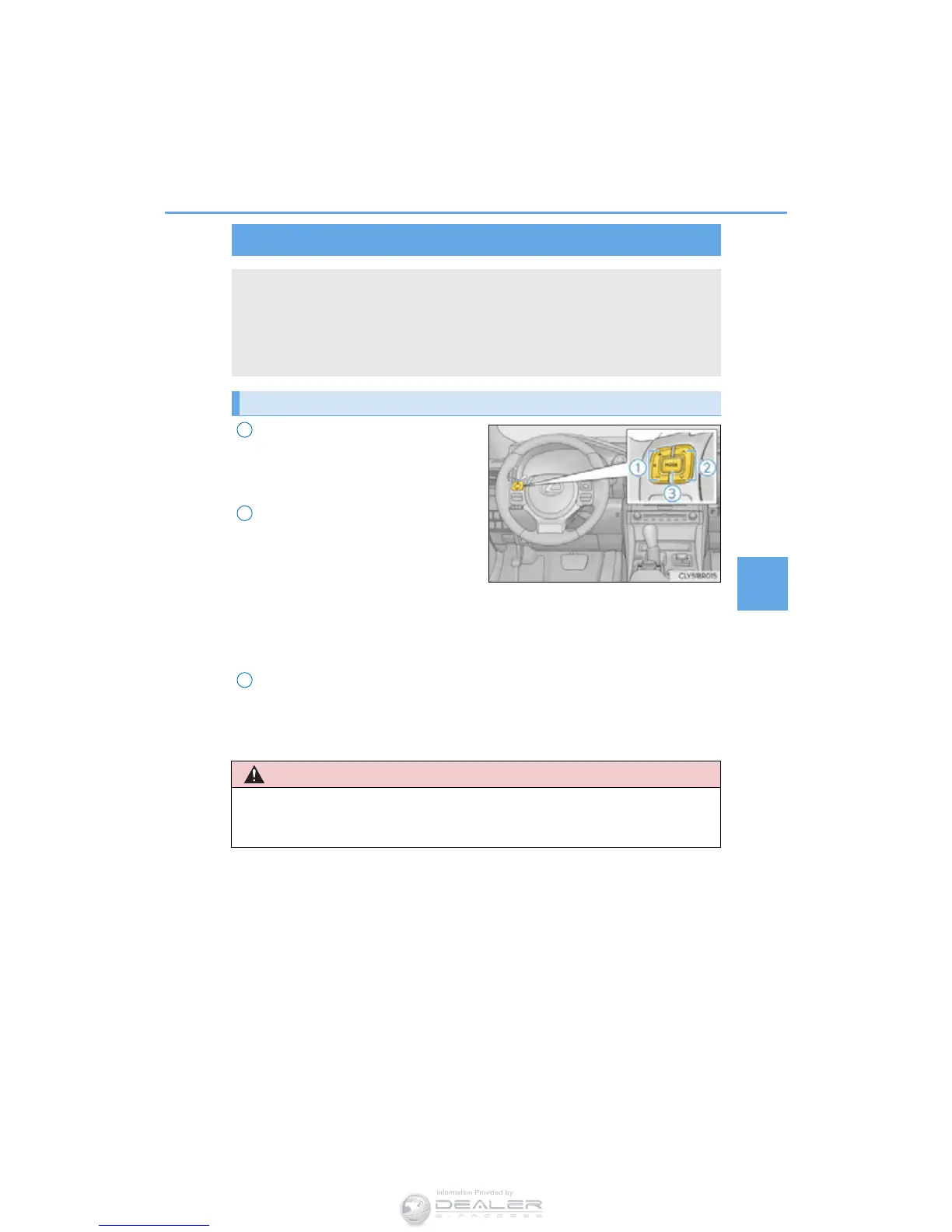
Volume switch
• Increases/decreases volume
• Press and hold: Continuously
increases/decreases volume
Radio mode:
• Press: Select a radio station
• Press and hold: Seek up/down
CD, MP3/WMA/AAC disc,
Bluetooth
®
, iPod or USB mode:
• Press: Select a track/file/video
• Press and hold: Continuously tracks/files/videos up/down. (MP3/WMA/
AAC disc, iPod or USB)
“MODE” switch
• Turns the power on, selects audio source
• Press and hold this switch to mute or pause the current operation. To can-
cel the mute or pause, press and hold.
Steering wheel audio switches
Some audio features can be controlled using the switches on the steering
wheel.
Operation may differ depending on the type of audio system or navigation
system. For details, refer to the manual provided with the audio system or nav-
igation system.
Operating the audio system using the steering wheel switches
■ To reduce the risk of an accident
Exercise care when operating the audio switches on the steering wheel.
3



 To Next Page
 Loading...








