9
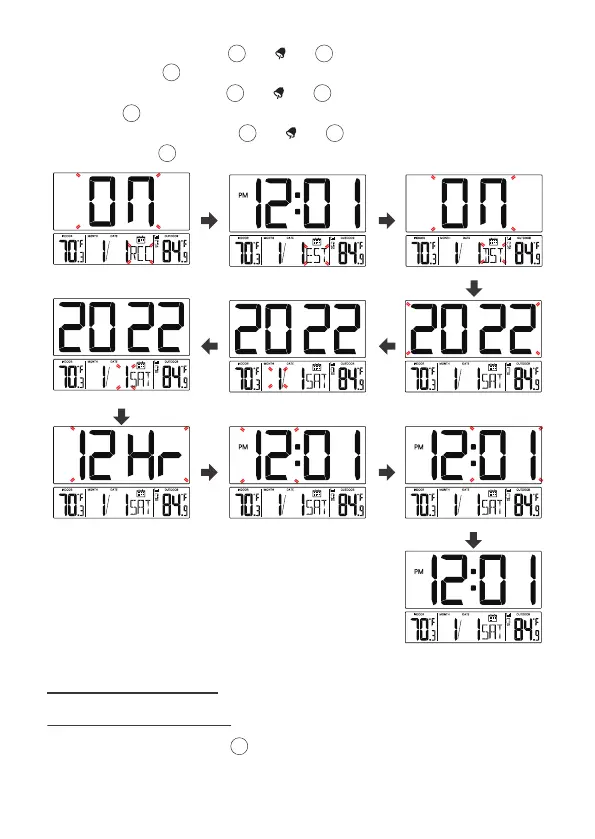
7.) When 12 Hr flashes, press [▲/ ] or [▼/WAVE/°C/°F] to adjust 12/24
hour format. Press [SET] to select hour.
8.) When Hour flashes, press [▲/ ] or [▼/WAVE/°C/°F] to adjust the
hours. Press [SET] to select minute.
9.) When Minute flashes, press [▲/ ] or [▼/WAVE/°C/°F] to adjust the
minutes. Press [SET] to save all settings and exit the setting.
11
11
11
RCC On/Off Time Zone DST On/Off
Day Month Year
12/24 Hour Format Hour Minute
End of Setting
In Normal time display, press 【Alarm】to toggle switch display Alarm1 and
Alarm2 time.
7 ALARM CLOCKS
7.1 CHECK ALARM TIME
13
15
14
1514
1514



 To Next Page