•
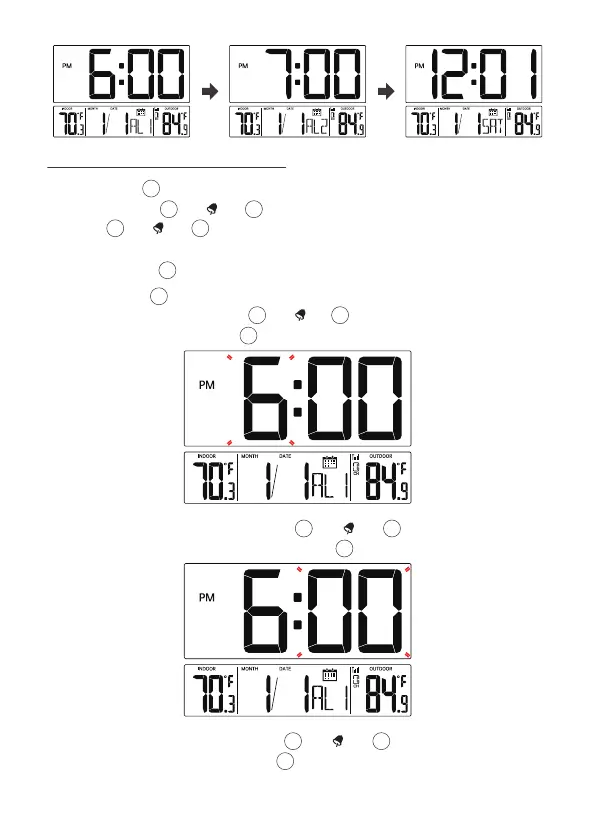
When Minute of Alarm1 flashes, press [▲/ ] or [▼/WAVE/°C/°F]
button to set required alarm1 minutes. Press 【Alarm】to select Hour of
Alarm2.
Press and hold 【Alarm】over 3 seconds to enter alarm setting mode.
Press and release [▲/ ] or [▼/WAVE/°C/°F] to adjust the values. Press
and hold [▲/ ] or [▼/WAVE/°C/°F] over 3 seconds to adjust the values
quickly.
Press and release 【Alarm】to confirm and move to the next item.
•
Press and hold 【Alarm】over 3 seconds to enter alarm setting mode. Hour
of Alarm1 starts to flash. Press [▲/ ] or [▼/WAVE/°C/°F] button to set
required alarm1 hours. Press 【Alarm】to select Minute of Alarm1.
10
7.2 SETTING THE DAILY ALARMS
13
13
13
13
13
14 15
14 15
14 15
•
When Hour of Alarm2 flashes, press [▲/ ] or [▼/WAVE/°C/°F] button
to set required alarm2 hours. Press 【Alarm】to select Minute of Alarm2.
13
14 15
14 15



 To Next Page