EasyManua.ls Logo

LG 15LS766A0UA - User Manual

LG 15LS766A0UA
28 pages
Print Icon
To Next Page IconTo Next Page
Loading...
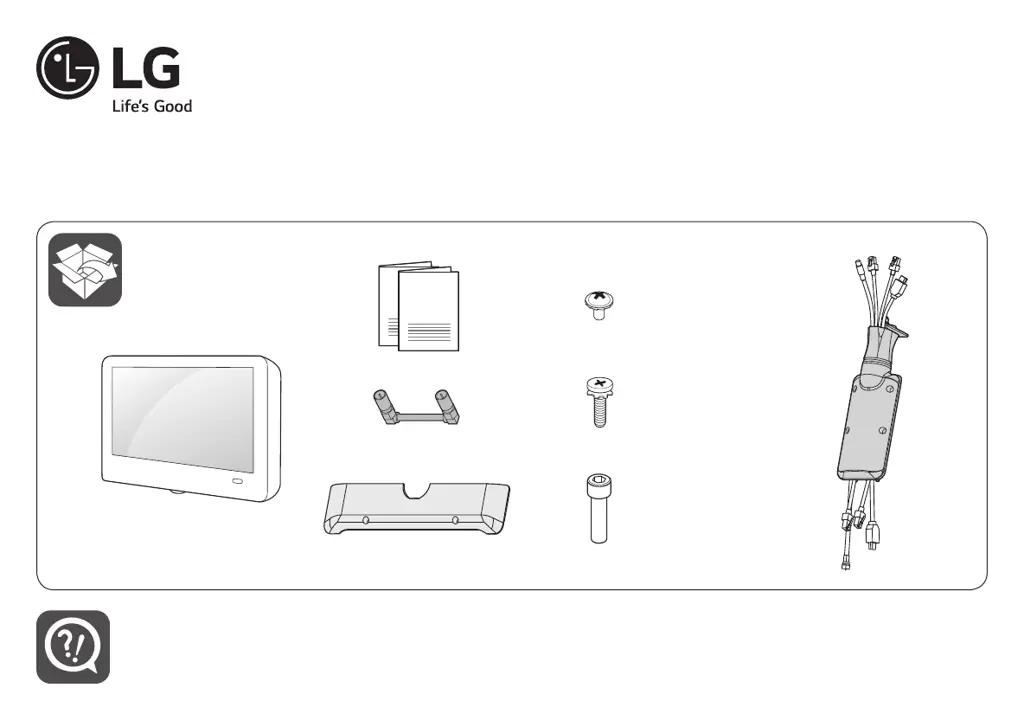
X 2
(M3 x L5.5)
12 14 16 20
X 4
(M4 x L14)
X 1
(M6.35 x L22.23)
www.lg.com
LED TV
15LS766A0UA
ENGLISH
Easy Setup Guide
Please read this manual carefully before operating your set and retain it for future reference.
ESPAÑOL
Guía Rápida de Configuración
Lea atentamente este manual antes de poner en marcha el equipo y consérvelo para futuras consultas.
FRANÇAIS
Guide de configuration rapide
Avant d’utiliser l’appareil, veuillez lire attentivement ce manuel et le conserver pour pouvoir vous y reporter ultérieurement.
Printed in Korea / Imprimé en Corée

Other manuals for LG 15LS766A0UA

Questions and Answers

  • C
    Cory MccoyAug 16, 2025
    How to fix LG 15LS766A0UA remote control not working?
    • J
      Jason HatfieldAug 16, 2025
      If your LG LED TV remote isn't working, first ensure that nothing is blocking the receiver on the TV, such as tape. Then, check for any obstacles between the remote and the TV. Finally, try replacing the remote batteries with new ones.
  • J
    jose06Aug 22, 2025
    What to do if LG 15LS766A0UA LED TV remote control is not working?
    • J
      James RamirezAug 22, 2025
      If you cannot control your LG LED TV with the remote, check these things: ensure nothing like tape is over the receiver; make sure there are no obstacles between the remote and the TV; and try replacing the batteries in the remote with new ones.
  • R
    Rebecca ThomasAug 25, 2025
    What to do if my LG 15LS766A0UA has no image and sound?
    • G
      George BryantAug 26, 2025
      If your LG LED TV is showing no image and producing no sound, first, check if the TV is turned on. Next, ensure the power cord is properly connected to a working wall outlet. You can also test the wall outlet by connecting other products to see if it's functioning correctly.
  • J
    Jeffrey HarrisAug 27, 2025
    What to do if my LG LED TV has no picture and sound?
    • H
      hernandeznathanielAug 27, 2025
      If your LG LED TV has no image and no sound, start by verifying that the TV is powered on. Next, check that the power cord is properly connected to the wall outlet. To ensure the wall outlet is working, connect another device to it.
  • K
    Karen McgrathAug 30, 2025
    Why does my LG 15LS766A0UA keep turning off by itself?
    • C
      caldwellmelanieAug 30, 2025
      If your LG LED TV is turning off unexpectedly, examine the power control settings to ensure the power supply isn't being interrupted. Also, check if the auto-off function is enabled in the time settings. Note that the TV will automatically turn off after 15 minutes of inactivity if there is no signal.
  • G
    gina46Sep 2, 2025
    What to do if my LG LED TV connecting to PC (HDMI) has no signal?
    • R
      Robert DavisSep 2, 2025
      If your LG LED TV isn't detecting a signal when connected to your PC via HDMI, try these steps: turn the TV off and then on again using the remote control; try reconnecting the HDMI cable; and restart your PC while the TV is powered on.
  • T
    Travis KellySep 4, 2025
    What to do if LG 15LS766A0UA LED TV is not detecting HDMI signal from PC?
    • A
      Andrew SimpsonSep 4, 2025
      If your LG LED TV isn't detecting a signal when connected to a PC via HDMI, try turning the TV off and then on again using the remote control. If that doesn't work, try reconnecting the HDMI cable. As a final step, restart your PC while the TV is powered on.
  • P
    pattersonangelaSep 7, 2025
    Why is my LG LED TV making strange noises?
    • E
      Emily WilsonSep 7, 2025
      A cracking noise from your LG LED TV during operation or when turning it off is typically due to plastic thermal contraction caused by temperature and humidity changes. Additionally, a low-level noise may be produced by the high-speed switching circuit that supplies power to the TV.
  • K
    Kyle StewartSep 10, 2025
    Why does my LG 15LS766A0UA LED TV make cracking noises?
    • A
      Austin GregorySep 10, 2025
      The cracking noise you hear when watching or turning off your LG LED TV is due to plastic thermal contraction caused by temperature and humidity changes; this is normal for products requiring thermal deformation. A low-level noise may also come from a high-speed switching circuit supplying current, but this doesn't affect the TV's performance or reliability.
  • T
    Tammie KennedySep 10, 2025
    Why does my LG 15LS766A0UA turn off suddenly?
    • M
      Matthew AlvarezSep 12, 2025
      Your LG LED TV might be turning off suddenly due to a few reasons. The power supply could be interrupted, so check the power control settings. Also, the auto-off function might be activated in the time-related settings. Finally, if there's no signal while the TV is on, it will automatically turn off after 15 minutes of inactivity.

LG 15LS766A0UA Specifications

General IconGeneral
Display TypeLED
Aspect Ratio16:9
Response Time8ms
Viewing Angle178°
InputsHDMI, USB

Related product manuals