EasyManua.ls Logo

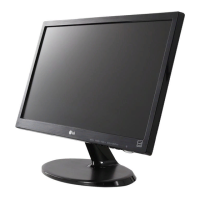
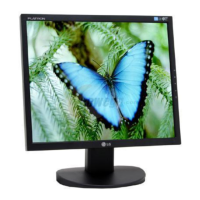
LG 19CNV42K-B - User Manual

LG 19CNV42K-B
50 pages
Print Icon
To Next Page IconTo Next Page
Loading...
www.lg.com
OWNER'S MANUAL
LG CLOUD V SERIES MONITOR
(LED MONITOR)
19CNV42K
Please read the safety information carefully before using the product.
LG Cloud V Series Monitor (LED Monitor) Model
English

Questions and Answers

  • A
    Alicia RamirezAug 11, 2025
    What to do if nothing is displayed on my LG 19CNV42K-B Monitor screen?
    • C
      Cheryl ThomasAug 11, 2025
      If nothing is displayed on your LG Monitor screen, first ensure the power cord is correctly plugged into the outlet and check the power indicator. Then, adjust the brightness and contrast settings. If the monitor is in power saving mode, move the mouse or press any key to switch the display on. Also, verify that your computer is turned on. If the signal cable between the PC and the monitor is missing or disconnected, check the cable and reconnect it. If signals transferred from the PC (video card) are out of the horizontal or vertical frequency range of the monitor, please see the "Product Specification" section of this manual to set the appropriate frequency.
  • A
    Alan SmithAug 18, 2025
    Why is the display color abnormal on my LG 19CNV42K-B Monitor?
    • S
      Stacey CarrilloAug 19, 2025
      If the display color on your LG Monitor is abnormal, set the color to 24 bit (true color) or higher by navigating to Control Panel > Display > Settings > Color Quality in Windows. Also, check if the signal cable is connected properly by re-connecting the cable or re-inserting the PC's video card. Note that sometimes a slight color variation isn't an error and isn't related to the monitor's performance.
  • P
    petersentimothyAug 26, 2025
    How to unlock OSD on my LG 19CNV42K-B Monitor?
    • C
      Christopher CrawfordAug 26, 2025
      If the 'OSD LOCKED' message is displayed on your LG Monitor, press and hold the MENU button for a couple of seconds to unlock the OSD.
  • A
    Abigail HernandezSep 2, 2025
    How to prevent screen retention on my LG Monitor?
    • B
      Benjamin MooreSep 2, 2025
      If your LG Monitor screen retains an image, it may be due to displaying a still image for a prolonged time, which can cause damage. To prevent this, use a screen saver when using the monitor for an extended period.

LG 19CNV42K-B Specifications

General IconGeneral
BrandLG
Model19CNV42K-B
CategoryMonitor
LanguageEnglish

Related product manuals