BALANCE
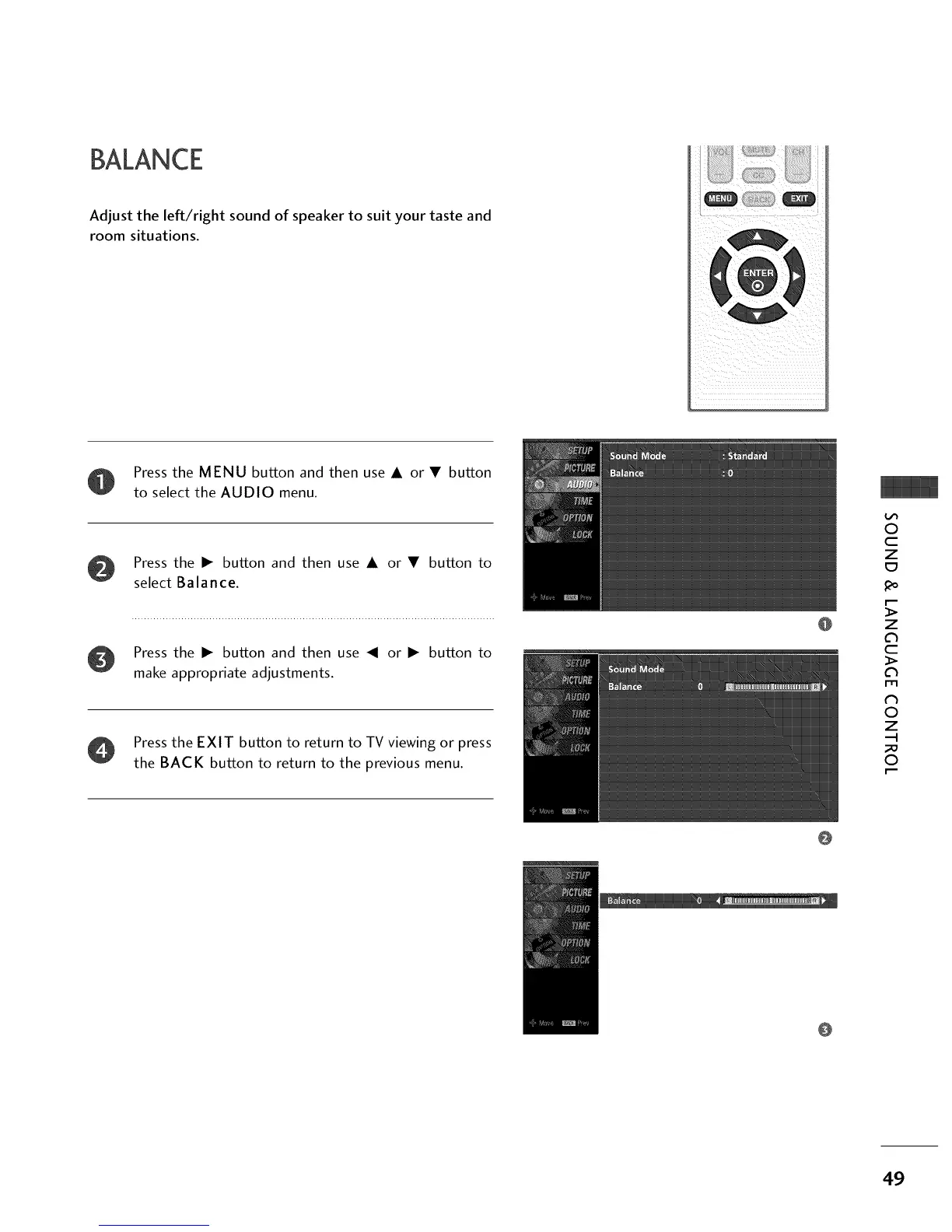
Adjust the left/right sound of speaker to suit your taste and
room situations.
Press the MENU button and then use • or • button
to select the AUDIO menu.
Press the • button and then use • or • button to
select Balance.
Press the • button and then use _1 or • button to
make appropriate adjustments.
Press the EXIT button to return to TV viewing or press
the BACK button to return to the previous menu.
@
@
O
c
z
z
c
l'rl
N
0
Z
--I
0
@
49


 To Next Page