17
ENG
ENGLISH
USING THE MONITOR SET
WhenyouwanttousetwoPCinourMonitor,
pleaseconnectthesignalcable(D-SUB/
DVI-D/HDMI)respectivelyinMonitorset.
IfyouturntheMonitorsetonwhileitiscold,
thescreenmayflicker.Thisisnormal.
Somered,green,orbluespotsmayappear
onthescreen.Thisisnormal.
NOTE
ConnectingtoAVDevices
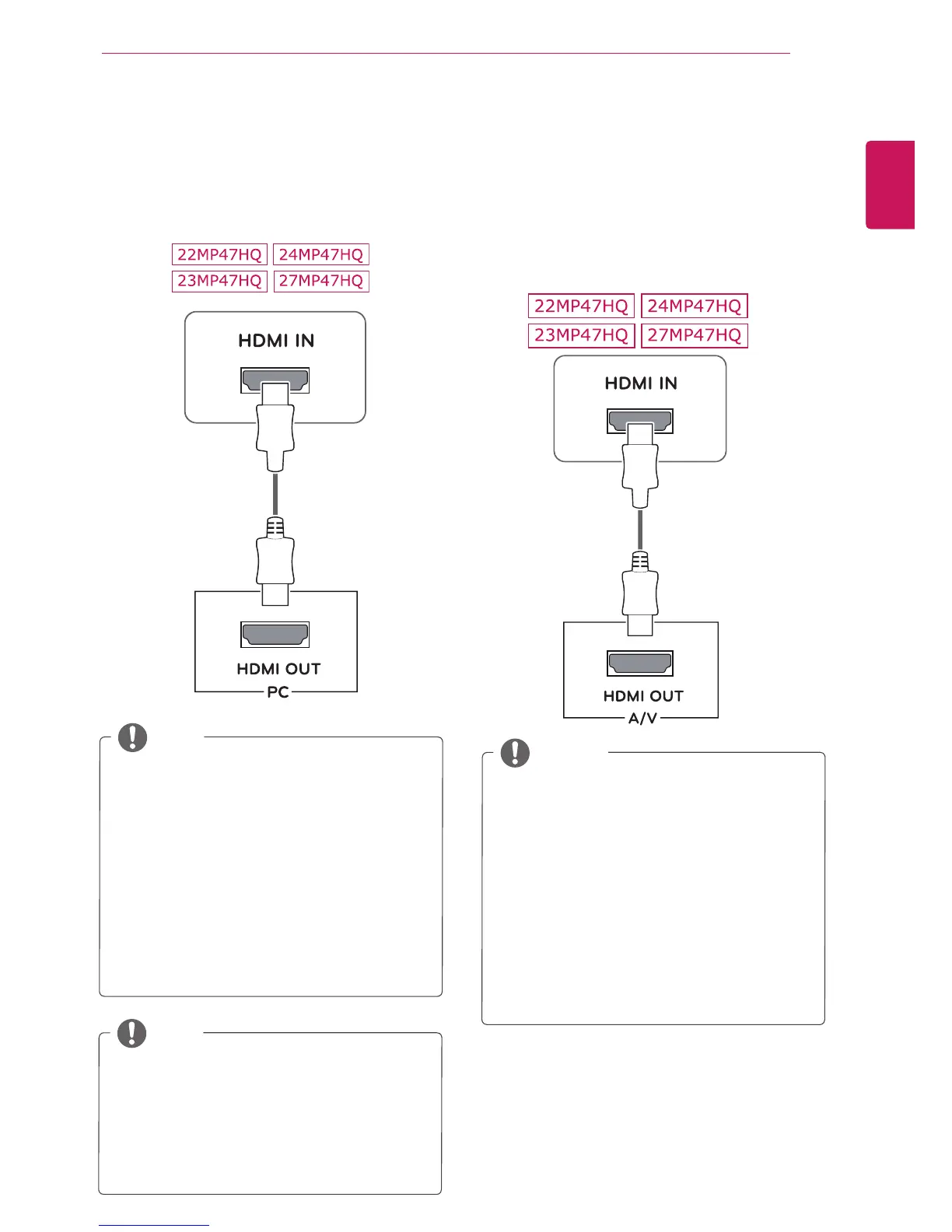
HDMIconnection
Transmitsthedigitalvideoandaudiosignalsfrom
yourAVdevicestothemonitor.ConnectyourAV
devicetothemonitorwiththeHDMIcableasil-
lustratedbelow.
IfyouuseHDMIPC,itcancausecompatibility
problem.
UseacertifiedcablewiththeHDMIlogo
attached.IfyoudonotuseacertifiedHDMI
cable,thescreenmaynotdisplayora
connectionerrormayoccur.
RecommendedHDMIcabletypes
-High-SpeedHDMI
®
/
TM
Cable
-High-SpeedHDMI
®
/
TM
CablewithEthernet
NOTE
HDMIconnection
Transmitsthedigitalvideoandaudiosignalsfrom
yourPCtotheMonitorset.ConnectthePCand
theMonitorsetwiththeHDMIcableasshownin
thefollowingillustrations.
IfyouuseHDMIPC,itcancausecompatibility
problem.
UseacertifiedcablewiththeHDMIlogo
attached.IfyoudonotuseacertifiedHDMI
cable,thescreenmaynotdisplayora
connectionerrormayoccur.
RecommendedHDMIcabletypes
-High-SpeedHDMI
®
/
TM
Cable
-High-SpeedHDMI
®
/
TM
CablewithEthernet
NOTE


 To Next Page