21
ENG
ENGLISH
CUSTOMIZING SETTINGS
NOTE
Whenmonitorgoestopowersavingmodewithpcsavingoption->Pressinganybutton->OSD
appearandusershouldpressdualbutton->Usercanbringbacktonormalmode.
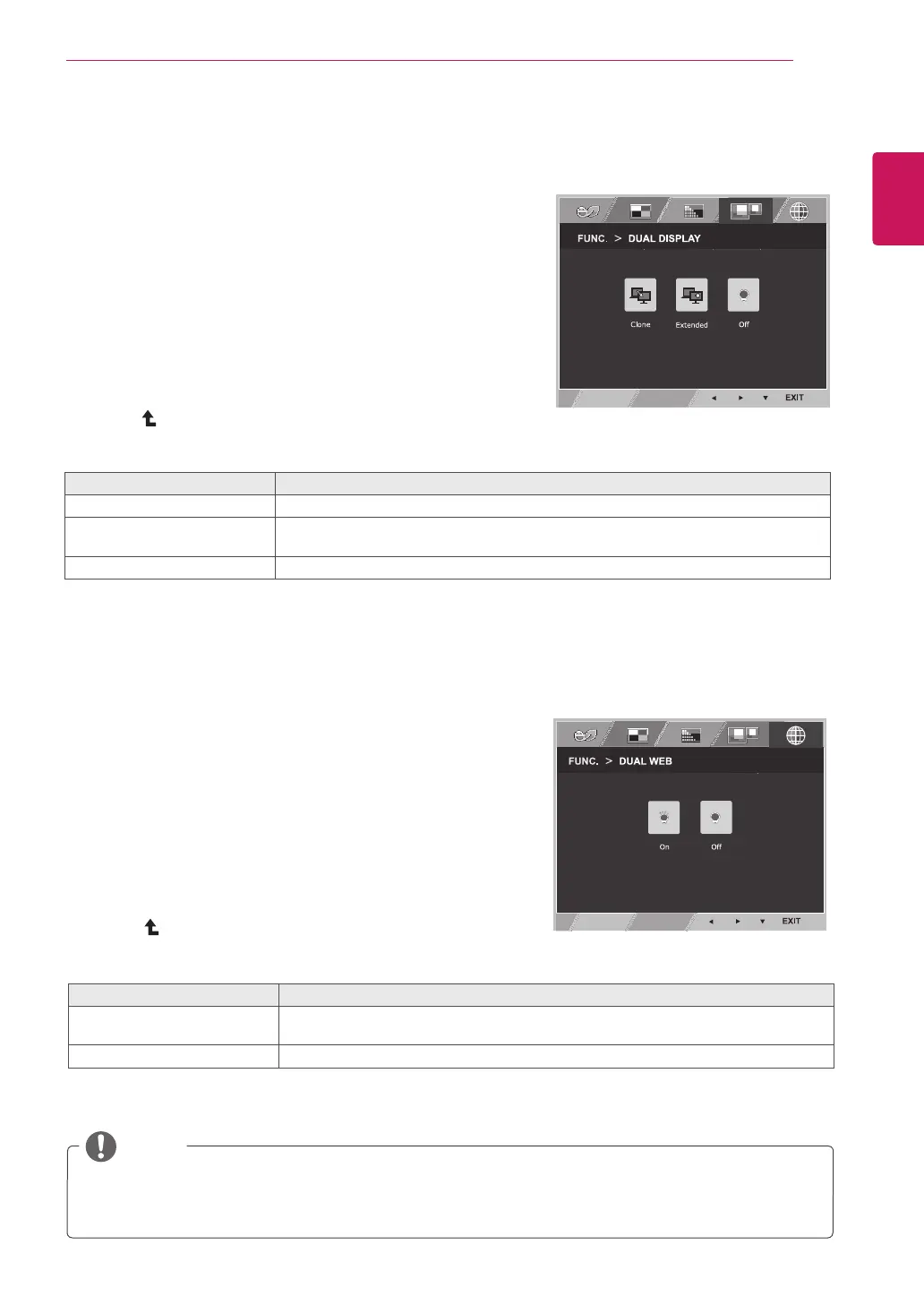
DUALDISPLAY
1
Press
FUNC.
buttononthebottomoftheMonitorset
todisplaythe
FUNC.
OSD.
2
Select
DUALDISPLAY
bypressingthe►button.
3
Enterto
DUALDISPLAY
bypressingthe▼button.
4
Settheoptionsbypressingthe◄or►buttons.
5
Select
EXIT
toleavetheOSDmenu.Toreturntothe
uppermenuorsetothermenuitems,usetheup
arrow( )button.
*Beforeusingbelowfunctions,pleaseinstallDUALSMARTSOLUTIONprogramme.
Eachoptionisexplainedbelow.
DUALDISPLAY Description
Clone ByselectingClone,usercanusesecondarymonitorasdonemodeofprimarymonitor.
Extended ByselectingExtended,usercanusesecondarymonitorasextendedmodeofprimary
monitor.
Off IfselectOff,DUALDISPLAYisoff.
DUALWEB
1
Press
FUNC.
buttononthebottomoftheMonitorset
todisplaythe
FUNC.
OSD.
2
Select
DUALWEB
bypressingthe►button.
3
Enterto
DUALWEB
bypressingthe▼button.
4
Settheoptionsbypressingthe◄or►buttons.
5
Select
EXIT
toleavetheOSDmenu.Toreturntothe
uppermenuorsetothermenuitems,usetheup
arrow( )button.
*Beforeusingbelowfunctions,pleaseinstallDUALSMARTSOLUTIONprogramme.
Eachoptionisexplainedbelow.
DUALWEB Description
On Helpusertobrowsewebefficientlybydividinginhalf.Helptoarrangeandmove
windowsonscreen.Helpusertocontroldividedwindowsratio.
Off IfselectOff,DUALWEBisoff.



 To Next Page