EasyManua.ls Logo

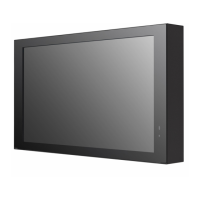
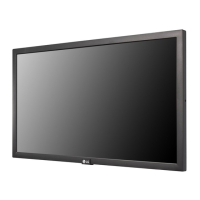
LG 22XE1J-B.AAU - User Manual

LG 22XE1J-B.AAU
32 pages
Print Icon
To Next Page IconTo Next Page
Loading...
User Manual
LG Digital Signage
(MONITOR SIGNAGE)
22XE1J
Please read the user manual before using this product to ensure safe and convenient
use.
www.lg.com
Copyright © 2021 LG Electronics Inc. All Rights Reserved.
*MFL71870201*
(2109-REV00)

Questions and Answers

  • D
    Daisy CarterNov 23, 2025
    What to do if touch does not respond on LG Digital Signage?
    • M
      Michael WardNov 23, 2025
      If the touch function on your LG Digital Signage isn't responding, here are some things you can try: * Ensure the USB cable between your PC and the product is connected; if it is, disconnect and reconnect it after 10 seconds. * Make sure your PC's power cord is firmly plugged into a power outlet and restart your PC. * If the system is down due to an unstable network, reconnect the LAN cable or restart your PC. * Check the signal cable connection between your PC and the product. * Verify that the product is powered on. * Always connect the power cord to a grounded outlet. * Check if the screen is currently on. A break or touch error may occur if touching the screen only with a nail or fingertip, if holding the tip of the touch pen or near the tip of the touch pen, or if usin...
  • V
    vazquezwilliamAug 25, 2025
    Why is my LG 22XE1J-B.AAU screen brightness dark and how to fix it?
    • T
      Troy DavisAug 26, 2025
      If your LG Digital Signage screen appears dark, try these solutions: * First, adjust the brightness and contrast settings. * If the internal temperature of the enclosure rises, the screen’s brightness may darken. Clean the heat exchanger or filter in the enclosure periodically. * The backlight may need repair.
  • T
    Thomas BradleyAug 27, 2025
    Why did my LG Digital Signage power suddenly turn off?
    • T
      Timothy PooleAug 27, 2025
      If your LG Digital Signage suddenly turned off, consider the following: * Check if the auto-off function is activated in the time-related settings. * Ensure the power source is properly supplied and the product power cord is correctly connected. * Check the power control settings. * If the internal temperature of the enclosure rises, the power may shut down. Clean the heat exchanger or filter in the enclosure periodically. * Verify that the fan is working properly.
  • B
    Brian CampbellAug 27, 2025
    How to troubleshoot no sound output on LG 22XE1J-B.AAU?
    • R
      rachel98Aug 27, 2025
      If there is no sound coming from your LG Digital Signage, check the following: * Ensure the audio cable is connected properly. * Adjust the volume of the product or external device. * Verify that the sound settings are configured correctly.
  • J
    joseph43Aug 28, 2025
    What to do if LG Digital Signage displays 'No signal' or 'Invalid Format'?
    • E
      Edward CarterAug 29, 2025
      If your LG Digital Signage displays a ‘No signal’ or ‘Invalid Format’ message: * Check the signal cable. * Access the input menu to check the input signal. * Adjust the frequency range by referring to the specifications in this manual, if the signal from the PC (Graphics card) is out of the vertical or horizontal frequency range of the product.
  • C
    Cheryl SanchezSep 15, 2025
    How to fix dull sound on LG 22XE1J-B.AAU Digital Signage?
    • D
      diana06Sep 16, 2025
      If the sound is too dull on your LG Digital Signage, select the appropriate equalizer sound setting.
  • C
    Courtney MillerSep 13, 2025
    Why is multi-touch not responding on my LG Digital Signage?
    • A
      Amanda RobertsonSep 13, 2025
      If multi-touch is not responding on your LG Digital Signage: * The content played (e.g., Paint, etc.) may not support Multi-touch points. Make sure that you use content that supports Multi-touch points. * Remove the USB cable and connect it again in 10 seconds. * Run the content (e.g., Paint, etc.) again. * Restart your PC. * On the edge of the touch screen, multi-touch may work unstably. * If the interval between two touches is too short, a touch error may occur.
  • D
    dcantuSep 14, 2025
    How to increase the sound volume on LG 22XE1J-B.AAU Digital Signage?
    • I
      iyoungSep 14, 2025
      If the sound is too low on your LG Digital Signage, adjust the volume of the product or external device.
  • M
    Michael HamptonSep 6, 2025
    How to fix horizontal noise or blurred characters on LG 22XE1J-B.AAU?
    • C
      Christine ThompsonSep 6, 2025
      If you are experiencing horizontal noise or blurred characters on your LG Digital Signage: * For D-Sub analog signal, press the button on the remote control to automatically select the optimal screen status that fits into the current mode. If the adjustment is not satisfactory, adjust the display settings manually in the OSD menu.
  • E
    Elizabeth CollinsSep 3, 2025
    Why is the PC BIOS configuration screen not displayed correctly on LG Digital Signage?
    • O
      Olivia McclainSep 3, 2025
      On some PCs, the BIOS configuration screen may not display correctly because the atypical aspect ratio is not supported before the graphics card driver is configured. This is not a problem of the product; it is due to the design of the graphics card’s BIOS configuration screen aspect ratio. To access the PC BIOS configuration screen, please connect a standard aspect ratio (4:3 or 16:9) monitor, then perform the BIOS configuration.

LG 22XE1J-B.AAU Specifications

General IconGeneral
Contrast Ratio1000:1
Operating Temperature0 °C to 40 °C
Panel TechnologyIPS
Display Size21.5"
Resolution1920 x 1080 (FHD)
Brightness250 cd/m²
Viewing Angle178°/178°
Color Gamut72%
Input PortsHDMI, VGA

Related product manuals