Need help?
Do you have a question about the LG 22SM3G-B and is the answer not in the manual?
Explains consequences of ignoring warning/caution messages for injury, death, or product damage.
Details safety measures for using the AC adapter and power cord to prevent fire or electric shock.
Provides safety guidelines for moving and handling the product to prevent damage or injury.
Outlines essential safety precautions and warnings during the installation process of the product.
Details safe procedures for cleaning and general usage, warning against hazards.
Warns against improper use of batteries and the remote control to prevent hazards.
Covers essential steps and precautions for assembling and preparing the product for use.
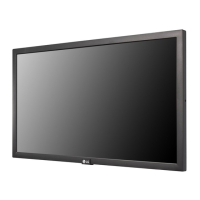
Identifies and describes the main buttons and parts of the LG digital signage product.
Explains portrait orientation and Kensington Lock usage for monitor security.
Provides step-by-step instructions for removing and re-attaching the LG logo bracket.
Guides on installing the wall mount plate onto the monitor, with notes on compatibility.
Details mounting the monitor on a wall, including ventilation, VESA standards, and screw specifications.
Explains how to set up external equipment, specifically the IR receiver for custom remote sensor placement.
Guides on connecting PCs and external devices, recommending HDMI and noting Plug and Play.
Lists supported resolutions, frequencies, and clarifies PC/DTV modes for HDMI input.
Details the functions of the remote control buttons and instructions for battery installation.
Addresses common problems and provides solutions for product use, video, and sound issues.
Explains the phenomenon of image sticking and provides recommendations to prevent it.
Lists detailed technical specifications for the product, including wireless and environmental data.
 General
| Response time | - ms |
|---|---|
| Display diagonal | 21.5 \ |
| Display brightness | 250 cd/m² |
| Display technology | IPS |
| Native aspect ratio | 16:9 |
| Contrast ratio (dynamic) | 400000:1 |
| Contrast ratio (typical) | 1000:1 |
| Display diagonal (metric) | 55.88 cm |
| Wi-Fi | Yes |
| USB version | 2.0 |
| USB ports quantity | 1 |
| DisplayPorts quantity | 0 |
| VGA (D-Sub) input ports | - |
| Purpose | Universal |
| Operating hours (hours/days) | 16/7 |
| Storage temperature (T-T) | -20 - 60 °C |
| Operating temperature (T-T) | 0 - 40 °C |
| Storage relative humidity (H-H) | 5 - 85 % |
| Operating relative humidity (H-H) | 10 - 80 % |
| AC input voltage | 100 - 240 V |
| Heat dissipation | 7.89 BTU/h |
| AC input frequency | 50 - 60 Hz |
| Power consumption (off) | 0.5 W |
| Power consumption (sleep) | 1 W |
| Power consumption (standby) | 30 W |
| Power consumption (typical) | 33 W |
| RMS rated power | 2 W |
| Certification | CB, NRTL, EMC, FCC Class \ |
| Orientation | Horizontal |
| Product color | Black |
| Product design | Digital signage flat panel |
| Panel mounting interface | 100 x 100 mm |
| Cables included | AC |
| Package depth | 103 mm |
| Package width | 565 mm |
| Package height | 357 mm |
| Package weight | 3500 g |
| Internal memory | 4 GB |
| Processor cores | 4 |
| Harmonized System (HS) code | 85285210 |
 Weight and Dimensions
| Depth | 53.8 mm |
|---|---|
| Width | 510.3 mm |
| Height | 302.1 mm |
| Weight | 3340 g |


 To Next Page