Need help?
Do you have a question about the LG 22SM3G and is the answer not in the manual?
Guidelines for safely using the power cord and AC adapter to prevent fire or electric shock.
Instructions for safely moving, installing, and securing the monitor to prevent injury or damage.
Procedures and warnings for cleaning the product and general safety during use.
Safety guidelines for using the remote control and its batteries.
Preventing screen damage from image retention and proper product disposal methods.
Information on HDMI, Dolby, DTS, and HEVC Advance technologies used in the product.
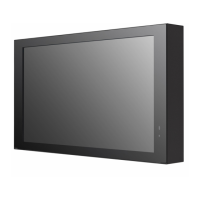
Identification of physical parts, buttons, and the monitor's layout.
Instructions for portrait orientation, Kensington lock, and wall mount plate attachment.
Detailed guidance on VESA standards, clearances, and screw specifications for wall mounting.
Guidance on positioning the IR receiver for custom remote control sensor placement.
Explanation of remote control buttons, functions, and battery installation procedures.
Instructions for connecting PCs and other external devices, including HDMI recommendations.
Solutions for power problems, no signal errors, and connection instability.
Addressing screen position, flickering, color, brightness, and image retention problems.
Resolving sound problems and other general operational issues like sudden power off.
Specifications for LCD screen, pixel pitch, resolution, and video signal support.
Details on ports, battery, operating conditions, power consumption, and dimensions.
Specifications for wireless modules and detailed HDMI support modes and resolutions.
Details regarding the supplier's declaration of conformity and product identification.
 General
| Panel Technology | IPS |
|---|---|
| Brightness | 250 cd/m² |
| Contrast Ratio | 1000:1 |
| Viewing Angle (H x V) | 178° x 178° |
| VESA Mounting | 100 x 100 mm |
| Operating Temperature | 0°C to 40°C |
| Resolution | 1920 x 1080 |
| Response Time | 5 ms |
| Surface Treatment | 3H |
| Input | HDMI, DVI-D |
| Output | Audio Out |
| External Control | RS232C (1), RJ45 (1) |
| Screen Size | 21.5 inches |

 To Next Page