Need help?
Do you have a question about the LG UH5 Series and is the answer not in the manual?
Details on included accessories with the LG digital signage product.
Information on optional accessories that can improve product performance.
Explanation of the function of each button on the LG digital signage.
Guide on connecting the IR sensor for remote control signal reception.
Instructions on rotating the monitor for portrait orientation and display.
Detailed steps for mounting and removing the LG logo bracket.
Information on installing and using the Kensington lock device for security.
Guidance on the correct orientation for installing the monitor vertically.
Guidance on selecting appropriate indoor and outdoor locations for installation.
Instructions and VESA dimensions for attaching a wall mount holder.
Warning regarding damage from excessively dusty environments.
Explanation and prevention methods for afterimages on the display.
Guidelines for optimal usage to prevent display issues like afterimages.
Technical specifications including power, size, and weight for the 75UH5J model.
Technical specifications including power, size, and weight for the 86UH5J model.
Supported resolutions and frequencies for PC input modes.
Supported resolutions and frequencies for DTV input modes.
Specifications for the wireless LAN and Bluetooth module.
This document serves as the owner's manual for LG Digital Signage (Monitor Signage) models 75UH5J and 86UH5J, providing essential information for safe and convenient use. It covers basic setup, installation precautions, usage guidelines, and product specifications.
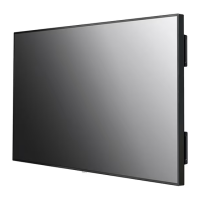
The LG Digital Signage is designed for displaying digital content in various environments. Its primary function is to serve as a monitor for signage applications, offering a clear and vibrant display for information, advertisements, or other visual content.
The device offers flexible installation options to suit different display needs. It can be installed in both landscape and portrait orientations. When installing in portrait layout, the monitor should be rotated counterclockwise 90 degrees when facing the screen. This adaptability ensures that the signage can be integrated seamlessly into diverse architectural and design contexts.
The monitor includes an IR sensor for remote control functionality. This sensor can be rotated according to the screen orientation (landscape or portrait) to ensure optimal signal reception. This thoughtful design detail enhances user convenience, allowing for easy control regardless of the display's physical setup.
For user interaction, the monitor features a set of buttons that allow for basic adjustments and navigation. These buttons include controls for adjusting up and down, moving left and right, displaying the current signal and mode, accessing main menus, saving input, exiting menus, changing the input signal, and turning the power on or off. This comprehensive set of controls provides direct access to essential functions without relying solely on a remote.
The device also supports an optional OPS (Open Pluggable Specification) PC, which can be attached to expand its capabilities. Users are advised to connect the necessary cables before attaching the OPS PC. This modularity allows for customization and integration with various computing solutions, enhancing the signage's versatility.
Mounting options include wall installation, with specific VESA dimensions provided for models 75UH5J and 86UH5J. Users are cautioned to securely fix the wall mount holder to both the monitor and the wall to prevent injury. The manual specifies the appropriate screw dimensions (M8) and quantities (4) for each model, emphasizing the importance of using correct screw lengths to avoid internal damage.
Installation location guidelines are provided for both indoor and outdoor enclosed environments. For indoor installations, specific clearances (100 mm or 3.9 inches) are recommended when installing on a wall or in a recessed wall setup. A critical note advises that the warranty will not cover damage caused by using the product in direct sunlight on the front panel, highlighting the importance of proper placement to ensure product longevity and warranty validity.
The manual provides important precautions for use, particularly concerning dust and afterimage effects.
Regarding dust, the warranty will not cover damage caused by using the product in an excessively dusty environment. This implies that maintaining a clean operating environment is crucial for the device's health and warranty coverage.
Afterimage (also known as image retention or ghosting) is a phenomenon that can occur when a still image is displayed on the screen for a long period. The manual explains that pixels can be damaged rapidly under such conditions and recommends using the screen-saver function to mitigate this risk. It also clarifies that switching from a screen with high luminance differences (e.g., black and white) to a darker screen may cause a temporary afterimage, which is a normal characteristic of the display.
The manual delves into the technical explanation of afterimage, attributing it to a slight voltage difference between the electrodes operating the liquid crystal (LC) when a still pattern is displayed for extended periods. This voltage difference can cause the liquid crystal to remain aligned in one direction, leading to the previous image persisting.
To reduce the occurrence of afterimages, specific operational recommendations are provided:
These guidelines are crucial for prolonging the lifespan of the display and ensuring optimal visual performance, particularly in signage applications where static images might be displayed for extended periods. Adhering to these recommendations helps in preventing permanent damage to the pixels and maintaining image quality over time.
 General
| Standby Power Consumption | 0.5W |
|---|---|
| Operating Temperature | 0 °C to 40 °C |
| Operating Humidity | 10 % to 80 % |
| Storage Temperature | -20 °C to 60 °C |
| Panel Technology | IPS |
| Screen Size | 55 inches |
| Viewing Angle (H x V) | 178° x 178° |
| Response Time | 8 ms |
| Orientation | Landscape & Portrait |
| Input | HDMI, USB |
| External Control | RS-232C, LAN |
| Speaker | Yes |
| Power Supply | AC 100-240V |
| VESA Mount | 400 x 400 mm |


 To Next Page