EasyManua.ls Logo

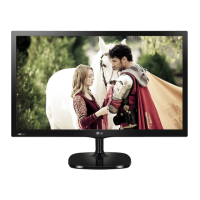
LG 23MA73D-PUP - User Manual

LG 23MA73D-PUP
32 pages
Print Icon
To Next Page IconTo Next Page
Loading...
North/Latin America http://aic.lgservice.com
Europe/Africa http://eic.lgservice.com
Asia/Oceania http://biz.lgservice.com
Internal Use Only
Printed in KoreaP/NO :
CHASSIS :
MODEL :
CAUTION
BEFORE SERVICING THE CHASSIS,
READ THE SAFETY PRECAUTIONS IN THIS MANUAL.
SERVICE MANUAL
MFL67714439 (1301-REV00)
23MA73D 23MA73D-PUP
LA31A
LED TV

Questions and Answers

  • T
    Tanner MillerAug 16, 2025
    What to do if my LG 23MA73D-PUP LED TV has no power?
    • A
      Amanda GardnerAug 16, 2025
      If your LG LED TV has no power, begin by inspecting the L800 and the power connector. Replace the adapter if the voltage level (19V) is not correct. Also, check the output of IC809 and replace it if the voltage level (3.3V_ST) is incorrect. Similarly, examine the output of IC802, IC806, IC810 and IC807, replacing them if their respective voltage levels (5V, 1.15V, 2.5V and 1.5V) are not correct. Finally, check the X201 clock and replace it with a 24MHz component if necessary. As a last resort, replace the IC100 flash memory.
  • A
    amber03Aug 19, 2025
    What to do if my LG 23MA73D-PUP LED TV has no picture?
    • G
      Gloria SmithSep 12, 2025
      If your LG LED TV shows no picture, start by checking if WLED_ENABLE is high. If not, check if IC101 has back light on and consider replacing the Main Scaler IC (R1127). Next, check the LED Driver output and the LED Driver IC1100 (P1101/P1102 #1,2,5,6), replacing the LED Driver IC if necessary. Also, verify the panel power at P1002(#1,2,3) for 5V and replace IC807 if its output is not 5V. Check the panel clock at IC101 P601(#10,11,22,23) and repair the Main B/D if needed. Inspect the FFC cable for damage and replace it if there are open conductors. If the issue persists, consider replacing the T-con Board or module.
  • N
    Nancy WhiteAug 22, 2025
    Why does my LG LED TV have no audio?
    • D
      Dr. John HernandezAug 22, 2025
      If your LG LED TV has no audio, first check the voltage level at L800 (19V) and then inspect the Audio Amp(IC700) power (19V, 3.3V). Check the signal from IC700 at L700, L701, L706, L709. Also, check the speaker and its wire connection (P700), and replace the connector or speaker, checking the resistance. Verify the signal from IC101 SDA/SCL (R703/R214, R707/R213). If problems persist, replace IC809(3.3V) or the adapter, or consider replacing IC700 or IC101.
  • L
    Laura WilsonAug 25, 2025
    Why is there no video on my LG 23MA73D-PUP via HDMI?
    • A
      Amanda HenryAug 26, 2025
      If your LG LED TV has no video via HDMI, first check if the input signal format is supported. Then, check the HDMI cable for damage or an open connector. Next, check JK500/JK501. Also, check the I2C signal at JK500/JK501 and re-download the EDID data (#15, #16). Finally, replace the scaler(IC101) and check the HDCP key (IC101).
  • M
    Mr. Jesse PayneAug 28, 2025
    Why does my LG 23MA73D-PUP LED TV turn off suddenly?
    • F
      frodriguezAug 28, 2025
      If your LG LED TV turns off suddenly, examine the power control settings to ensure the power supply isn't being interrupted. Also, check the Time settings to see if the Auto sleep feature is enabled. If the TV is on but receives no signal, it will automatically turn off after 15 minutes of inactivity.
  • O
    opalmerAug 31, 2025
    How to fix LG 23MA73D-PUP remote control not working?
    • K
      Karen LewisAug 31, 2025
      If you cannot control your LG LED TV with the remote, begin by checking the remote control sensor on the TV and try again. Ensure there are no obstructions between the remote and the TV. Finally, verify that the batteries in the remote are working and correctly installed.
  • E
    Eric KramerSep 3, 2025
    What to do if LG 23MA73D-PUP remote control not working?
    • D
      dana03Sep 3, 2025
      If you can't control your LG LED TV with the remote, start by checking the remote control sensor on the TV and try again. Ensure there are no obstructions between the remote and the TV. Also, verify that the batteries in the remote are working and correctly installed.
  • W
    William MillerSep 6, 2025
    What to do if my LG 23MA73D-PUP has no image and no sound?
    • Y
      yolanda02Sep 6, 2025
      If your LG LED TV shows no image and produces no sound, ensure that the TV is turned on. Check whether the power cord is properly connected to a functioning wall outlet. To verify the outlet's functionality, connect other products to it.
  • S
    susanmillerSep 9, 2025
    What to do if my LG 23MA73D-PUP LED TV has no video via component?
    • Z
      Zachary SanchezSep 9, 2025
      If your LG LED TV shows no video when using a component connection, first check if the input signal format is supported. Then, check the component cable for any damage. If the problem persists, replace JK2800 or check JK2800 and the connected device. You may also need to check the signal and replace R237, R239, R241 and C218, C220, C222. A problem with IC101 could also be the cause.
  • J
    Jordan HillSep 12, 2025
    What to do if my LG 23MA73D-PUP LED TV has no video via RGB?
    • H
      Hannah ArnoldSep 12, 2025
      If your LG LED TV shows no video via RGB, first check if the input signal format is supported. Then, check the RGB cable. If the problem continues, replace JK400 or check JK400 and the connected device. Also, check Hsync and Vsync, and replace R266, R267. Check the signal RGB and replace R228, R230, R232 and C204, C206, C208. A problem with IC101 could also be the cause.

LG 23MA73D-PUP Specifications

General IconGeneral
Screen Size23 inches
Display TypeLED
Resolution1920 x 1080
Aspect Ratio16:9
Response Time5 ms
Brightness250 cd/m²
HDMI Ports2
USB Ports1
Input PortsHDMI, USB, Component, Composite, RF
Speakers2 x 5W
Power Consumption28W

Related product manuals