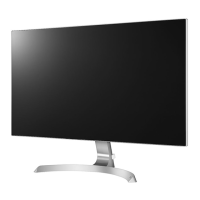
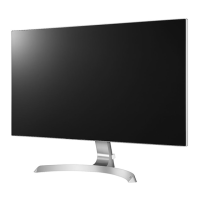
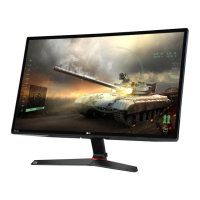
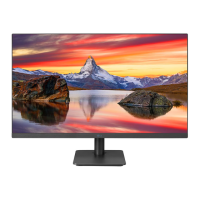
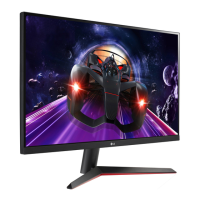
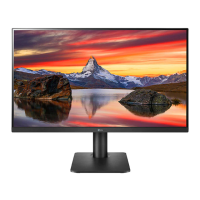
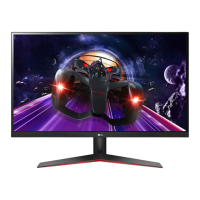
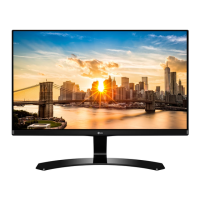
This document is an owner's manual for an LG IPS LED Monitor, model 27MP89HM. It provides comprehensive information on assembling, operating, customizing, and troubleshooting the monitor.
Function Description
The LG IPS LED Monitor (27MP89HM) is a display device designed for various applications, including PC connectivity and AV device integration. It features an IPS (In-Plane Switching) panel with LED backlighting, offering wide viewing angles and accurate color reproduction. The monitor supports Plug & Play functionality, allowing for easy connection to PCs without extensive configuration. It can display both analog video signals via D-SUB and digital video/audio signals via HDMI. The monitor incorporates a joystick button for intuitive control of its functions and OSD (On-Screen Display) menu. It also includes features like SMART ENERGY SAVING to conserve energy by adjusting luminance, and various picture modes (Custom, Reader 1, Reader 2, Photo, Cinema, Color Weakness, Game) to optimize the display for different content. For gamers, it offers FreeSync technology for seamless and natural images by synchronizing vertical frequency with the input signal, and a Cross Hair feature for improved aiming in First Person Shooter (FPS) games. Audio features include MaxxAudio® for enhanced sound quality and Midnight Mode for enjoying rich sound at low volumes.
Important Technical Specifications
- Model: 27MP89HM
- LCD Screen Type: TFT (Thin Film Transistor) LCD (Liquid Crystal Display) Screen
- Pixel Pitch: 0.3114mm x 0.3114mm
- Maximum Resolution: 1920 x 1080 @ 75Hz
- Recommended Resolution: 1920 x 1080 @ 60Hz
- Video Signal:
- Horizontal Frequency:
- HDMI: 30 ~ 85 KHz (FreeSync on), 30 ~ 83 KHz (FreeSync off)
- Analog: 30 ~ 83 KHz
- Vertical Frequency:
- HDMI: 40 ~ 75 Hz (FreeSync on), 56 ~ 75 Hz (FreeSync off)
- Analog: 56 ~ 75 Hz
- Synchronization: Separate Sync, Digital.
- Input Connector: HDMI1/2 IN, D-SUB IN, HP OUT, AUDIO IN
- Power Input: 19 V ⎓ 1.6 A
- Power Consumption:
- On Mode: 24.5 W Typ. (Outgoing condition)
- Sleep Mode: ≤ 0.3 W
- Off Mode: ≤ 0.3 W
- AC/DC Adaptor: Various types from SHENZHEN HONOR ELECTRONIC and LIEN CHANG ELECTRONIC ENTERPRISE, and Lite-On Technology Corporation. Output: 19 V ⎓ 1.7 A.
- Environmental Conditions:
- Operating Temperature: 0 °C to 40 °C
- Operating Humidity: Less than 80%
- Storage Temperature: -20 °C to 60 °C
- Storage Humidity: Less than 85%
- Dimension (Width x Height x Depth):
- With Stand: 613.1 mm x 456.2 mm x 209.7 mm
- Without Stand: 613.1 mm x 352.8 mm x 60.5 mm
- Weight:
- With Stand: 4.8 Kg
- Without Stand: 4.3 Kg
- Supported Drivers and Software: Monitor Driver and OnScreen Control (Recommended).
- Kensington Security System: Connector located at the back of the monitor.
Usage Features
- Assembly and Preparation: The manual details how to assemble the stand body and base, including attaching the stand base with screws and covering them. It provides instructions for mounting the monitor on a table, ensuring proper ventilation with a 100 mm (3.94 inches) space from the wall. It also covers installing the monitor to a wall using a VESA standard wall mounting bracket (100 x 100 mm, M4 x L10 screws).
- Joystick Button Control: A single joystick button located at the bottom of the monitor allows for easy navigation and control.
- Power On/Off: Press once to turn on, press and hold to turn off.
- Volume Control: Move left/right to adjust volume.
- Main Menu Access: Press once to enable the main menu.
- Navigation: Move up/down/left/right to select and adjust options within the OSD.
- Input Connectors:
- D-SUB IN: For analog video input from a PC.
- HDMI IN 1 & HDMI IN 2: For digital video and audio input from PCs and AV devices. Supports HDMI High-Definition Multimedia Interface.
- AUDIO IN: For audio input.
- H/P (Headphones) OUT: For connecting headphones.
- DC-IN (19 V): Power input.
- Cable Management: Includes a cable holder to organize cables at the back of the monitor.
- Tilt Adjustment: The monitor can be tilted from +15 to -2 degrees to suit the user's view.
- Customizable Settings (OSD Menu):
- Quick Settings: Brightness, Contrast, Volume, Ratio (Wide, Original), SMART ENERGY SAVING (High, Low, Off).
- Picture Mode: Custom, Reader 1, Reader 2, Photo, Cinema, Color Weakness, Game.
- Picture Adjust: SUPER RESOLUTION+ (High, Middle, Low, Off), Sharpness, Black Level (High, Low), DFC (On, Off).
- Game Adjust: FreeSync (On, Off), Black Stabilizer, Cross Hair (four different types).
- Color Adjust: Gamma (Mode 1, 2, 3, 4), Color Temp (Warm, Medium, Cool, Custom), Red/Green/Blue adjustment, Six Color adjustment (Hue, Saturation for Red, Green, Blue, Cyan, Magenta, Yellow).
- Display: Horizontal, Vertical, Clock, Phase.
- Sound: MaxxAudio (On, Off), MaxxAudio Settings (MaxxBass, MaxxTreble, MaxxDialog, Maxx3D, Reset), Midnight Mode (On, Off), Main Audio (Audio-In, HDMI).
- General: Language, Power LED (On, Off), Automatic Standby, Resolution (for D-SUB only), OSD Lock (On, Off).
- Auto Configuration: For optimal display in D-SUB.
- Reset: Returns all settings to default.
- Automatic Standby: The monitor is set to turn off automatically in 4 hours if there is no display adjustment (can be disabled in OSD).
Maintenance Features
- Cleaning: When moving or lifting the monitor, avoid touching the screen to prevent damage.
- Component Care: Always use genuine components and supplied cables to ensure safety and product performance. Avoid using generic cables not certified by LG to prevent display issues or image noise.
- Handling: When moving the monitor, hold the top and bottom of the frame firmly, not the panel itself. It is advisable to place the monitor in its original box or packing material for transportation. Keep the monitor upright and avoid strong shocks or vibrations.
- Troubleshooting Guide: The manual includes a detailed troubleshooting section for common issues such as no image, "Out of Range" messages, "NO SIGNAL" messages, OSD control problems, incorrect display image (mono, abnormal color, blinking), and "Unrecognized monitor" messages. It advises checking cable connections, power, display settings, and installing the correct drivers.
- Product Warranty: Damage caused by applying excessive force during assembly or using inappropriate components for wall mounting will not be covered by the product warranty.


 To Next Page
 General