EasyManua.ls Logo

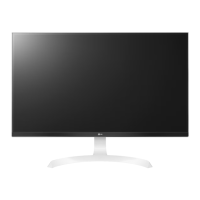
LG 27UD59 - User Manual

LG 27UD59
33 pages
Print Icon
To Next Page IconTo Next Page
Loading...
www.lg.com
Please read the safety information carefully before using the product.
IPS LED Monitor (LED Monitor) Model List
Owner's Manual
IPS LED MONITOR
(LED MONITOR*)
*LG LED Monitors are LCD Monitors with LED Backlighting.
27UD59
27UD59P

Other manuals for LG 27UD59

Questions and Answers

  • L
    Lisa GibsonAug 3, 2025
    What to do if nothing is displayed on my LG 27UD59 screen?
    • R
      Ruben JonesAug 3, 2025
      If nothing is displayed on your LG Monitor screen, try these steps: First, check that the power cord is correctly plugged into the power outlet. Then, verify the power cable connection and press the power button. Ensure that the connected input is enabled by going to Menu > Quick Settings > Input. If the monitor is in sleep mode, move the mouse or press any key on the keyboard. Also, confirm that your computer is turned on. Finally, check the cable and reconnect it.
  • C
    cpowellAug 8, 2025
    What to do if there is no sound from the headphone port or speaker of my LG Monitor?
    • A
      Angel Cross MDAug 8, 2025
      If there is no sound from the headphone port or speaker of your LG Monitor, first, try increasing the volume using the button on the monitor. If that doesn't work, set the audio output of the PC to the monitor you are using. On Microsoft Windows, go to Control Panel > Hardware and Sound > Sound and set the monitor as the default device.
  • A
    Andrew GarciaAug 13, 2025
    What to do if the screen display is unstable and shaky on my LG 27UD59?
    • S
      Stephanie HendersonAug 13, 2025
      If the screen display is unstable and shaky, or if images displayed on the LG monitor leave shadow trails, and the selected resolution is HDMI 1080i 60/50 Hz (interlaced), the screen may be flickering. Change the resolution to 1080P or the recommended resolution.
  • M
    Michael RangelAug 18, 2025
    Why is the display color abnormal on my LG 27UD59?
    • V
      Valerie SnyderAug 18, 2025
      If the display color on your LG Monitor is abnormal, try setting the color to 24 bit (true color) or higher by navigating to Control Panel > Display > Settings > Color Quality in Windows. Also, ensure the signal cable is properly connected; reconnect it or reinsert the PC's graphics card. Note that in some cases, this might not be an error related to the monitor's performance.
  • J
    Jeffrey LaraAug 23, 2025
    How to turn off OSD lock on LG 27UD59?
    • F
      fwelchAug 23, 2025
      To turn off the OSD lock on your LG Monitor, go to Menu > General and set OSD Lock to Off.
  • S
    Sean PetersonAug 28, 2025
    Why does my LG Monitor screen retain an image?
    • C
      Christopher StewartAug 28, 2025
      Displaying a still image for a prolonged time may cause damage to the screen, resulting in the retention of the image on your LG Monitor. To extend the lifetime of the monitor, use a screensaver.

Summary

LICENSE

ASSEMBLING AND PREPARING

Product Components

Lists all included components in the product box.

Supported Drivers and Software

Details software and drivers needed for the monitor's functionality.

Component and Button Description

Explains the physical components and buttons of the monitor.

Input Connector Details

Shows the input ports available on the monitor.

Moving and Lifting the Monitor

Provides instructions on how to safely move and lift the monitor.

Assembling the Monitor Stand Base

Step-by-step guide to assemble the monitor stand base.

Installing the Monitor on a Table

Instructions for placing the monitor on a table and connecting the power.

Cable Management with Holder

How to use the cable holder to organize cables.

Adjusting Monitor Stand Height

Guide on how to adjust the monitor's stand height.

Adjusting Monitor Viewing Angle

Instructions for adjusting the monitor's viewing angle.

Swivel Stand Operation

Details on how to swivel the monitor stand.

Using the Pivot Feature

How to rotate the monitor 90 degrees using the pivot feature.

Kensington Security Lock Usage

How to use the Kensington security lock for the monitor.

Installing Wall Mount Plate

Guide for installing the wall mount plate onto the monitor.

Wall Mounting Instructions

Instructions for mounting the monitor on a wall securely.

USING THE MONITOR

Connecting to a PC

How to connect your PC to the monitor for display.

DisplayPort Connection Guide

Steps to connect the monitor using a DisplayPort cable.

HDMI Connection for PC

Connect your PC to the monitor using an HDMI cable.

Connecting AV Devices via HDMI

How to connect AV devices to the monitor using an HDMI cable.

Connecting Headphones

Connect headphones to the monitor's headphone port.

USER SETTINGS

Accessing the Main Menu

Steps to access and navigate the monitor's main menu.

Customizing Display Settings

How to adjust various display settings via the OSD menu.

Picture Mode and Adjustment Settings

Options for adjusting picture modes, resolution, sharpness, and color.

Gaming Adjustments and Color Settings

Adjustments for response time, FreeSync, and color settings for gaming.

General and System Settings

Settings for language, power saving, display port, and OSD lock.

Resetting Monitor Settings

How to reset monitor settings to their factory defaults.

TROUBLESHOOTING

Screen Display Issues

Troubleshooting steps for a blank screen or no signal.

OSD Lock Troubleshooting

How to unlock the OSD menu if it's locked.

Image Retention Solutions

Explains image retention and suggests using a screensaver.

Display Stability and Shaking

Troubleshooting steps for unstable display or shadow trails.

Display Color and Recognition Problems

Solutions for abnormal color, unrecognized monitors, and driver issues.

Audio Output Troubleshooting

Troubleshooting steps for missing sound from speakers or headphones.

SPECIFICATIONS

27 UD59 Technical Specifications

Technical details for the 27UD59 model, including screen, resolution, and power.

27 UD59 P Technical Specifications

Technical details for the 27UD59P model, including screen, resolution, and power.

HDMI Preset Display Modes

HDMI display modes, frequencies, and polarity.

DisplayPort Preset Display Modes

DisplayPort display modes, frequencies, and polarity.

HDMI Video Timing Details

Video timing specifications for HDMI connections.

Power LED Status Indicators

Explains the LED colors for different power modes.

LG 27UD59 Specifications

General IconGeneral
Screen Size27 inches
Resolution3840 x 2160 (4K UHD)
Panel TypeIPS
Refresh Rate60 Hz
Response Time5ms (GTG)
Contrast Ratio1000:1
Color GamutsRGB 99%
Aspect Ratio16:9
AMD FreeSyncYes
Viewing Angle178° (H) / 178° (V)
VESA Mount100 x 100 mm
Ports1 x DisplayPort

Related product manuals