
 To Next Page
W
williamsstephanieSep 23, 2025
How to turn off OSD lock on LG Led monitor?
- PPatricia WheelerSep 23, 2025
If the OSD lock message is displayed on your LG Led monitor, go to Menu > General and set OSD Lock to Off.

How to turn off OSD lock on LG Led monitor?
If the OSD lock message is displayed on your LG Led monitor, go to Menu > General and set OSD Lock to Off.
What to do if LG Monitor screen display is unstable?
If the screen display on your LG Monitor is unstable, shaky, or images leave shadow trails, and the resolution is set to HDMI 1080i 60/50 Hz (interlaced), this could be the cause. Try changing the resolution to 1080P or the recommended resolution for your monitor.
What to do if my LG 27UD58-B.AEU is unrecognized?
To resolve the "Unrecognized monitor, Plug&Play (VESA DDC) monitor found" message on your LG monitor, install the display driver from the LG website: http://www.lg.com. Also, ensure that your video card supports the Plug&Play function.
Why is there no sound from my LG 27UD58-B.AEU Monitor?
If you are experiencing no sound from the headphone port or speaker on your LG Monitor, first try increasing the volume using the monitor's buttons. Next, set the audio output of your PC to the monitor. On Microsoft Windows, go to Control Panel > Hardware and Sound > Sound and set the LG monitor as the default device.
What to do if there is no sound from LG 27UD58-B.AEU headphone port or speaker?
If there is no sound from the headphone port or speaker of your LG Monitor, try the following: * Increase the volume using the button on the monitor. * Set the audio output of the PC to the monitor you are using. On Microsoft Windows, go to Control Panel > Hardware and Sound > Sound and set the monitor as the default device.
What does 'Unrecognized monitor, Plug&Play (VESA DDC) monitor found' mean on LG 27UD58-B.AEU?
If you see an "Unrecognized monitor, Plug&Play (VESA DDC) monitor found" message on your LG Monitor, be sure to install the display driver from the display driver CD (or diskette) that comes with your display. Also, make sure to check if the video card supports Plug&Play function.
How to fix unstable and shaky screen display with shadow trails on LG 27UD58-B.AEU?
If your LG Monitor's screen display is unstable, shaky, or images leave shadow trails, it might be due to the resolution being set to HDMI 1080i 60/50 Hz (interlaced). Change the resolution to 1080P or the recommended resolution to resolve this issue.
How to turn off OSD lock message on LG 27UD58-B.AEU?
If the OSD lock message is being displayed on your LG Monitor, go to Menu > General and set OSD Lock to Off.
What to do if my LG Led monitor screen retains an image?
Displaying a still image for a prolonged time may cause damage to the screen of your LG Led monitor, resulting in the retention of the image. To extend the lifetime of the monitor, use a screensaver.
How to fix a blank screen on my LG Led monitor?
If nothing appears on your LG Led monitor, first, ensure the power cord is properly connected to the power outlet. Then, verify the power cable connection and press the power button. Make sure the correct input is enabled by going to Menu > Quick Settings > Input. If the monitor is in sleep mode, try moving the mouse or pressing any key on the keyboard. Also, confirm that your computer is turned on. If the issue persists and signals from your PC are out of range, refer to the Product Specification section of the manual to set the appropriate frequency. Finally, check and reconnect the signal cable between the PC and the monitor to make sure it is connected.
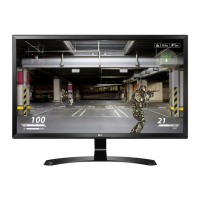
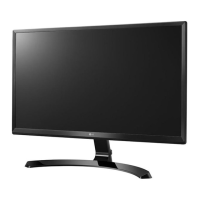
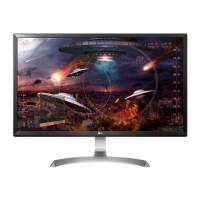
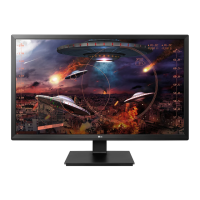
This document is an owner's manual for LG IPS LED Monitors, specifically models 24UD58 and 27UD58. The manual provides comprehensive instructions for assembling, preparing, using, and maintaining the monitor, along with troubleshooting tips and specifications.
The LG IPS LED Monitor is a display device designed for various applications, including PC connectivity and AV device integration. As an IPS (In-Plane Switching) LED monitor, it utilizes LED backlighting to illuminate an LCD (Liquid Crystal Display) panel, offering wide viewing angles and accurate color reproduction. The monitor supports high-definition multimedia input, making it suitable for displaying digital video and audio signals from computers, gaming consoles, and other AV equipment. It features multiple input connectors, including HDMI and DisplayPort, to ensure compatibility with a broad range of devices. The monitor also includes a headphone output for private audio listening.
Key functionalities include:
The LG IPS LED Monitor is designed for ease of use and offers several features to enhance the user experience:
Assembly and Setup:
Controls and Navigation:
Connectivity:
Display Features:
The manual emphasizes several aspects related to the care and longevity of the LG IPS LED Monitor:
Safety and Handling:
Preventing Image Retention (Image Sticking):
Troubleshooting:
Energy Efficiency:
By following these guidelines, users can ensure the safe, efficient, and long-lasting operation of their LG IPS LED Monitor.
 General
| Screen Size | 27 inches |
|---|---|
| Resolution | 3840 x 2160 (4K UHD) |
| Panel Type | IPS |
| Refresh Rate | 60 Hz |
| Response Time | 5 ms (GTG) |
| Brightness | 250 cd/m² |
| Contrast Ratio | 1000:1 |
| Ports | 2 x HDMI, 1 x DisplayPort |
| Aspect Ratio | 16:9 |
| Viewing Angle | 178° (H) / 178° (V) |
| Color Gamut | sRGB 99% |
| VESA Mount | 100 x 100 mm |
| Features | Black Stabilizer, Flicker Safe, Reader Mode |