EasyManua.ls Logo

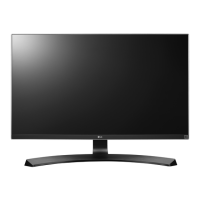
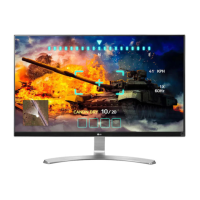
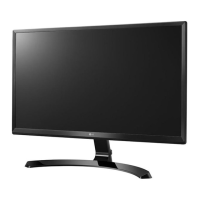
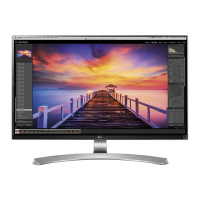
LG 27UD69P - User Manual

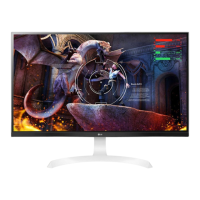
LG 27UD69P
28 pages
Print Icon
To Next Page IconTo Next Page
Loading...
www.lg.com
Please read the safety information carefully before using the product.
LED LCD Monitor (LED Monitor) Model List
Owner's Manual
LED LCD MONITOR
(LED MONITOR*)
*LG LED Monitors are LCD Monitors with LED Backlighting.
27UD69P

Questions and Answers

  • K
    Kyle AdamsJul 28, 2025
    How to fix an LG 27UD69P when nothing is displayed on the screen?
    • E
      Erin JonesJul 28, 2025
      If nothing is showing on your LG Monitor screen, first ensure the power cord is properly connected to the outlet. Then, check the power cable connection and press the power button. Verify that the correct input is selected via Menu > Input > Input List. If the issue persists, the signals from your PC might be outside the monitor's frequency range; refer to the Product Specification section to adjust the frequency. Finally, check and reconnect the cable.
  • S
    svalentineJul 31, 2025
    What to do if there is no sound from the LG 27UD69P headphone port?
    • C
      Cathy WrightAug 1, 2025
      If you are not getting any sound from the headphone port or speaker on your LG Monitor, first try increasing the volume using the monitor's button. If that doesn't work, set the audio output of your PC to the monitor by going to Control Panel > Hardware and Sound > Sound and setting the monitor as the default device.
  • W
    wjacksonAug 5, 2025
    Why is my LG 27UD69P screen unstable and shaky?
    • R
      rosscarolAug 6, 2025
      If your LG Monitor displays an unstable or shaky screen, or if images leave shadow trails, it might be due to the resolution being set to HDMI 1080i 60/50 Hz (interlaced). To resolve this, change the resolution to 1080P or the recommended resolution.
  • S
    Stephanie ChurchAug 9, 2025
    What to do if my LG Monitor is unrecognized?
    • M
      Martin DavisAug 9, 2025
      If you see an "Unrecognized monitor, Plug&Play (VESA DDC) monitor found" message on your LG Monitor, install the display driver from the LG website. Also, ensure that your video card supports the Plug&Play function.
  • D
    Donald LopezAug 14, 2025
    Why is my LG 27UD69P screen retaining an image?
    • V
      Victoria JohnsonAug 14, 2025
      If your LG Monitor screen retains an image, it's likely due to displaying a still image for a long period, which can damage the screen. To prevent this, use a screensaver to extend the monitor's lifespan.
  • R
    Ryan HamptonAug 18, 2025
    Why does the display color look abnormal on my LG Monitor?
    • M
      Michael GrossAug 18, 2025
      If the display color on your LG Monitor appears abnormal, try setting the color to 24 bit (true color) or higher via Control Panel > Display > Settings > Color Quality in Windows. Also, check the signal cable connection; reconnect it or reinsert the PC's graphics card. Note that pixilated spots (red, green, blue, white, or black) are normal for LCD screens and do not indicate an error.
  • D
    dcantrellAug 22, 2025
    How to turn off the OSD lock message on an LG 27UD69P Monitor?
    • R
      Renee CaseyAug 22, 2025
      If your LG Monitor displays the OSD lock message, go to Menu > General and set OSD Lock to Off.

Summary

LG Monitor Assembling and Preparation Guide

Safe Monitor Moving and Lifting Procedures

Provides essential safety instructions and precautions for moving or lifting the monitor.

LG Monitor Usage and Connection Guide

LG Monitor User Settings and Configuration

Accessing and Navigating Monitor Menu

How to activate, navigate, and exit the monitor's on-screen display (OSD) menu.

Detailed Menu Settings Configuration

Explains OSD options for Quick Settings, Input, Picture, and General configuration.

LG Monitor Troubleshooting Guide

Troubleshooting No Screen Display Issues

Solutions for issues like no display, out of range, or no signal messages.

Troubleshooting Image Retention and Stability

Addresses image sticking and screen instability or shakiness.

Troubleshooting Display Color and Driver Issues

Solutions for abnormal display colors, spots, and unrecognized monitor messages.

LG Monitor Technical Specifications

Monitor Model and Display Specs

Details on model number, screen type, pixel pitch, resolution, and signal compatibility.

LG 27UD69P Specifications

General IconGeneral
3DNo
DDC/CIYes
Color gamut99 %
Pixel pitch0.1554 x 0.1554 mm
Screen shapeFlat
Display diagonal27 \
Display technologyLED
Native aspect ratio16:9
Contrast ratio (typical)1300:1
Display number of colors-
Display brightness (typical)300 cd/m²
Supported graphics resolutions3840 x 2160
VGA (D-Sub) ports quantity0
AC input voltage100 - 240 V
AC input frequency50 - 60 Hz
Power consumption (off)0.5 W
Power consumption (standby)- W
Power consumption (typical)40 W
Tilt angle range-5 - 20 °
Panel mounting interface100 x 100 mm
Storage temperature (T-T)-20 - 60 °C
Operating temperature (T-T)0 - 40 °C
Product colorWhite
Market positioningGaming
Weight and Dimensions IconWeight and Dimensions
Depth (with stand)340.36 mm
Width (with stand)614.68 mm
Height (with stand)365.76 mm
Weight (with stand)4998 g
Depth (without stand)49.28 mm
Height (without stand)365 mm
Weight (without stand)4580 g

Related product manuals