EXTERNAL EQUIPMENT SETUP
28
EXTERNAL EQUIPMENT SETUP
Screen Setup for PC mode
Overview
When the RGB input of the set is connected to a PC output, select
the RGB-PC as the main input mode.
When HDMI/DVI connect to PC output and select HDMI/DVI input,
this function is used.
After connecting RGB-PC or HDMI/DVI to PC input and checking the
screen quality.
When you change the resolution, select the proper resolution in pre-
sent input to see the best picture appearance.
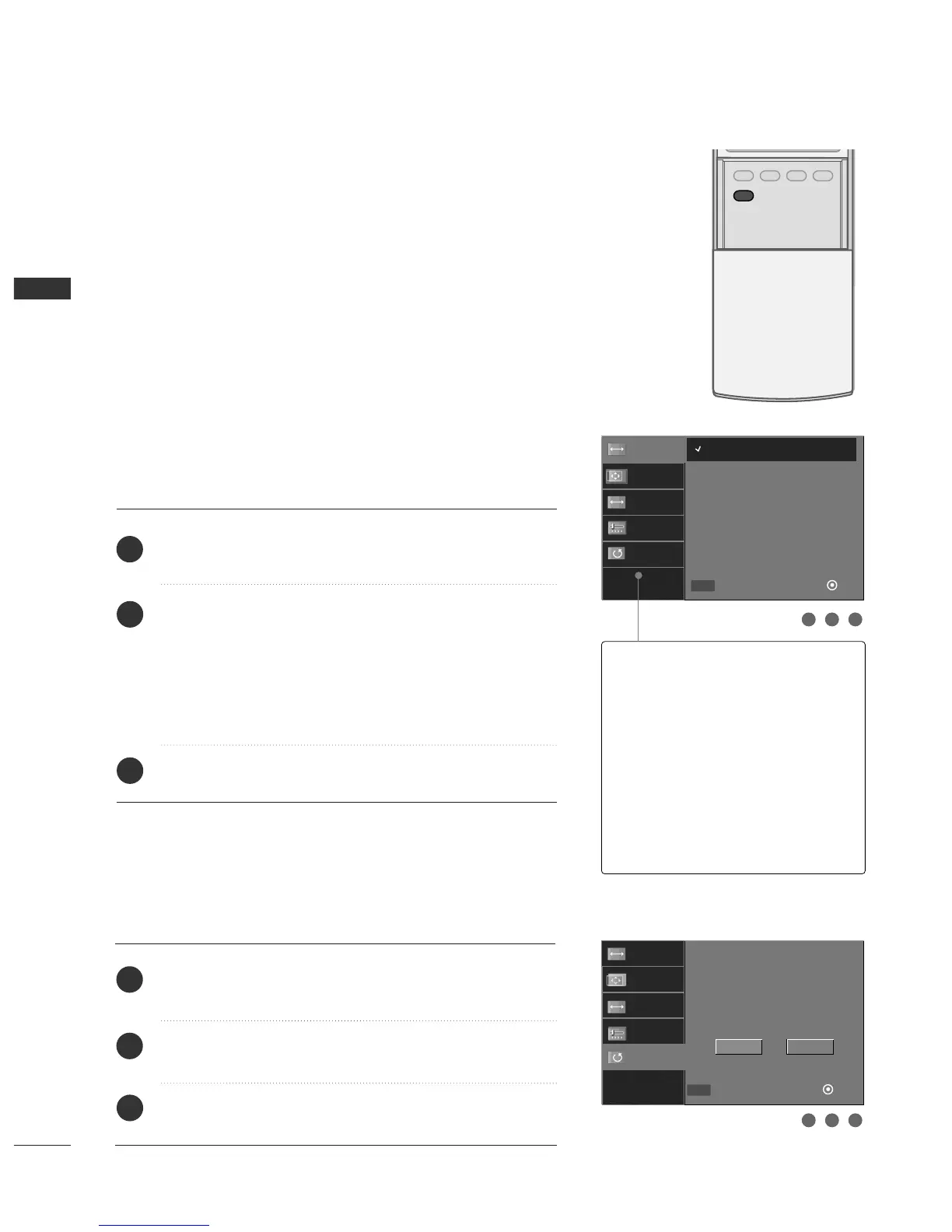
Adjustment for screen Resolution, Position, Size,
and Phase
Press the
AADDJJUUSSTT
button and then use
DD
or
EE
button to
select
RReessoolluuttiioonn
,
PPoossiittiioonn
,
SSiizzee
, or
PPhhaassee
.
Press the
EENNTTEERR
button and then use
DD EE FF GG
button to
make appropriate adjustments.
■
The
PPhhaassee
adjustment range is
--1166
~
++1166
.
In HDMI/DVI-PC mode,
PPhhaassee
is not available.
■
The
SSiizzee
adjustment range is
--3300
~
++3300
.
In HDMI/DVI-PC mode,
SSiizzee
is not available.
Press the
EENNTTEERR
button.
Initializing (Reset to original factory values)
Press the
AADDJJUUSSTT
button and then use
DD
or
EE
button to
select
RReesseett
.
Press the
EENNTTEERR
button and then use
FF
or
GG
button to
select
YYee ss
.
Press the
EENNTTEERR
button.
To initialize the adjusted values
1
2
3
1
2
3
1 2 3
1 2 3
Resolution
Position
Size
Phase
Reset
Initialize Settings
Yes
No
Resolution
Position
Size
Phase
Reset
Move
Close
Ok
FF GG
DD
EE
MENU
1024 x 768
1280 x 768
1360 x 768
1366 x 768
RReessoolluuttiioonn
This function allows you select
resolution of XGA/WXGA.
PPoossiittiioonn
This function is to adjust picture to
left/right and up/down as you prefer.
SSiizzee
This function is to minimize any ver-
tical bars or stripes visible on the
screen background. And the hori-
zontal screen size will also change.
PPhhaassee
This function allows you to
remove any horizontal noise and
clear or sharpen the image of char-
acters.
Move
Close
Ok
FF GG
DD
EE
MENU



 To Next Page