
 To Next Page

O
odavisSep 23, 2025
How to fix streaks on LG 32LK430 LCD TV screen?
- JJack PrinceSep 23, 2025
To fix lines or streaks on the images of your LG LCD TV, check the antenna connection or try aiming the antenna in a better direction.

How to fix streaks on LG 32LK430 LCD TV screen?
To fix lines or streaks on the images of your LG LCD TV, check the antenna connection or try aiming the antenna in a better direction.
What to do if my LG 32LK430 displays “This file is invalid”?
If your LG LCD TV shows a message saying “This file is invalid” or the audio works but the video doesn't, check if the file plays correctly on a PC to ensure it's not damaged. Also, verify that the resolution, video codec, and frame rate are supported by the TV.
Why does my LG LED TV keep turning off by itself?
If your LG LED TV is turning off suddenly, check the power control settings to ensure the power supply isn't interrupted. Also, verify if the Auto sleep feature is activated in the Time settings. If there is no signal while the TV is on, the TV will turn off automatically after 15 minutes of inactivity.
What to do if LG LCD TV displays “This file is invalid”?
If your LG LCD TV displays the message “This file is invalid” or the audio works but the video doesn't, check the following: * Ensure the file plays correctly on a PC to verify it's not damaged. * Confirm that the resolution is supported. * Check if the video/audio codec is supported. * Verify that the frame rate is supported.
Why doesn't the file appear on the Movie List of my LG LCD TV?
Check whether the extension is supported.
What causes horizontal bars on my LG LED TV screen?
If horizontal or vertical bars appear on your LG LED TV, or if images blur, check for local interferences from electrical appliances or power tools.
Why are there black spots on my LG LED TV screen?
If black spots appear on the screen of your LG LED TV, this can be attributed to the characteristics of the LCD panel, where several pixels in red, green, white, or black may appear. This is normal.
What if the file does not appear on the Movie List of LG 32LK430 LCD TV?
If a file does not appear on the Movie List of your LG LCD TV, check whether the file extension is supported.
Why are there black spots on my LG LCD TV screen?
The black spots that appear on your LG LCD TV screen are due to the characteristics of the panel, and this is normal.
Why is there no sound on my LG LED TV?
If your LG LED TV is displaying images but there is no sound, try the following: First, press the VOL + or - button to adjust the volume. Check if the sound is muted by pressing the MUTE button. Try switching to other channels to rule out a broadcast issue. Finally, ensure that the TV Speaker feature is activated in the menu options.
Guidelines and warnings for viewing 3D content to ensure safety and optimal experience.
Checking the product box contents against the list of supplied items.
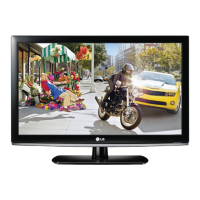
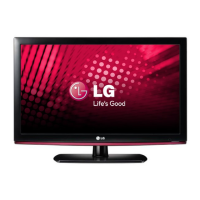
Identification and description of physical parts and touch buttons on the TV.
Instructions for placing the TV on a stand or mounting it on a wall.
Instructions for connecting an antenna, cable, or cable box to receive TV signals.
 General
| Display diagonal | 32 \ |
|---|---|
| Display brightness | 400 cd/m² |
| Native refresh rate | 60 Hz |
| LED backlighting type | - |
| Contrast ratio (dynamic) | 100000:1 |
| Display diagonal (metric) | 80 cm |
| 3D | No |
| Playback formats | DivX HD |
| Annual energy consumption | 112 kWh |
| Product color | Black |
| Audio system | Infinite Sound |
| RMS rated power | 20 W |
| Number of speakers | 2 |
| HDMI ports quantity | 3 |
| USB 2.0 ports quantity | 1 |
| Power consumption (standby) | 0.28 W |
| Power consumption (typical) | 77 W |
| Certification | RoHS |
 Weight and Dimensions
| Weight (without stand) | 8100 g |
|---|