EasyManua.ls Logo

LG 32LK430 - User Manual

LG 32LK430
184 pages
Print Icon
To Next Page IconTo Next Page
Loading...
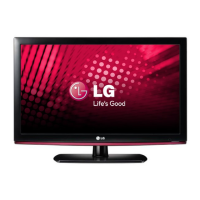
eLG
Life's
Good
'.
OWNER'S
MANUAL
LED LCD
TV
/ LCD
TV
/
PLASMA
TV
Please
read
this
manual
carefully
before
operating
the
set
and
retain
it
for
future
reference.
LED LCD
TV
MODELS
19LV2500
32LV3500
22LV2500
37LV3500
26LV2500
42LV3500
32LV2500
47LV3500
19LV2520
55LV3500
22LV2520
32LV3520
26LV2520
42LV3520
P/NO:
MFL62882741
(llOl-REV04)
Printed
in
Mexico
LCD
TV
MODELS
26LK330
32LK450
32LK330
37LK450
32LK430
42LK450
42LK430
47LK450
42LK520
47LK520
55LK520
PLASMA
TV
MODELS
42PW340
42PW350U
50PW340
50PW350U
42PW350
42PW350R
50PW350
50PW350R
50PZ200
60PZ200
www.lg.com

Table of Contents

Other manuals for LG 32LK430

Questions and Answers

  • G
    gabrielagarciaSep 22, 2025
    What does 'This file is invalid' mean on my LG 32LK430 LCD TV?
    • B
      Blake WallaceSep 22, 2025
      If your LG LCD TV displays “This file is invalid” or the audio works but the video doesn't, verify if the file plays correctly on a PC to check for damage. Also, confirm that the resolution, video, and audio codec, and frame rate are supported by your TV.
  • S
    Sharon AndersenSep 14, 2025
    Why is there no sound on my LG 32LK430?
    • D
      David HebertSep 14, 2025
      If you're not getting any sound from your LG LCD TV while images are displaying, first, try pressing the VOL + or - button to increase the volume. Next, check if the sound is muted by pressing the MUTE button. You can also try switching to other channels, as the issue might be with the broadcast. Finally, ensure that the TV Speaker feature is enabled in the menu options.
  • J
    James FieldsSep 12, 2025
    What to do if LG 32LK430 LCD TV displays “Unsupported Audio”?
    • R
      rsmithSep 12, 2025
      If your LG LCD TV displays the message “Unsupported Audio” or the video works but the audio doesn't, check the following: * Ensure the file plays correctly on a PC to verify it's not damaged. * Check whether the audio codec is supported. * Check whether the bit rate is supported. * Check whether the sample rate is supported.
  • J
    Julia WatkinsAug 29, 2025
    Why does my LG 32LK430 LCD TV image appear slowly?
    • C
      Cameron MckayAug 29, 2025
      It's normal for the image to be muted briefly when you turn on your LG LCD TV. If the image doesn't appear after a few minutes, try unplugging the TV for 30 seconds and then plugging it back in.
  • L
    Laura StephensAug 30, 2025
    What causes unusual sound from inside LG LCD TV?
    • A
      Anthony JohnsonAug 30, 2025
      A change in ambient humidity or temperature may cause unusual noises when your LG LCD TV turns on or off. This is normal and does not indicate a problem with the TV.
  • R
    Ronald FisherAug 30, 2025
    Why does my LG 32LK430 have afterimages?
    • C
      Christopher EnglishAug 30, 2025
      Afterimages (ghosts) on your LG LCD TV can occur if pixels have been damaged from displaying a fixed image for a long time, also known as image burn. To prevent this, use a screen saver.
  • T
    Traci MillsAug 30, 2025
    Why does my LG 32LK430 have no output from one speaker?
    • M
      Mark LindseyAug 30, 2025
      If you're not getting sound from one of the speakers on your LG LCD TV, adjust the Balance in the menu option.
  • N
    nelsongregoryAug 31, 2025
    How to fix display offset on LG 32LK430 LCD TV?
    • L
      Lori GrantAug 31, 2025
      To correct the display offset on your LG LCD TV, first adjust the position setting in the Picture menu. Also, verify that the video card resolution and frequency are supported by the TV. If the frequency is out of range, set the recommended resolution using the display settings on your external device.
  • D
    Darlene MaynardSep 18, 2025
    What to do if LG 32LK430 LCD TV says unsupported audio?
    • B
      Bonnie MillsSep 18, 2025
      If your LG LCD TV displays the message “Unsupported Audio” or the video is working normally but the audio isn't, check if the file plays correctly on a PC to ensure it's not damaged. Also, verify that the audio codec, bit rate, and sample rate are supported by the TV.
  • M
    Micheal BarberSep 14, 2025
    What to do if my LG 32LK430 LCD TV says no signal?
    • M
      Melissa HaleSep 14, 2025
      If your LG LCD TV displays a 'No Signal' message, ensure the signal cable is properly connected between the TV and any external devices. Also, verify that you've selected the correct input source by pressing the INPUT button on your remote.

Summary

IMPORTANT SAFETY INSTRUCTIONS

Viewing 3 D Imaging (For 3 D TV)

Guidelines and warnings for viewing 3D content to ensure safety and optimal experience.

ASSEMBLING AND PREPARING

Unpacking

Checking the product box contents against the list of supplied items.

Parts and buttons

Identification and description of physical parts and touch buttons on the TV.

Setting up the TV

Instructions for placing the TV on a stand or mounting it on a wall.

REMOTE CONTROL

WATCHING TV

Connecting to an antenna or cable

Instructions for connecting an antenna, cable, or cable box to receive TV signals.

CUSTOMIZING TV SETTINGS

MAKING CONNECTIONS

ENTERTAINMENT

SPECIFICATIONS

TROUBLESHOOTING

LG 32LK430 Specifications

General IconGeneral
Display diagonal32 \
Display brightness400 cd/m²
Native refresh rate60 Hz
LED backlighting type-
Contrast ratio (dynamic)100000:1
Display diagonal (metric)80 cm
3DNo
Playback formatsDivX HD
Annual energy consumption112 kWh
Product colorBlack
Audio systemInfinite Sound
RMS rated power20 W
Number of speakers2
HDMI ports quantity3
USB 2.0 ports quantity1
Power consumption (standby)0.28 W
Power consumption (typical)77 W
CertificationRoHS
Weight and Dimensions IconWeight and Dimensions
Weight (without stand)8100 g

Related product manuals