EasyManua.ls Logo

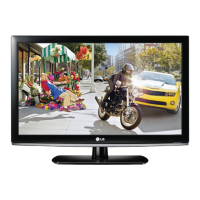
LG 32LK4 Series - User Manual

LG 32LK4 Series
110 pages
Print Icon
To Next Page IconTo Next Page
Loading...
www.lg.com
OWNER’S MANUAL
LCD TV / LED LCD TV
Please read this manual carefully before operating
your set and retain it for future reference.
22LK3** 32LK4** 22LV2** 32LV3***
26LK3** 42LK4** 26LV2** 42LV3***
LCD TV MODEL
32LK3** 19LV2** 32LV2**
English

Table of Contents

Questions and Answers

  • D
    doncochranAug 11, 2025
    What to do if there is no raster on my LG 32LK4 LCD TV display unit?
    • S
      Stacey FritzAug 11, 2025
      If there is no raster on the display unit, check the panel link cable, inverter connector, and LVDS cable. You may need to change the panel link cable, inverter connector, or LVDS cable. Also, check the output of IC802 and consider changing IC802.
  • C
    Catherine SchwartzAug 17, 2025
    What to do if there is no raster on HDMI signal on my LG 32LK4 LCD TV?
    • K
      Karen DunnAug 18, 2025
      If there is no raster on the HDMI signal, check the input source cable and jack. Also, check the input/output of JK101 and IC800. Change the defective part if necessary.
  • L
    Laura NelsonAug 23, 2025
    What to do if there is no raster on PC signal on my LG 32LK4 LCD TV?
    • T
      Travis HawkinsAug 23, 2025
      If there is no raster on the PC signal, check the input source cable and jack. Also, check the input/output of J202 and IC201. Verify the RGB EDID data and check the input/output of IC800. Change the defective part if necessary.
  • D
    David RobinsonAug 29, 2025
    What to do if there is no signal on TV(RF) signal on my LG 32LK4 LCD TV?
    • P
      pparkerAug 29, 2025
      If there is no signal on the TV(RF) signal, check the input/output of JK102 and IC800. Change the defective part if necessary.
  • B
    Brian ElliottSep 4, 2025
    What to do if there is no raster on AV signal on my LG 32LK4 LCD TV?
    • J
      Johnny GoodwinSep 4, 2025
      If there is no raster on the AV (Video, S-Video) signal, check the input/output of JK102 and IC800. Change the defective part if necessary.

LG 32LK4 Series Specifications

General IconGeneral
Screen Size32 inches
Display TypeLCD
HDMI Ports2
USB Ports1
Aspect Ratio16:9
Built-in Wi-FiNo
Smart TVNo
Energy Efficiency ClassA
Resolution1366 x 768

Related product manuals