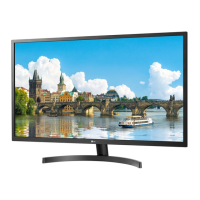
Need help?
Do you have a question about the LG 32MB17HM and is the answer not in the manual?
This document is an owner's manual for an LG LED monitor, specifically model 32MB17HM. It provides comprehensive information on safety, installation, operation, maintenance, and troubleshooting.
The LG LED monitor functions as a display device, primarily for connecting to a PC or other multimedia devices. It supports Plug & Play functionality, allowing for easy connection without extensive configuration. The monitor also features built-in speakers with Virtual Surround for clear sound and rich bass.
The monitor offers various features to enhance user experience. It includes a joystick button for intuitive navigation through menus and settings. The remote control provides convenient access to power, volume, input selection, and other functions.
The manual details how to install the monitor on a table or mount it on a wall. For table mounting, it emphasizes placing the monitor on a flat, stable surface at least 10 cm away from the wall for sufficient ventilation. For wall mounting, it advises using a VESA standard wall mounting bracket and ensuring secure fixation to both the monitor and the wall, with a minimum 10 cm clearance from the wall on all sides. It also warns against using non-standard screws or over-tightening them, as this could damage the product or void the warranty.
The monitor is powered via an AC-DC adapter and power cord. Users are instructed to fully insert the power cord into the adapter and ensure it's connected to a grounded outlet. The manual highlights the importance of using only LG-approved power cords and adapters to prevent fire or electric shock. It also advises unplugging the monitor during thunderstorms or extended periods of non-use.
The monitor offers a range of picture modes (Vivid, Standard, Eco, Cinema/Game, Sport, Expert 1, 2) optimized for different viewing environments. Users can adjust advanced controls like Dynamic Contrast, Dynamic Colour, Colour Gamut, Skin Colour, Sky Colour, Grass Colour, and Gamma. Additional picture options include Noise Reduction, MPEG Noise Reduction, Black Level, Real Cinema, and SUPER Energy Saving. For sound, the monitor provides various sound modes (Standard, News/Music/Cinema/Sport/Game) and allows users to select output through the speaker or headphones. It also includes an AV Sync. Adjust function to synchronize video and audio.
A key feature is SIMPLINK, which allows control and management of various multimedia devices connected via HDMI-CEC. To use SIMPLINK, devices must be connected with a high-speed HDMI® cable (with CEC feature) and the SIMPLINK function must be set to ON in the settings.
The monitor supports USB storage devices for playing multimedia files. It's recommended to use USB memory sticks of 32 GB or less and USB HDDs of 1 TB or less. The manual advises backing up important files from USB devices as data loss can occur. It also specifies supported video, audio, and photo formats, including various codecs and resolutions.
The monitor includes a password setting feature under SETTINGS LOCK, with an initial password of '0000'.
Regular cleaning is essential for optimal performance and extended product lifespan. The manual provides detailed instructions for cleaning the monitor. Before cleaning, users must turn off the power and disconnect all cables. For light dirt, a dry, soft cloth is recommended. For major dirt, a soft cloth dampened with clean water or a mild detergent should be used, followed by wiping with a dry cloth. Users are warned against touching the screen forcefully, using sharp objects, or spraying liquids directly onto the monitor, as this can cause damage, scratches, or malfunction. The power cord should also be regularly cleaned of dust and dirt.
To prevent permanent image burn-in, which is not covered by the warranty, users are advised to avoid displaying fixed images on the screen for prolonged periods. Using a screen saver is recommended. If the monitor's aspect ratio is set to 4:3 for a long time, image burn may occur in the letterboxed areas. The manual also suggests adjusting PC mode settings like resolution, refresh rate, brightness, and contrast to prevent interference and ensure clear picture quality.
The manual includes a troubleshooting section to address common issues. If the remote control isn't working, users should check the sensor, obstacles, and battery installation. For no image or sound, checking power, wall outlet, and product power status is advised. If the monitor turns off suddenly, checking power control settings and automatic standby features is recommended. For "No signal" or "Invalid Format" messages when connecting to a PC via HDMI, users should restart the PC, reconnect the HDMI cable, and power cycle the monitor. If the monitor turns off automatically, checking the "On Time" and "Auto Off" settings is suggested.
LG Electronics is committed to environmental preservation, promoting environmentally friendly activities and minimizing hazardous materials in its products. The manual encourages recycling the product after use and provides information on how to find out more about LG's recycling programs.
For service, users are advised to unplug the monitor and refer to qualified service personnel if the power cord is damaged, liquid has spilled into the monitor, it has been exposed to rain or water, it doesn't operate normally, or if the cabinet is damaged. Users are explicitly warned not to attempt to disassemble, repair, or modify the monitor themselves due to the risk of dangerous voltage and other hazards.
 General
| Screen Size | 31.5 inches |
|---|---|
| Panel Type | IPS |
| Brightness | 250 cd/m² |
| Contrast Ratio | 1000:1 |
| Response Time | 5 ms |
| Refresh Rate | 60 Hz |
| Aspect Ratio | 16:9 |
| Viewing Angle | 178°/178° |
| Built-in Speakers | Yes |
| Weight | 6.5 kg |
| Ports | HDMI, VGA |
| Resolution | 1920 x 1080 pixels |

 To Next Page