EasyManua.ls Logo

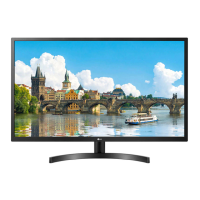
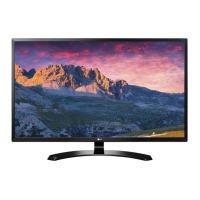
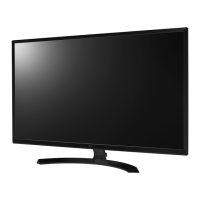
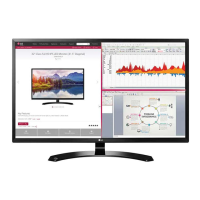
LG 32MN50W - User Manual

LG 32MN50W
28 pages
Print Icon
To Next Page IconTo Next Page
Loading...
* LG LED Monitor applies LCD screen with LED backlights.
Please read this manual carefully before operating your set and
retain it for future reference.
32MN500M
32MN50W
32MN60T
32MN510M
OWNER’S MANUAL
LED LCD MONITOR
(LED Monitor*)
www.lg.com
Copyright © 2018 LG Electronics Inc. All Rights Reserved.

Other manuals for LG 32MN50W

Questions and Answers

  • E
    Elizabeth DunnAug 20, 2025
    What to do if nothing is displayed on my LG 32MN50W screen?
    • C
      calderonjacobAug 20, 2025
      If nothing is displayed on your LG Monitor screen, first ensure the power cord is correctly plugged into the power outlet. Also, check the signal cable between your PC and the monitor to ensure it is properly connected. If the issue persists, the signals from your PC might be outside the monitor's frequency range. Refer to the Product Specification section of this manual to set the appropriate frequency.
  • E
    Eddie MeltonAug 22, 2025
    Why is my LG 32MN50W screen display unstable and shaky?
    • E
      Eric DavisAug 22, 2025
      If the screen display on your LG Monitor is unstable or images leave shadow trails, the resolution might be set to HDMI 1080i 60/50 Hz (interlaced). Change the resolution to 1080p or the recommended setting. Also, ensure your graphics card is set to the recommended resolution; otherwise, you may experience blurred text or a misaligned display. Setting methods vary by computer and OS, and some resolutions may depend on your graphics card's performance.
  • H
    hmartinAug 25, 2025
    How to fix no sound from the headphone port on my LG Monitor?
    • L
      Lee StevensAug 25, 2025
      If you are not getting any sound from the headphone port on your LG Monitor, first ensure that the headphone port connections are properly made. If the connections are correct, try increasing the volume using the joystick. Finally, verify that the audio output of your PC is set to the monitor you are using, as the settings may differ depending on your operating system.
  • D
    Diamond HardyAug 26, 2025
    What to do if nothing is displayed on my LG 32MN50W?
    • T
      Taylor SnyderAug 27, 2025
      If nothing is displayed on your LG Monitor, first, check if the power cord is correctly plugged into the power outlet. Also, ensure the signal cable between the PC and the monitor is properly connected. If the issue persists, the signals from your PC's graphics card may be outside the monitor's supported frequency range. Refer to the Product Specification section of this manual to set the appropriate frequency.
  • M
    Mrs. Emily JohnstonAug 27, 2025
    Why is my LG 32MN50W Monitor screen blank?
    • M
      matthew62Aug 28, 2025
      A blank screen on your LG Monitor can occur if the power cord isn't correctly plugged into the power outlet. Another reason might be that the signal cable between your PC and the monitor is either missing or disconnected; ensure it's properly connected. The issue may also arise if the signals from the PC's graphics card are outside of the monitor's supported horizontal or vertical frequency range. In that case, check the Product Specification section of this manual to set the appropriate frequency.
  • M
    Michael MaddenAug 29, 2025
    How to fix LG 32MN50W when nothing is displayed on the screen?
    • T
      Thomas GarciaAug 30, 2025
      If nothing is displayed on your LG Monitor screen, first ensure the power cord is correctly plugged into the power outlet. Also, check the signal cable between your PC and the monitor to make sure it's properly connected. If the issue persists, it could be due to the signals transferred from the PC being out of the monitor's frequency range. Refer to the Product Specification section of the manual to set the appropriate frequency.
  • J
    John MeyersAug 31, 2025
    What to do if images are displayed without sound on LG 32MN50W?
    • E
      Emma MatthewsAug 31, 2025
      If images are displayed without sound on your LG Monitor, first make sure that the headphone port connections are properly made. Then, try increasing the volume using the joystick. Finally, ensure that the audio output of your PC is set to the monitor you are using. Note that the settings may differ depending on your operating system.
  • N
    Nathan AndersonSep 2, 2025
    How to fix a blank LG Monitor screen?
    • K
      Karen WilsonSep 3, 2025
      To resolve a blank LG Monitor screen, begin by verifying that the power cord is securely plugged into the power outlet. Next, check the signal cable connecting your PC to the monitor, ensuring it is properly connected. If the problem continues, the signals from the PC (graphics card) might be exceeding the monitor's supported frequency range. Consult the Product Specification section of this manual to configure the correct frequency settings.
  • D
    Dana SmithSep 5, 2025
    How to stop image sticking on my LG Monitor?
    • J
      Jeremy WilliamsSep 5, 2025
      Displaying a still image for a prolonged time may cause damage to the screen, resulting in the retention of the image. To extend the lifetime of your LG monitor, use a screensaver.
  • C
    Christopher PadillaSep 6, 2025
    What to do if I see an "Unrecognized monitor, Plug and Play (VESA DDC) monitor found" message on my LG 32MN50W?
    • J
      Joseph PriceSep 7, 2025
      If you see an "Unrecognized monitor, Plug and Play (VESA DDC) monitor found" message on your LG Monitor, be sure to install the display driver from the LG website. Also, make sure your graphics card supports the Plug and Play function.

Summary

ASSEMBLING AND PREPARING

Product and Button Description

Moving and Lifting the Monitor

Installing on a Table

Adjusting the Angle

Installing the Wall Mount Plate

Installing on the Wall

USING THE MONITOR

Connecting to a PC

Explains how to connect the monitor to a computer.

Connecting AV Devices

USER SETTINGS

Activating the Main Menu

Explains how to access and navigate the main menu.

Main Menu Features

Menu Settings

Customizing settings

Settings > Quick Settings

Adjusts basic display parameters like brightness and volume.

Settings > Picture

Fine-tunes picture quality with modes and adjustments.

Response Time

Controls screen response speed for motion clarity.

Game Adjust

Features for enhancing gaming experience.

FreeSync

Synchronizes display refresh rate with GPU for smooth gaming.

TROUBLESHOOTING

Screen Display Issues

Solutions for blank screen issues.

Unrecognized Monitor Message

Troubleshooting unrecognized monitor messages.

Image Quality Problems

Fixes for unstable or ghosting images.

PRODUCT SPECIFICATION

LG 32MN50W Specifications

General IconGeneral
Screen Size31.5 inches
Resolution1920 x 1080 (Full HD)
Panel TypeIPS
Aspect Ratio16:9
Refresh Rate75Hz
Response Time5ms (GTG)
Brightness250 cd/m²
Contrast Ratio1000:1
Viewing Angle178°/178°
ConnectivityHDMI, VGA
Color GamutNTSC 72%

Related product manuals