EasyManua.ls Logo

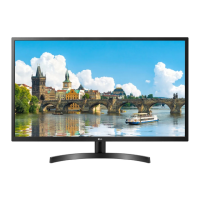
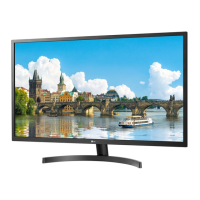
LG 32MN50W - User Manual

LG 32MN50W
28 pages
Print Icon
To Next Page IconTo Next Page
Loading...
* LG LED Monitor applies LCD screen with LED backlights.
Please read this manual carefully before operating your set and
retain it for future reference.
32MN500M
32MN50W
32MN60T
32MN510M
OWNER’S MANUAL
LED LCD MONITOR
(LED Monitor*)
www.lg.com
Copyright © 2018 LG Electronics Inc. All Rights Reserved.

Other manuals for LG 32MN50W

Questions and Answers

  • M
    Mr. Paul StrongSep 8, 2025
    How to unlock the OSD on my LG Monitor?
    • C
      Crystal CalderonSep 9, 2025
      If some functions are unavailable when you press the Menu button on your LG Monitor, the OSD might be locked. To resolve this, disable OSD Lock in the General settings.
  • D
    darren24Sep 12, 2025
    How to prevent image sticking on my LG 32MN50W?
    • P
      pughjudySep 12, 2025
      To extend the lifetime of your LG Monitor and prevent image sticking, use a screensaver, especially when displaying a still image for a prolonged time.
  • L
    Lisa RiceSep 13, 2025
    How to fix "Unrecognized monitor, Plug and Play (VESA DDC) monitor found" message on LG 32MN50W?
    • S
      Samuel GraySep 13, 2025
      If you see an "Unrecognized monitor, Plug and Play (VESA DDC) monitor found" message with your LG Monitor, be sure to install the display driver from the LG website. Also, make sure to check if your graphics card supports the Plug and Play function.
  • C
    connerjenniferSep 14, 2025
    Why are some functions not available when I press the Menu button on my LG 32MN50W?
    • A
      alopezSep 15, 2025
      If some functions are not available when you press the Menu button on your LG Monitor, it is likely that the OSD is locked. To resolve this, disable OSD Lock in the General settings.
  • D
    dawn64Sep 17, 2025
    Why does image sticking occur on my LG 32MN50W even when it's turned off?
    • R
      Robert JonesSep 17, 2025
      Displaying a still image for a prolonged time may cause damage to the screen of your LG Monitor, resulting in the retention of the image. To extend the lifetime of the monitor, use a screensaver.

Summary

ASSEMBLING AND PREPARING

Product and Button Description

Moving and Lifting the Monitor

Installing on a Table

Adjusting the Angle

Installing the Wall Mount Plate

Installing on the Wall

USING THE MONITOR

Connecting to a PC

Explains how to connect the monitor to a computer.

Connecting AV Devices

USER SETTINGS

Activating the Main Menu

Explains how to access and navigate the main menu.

Main Menu Features

Menu Settings

Customizing settings

Settings > Quick Settings

Adjusts basic display parameters like brightness and volume.

Settings > Picture

Fine-tunes picture quality with modes and adjustments.

Response Time

Controls screen response speed for motion clarity.

Game Adjust

Features for enhancing gaming experience.

FreeSync

Synchronizes display refresh rate with GPU for smooth gaming.

TROUBLESHOOTING

Screen Display Issues

Solutions for blank screen issues.

Unrecognized Monitor Message

Troubleshooting unrecognized monitor messages.

Image Quality Problems

Fixes for unstable or ghosting images.

PRODUCT SPECIFICATION

LG 32MN50W Specifications

General IconGeneral
Screen Size31.5 inches
Resolution1920 x 1080 (Full HD)
Panel TypeIPS
Aspect Ratio16:9
Refresh Rate75Hz
Response Time5ms (GTG)
Brightness250 cd/m²
Contrast Ratio1000:1
Viewing Angle178°/178°
ConnectivityHDMI, VGA
Color GamutNTSC 72%

Related product manuals