14
ENGLISH
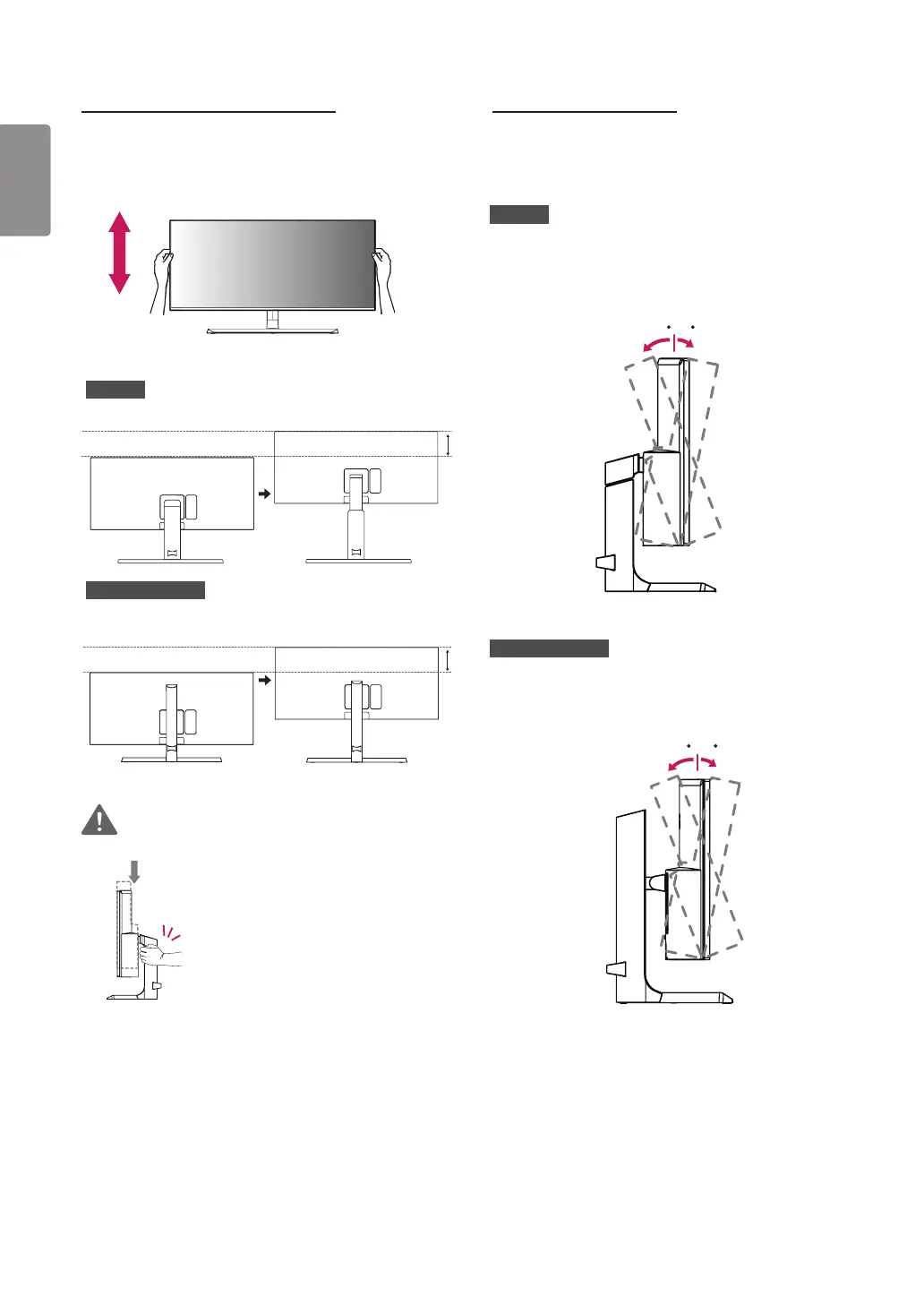
Adjusting the Stand Height
1 Place the monitor mounted on the stand base in an
upright position.
2 Handle the monitor with both hands for safety.
34UC98
Max 110.0 mm
(4.3 inches)
34UC88, 34CB88
Max 120.0 mm
(4.7 inches)
WARNING
• When adjusting the screen height,
do not place your hand on the
stand body to avoid injury to your
fingers.
Adjusting the Angle
1 Place the monitor mounted on the stand base in an
upright position.
2 Adjust the angle of the screen.
34UC98
The angle of the screen can be adjusted forward or
backward from -5° to 15° for a comfortable viewing
experience.
-515
Front
Rear
34UC88, 34CB88
The angle of the screen can be adjusted forward or
backward from -5° to 20° for a comfortable viewing
experience.
Front
Rear
-520


 To Next Page