EasyManua.ls Logo

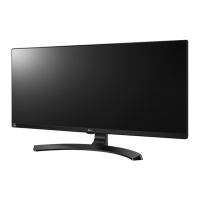
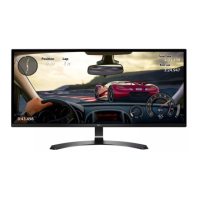
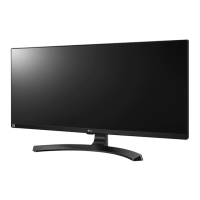
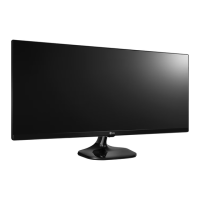
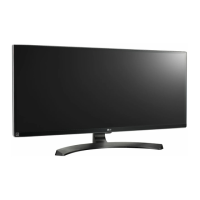
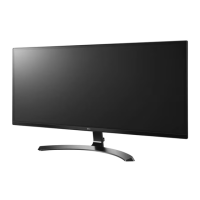
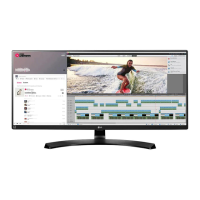
LG 34UM64 - User Manual

LG 34UM64
42 pages
Print Icon
To Next Page IconTo Next Page
Loading...
www.lg.com
25UM64
25UM65
34UM64
34UM65
Please read the safety information carefully
before using the product.
IPS LED Monitor (LED Monitor) Model List
Owner's Manual
IPS LED MONITOR
(LED MONITOR*)
*Disclaimer: LG LED Monitor applies LCD screen with LED backlights.

Questions and Answers

  • C
    Colin LloydAug 16, 2025
    What to do if nothing is displayed on my LG 34UM64 Monitor screen?
    • J
      Jennifer JohnstonAug 16, 2025
      If nothing is displayed on your LG Monitor screen, ensure the power cord is correctly plugged into the outlet. Also, check the power cable connection and press the power button. Verify that the connected input is enabled in the Menu settings. If the monitor is in power-saving mode, move the mouse or press any key. Confirm that your computer is turned on. If signals from the PC are out of range, refer to the Product Specification section of this manual to set the appropriate frequency. Finally, check and reconnect the cable.
  • G
    Geoffrey WeeksAug 19, 2025
    Why is my LG 34UM64 screen display unstable and shaky?
    • E
      Erin DavisAug 19, 2025
      If your LG Monitor screen display is unstable or shaky, or if images leave shadow trails, and the resolution is HDMI 1080i 60/50 Hz (interlaced), the screen may be flickering. Try changing the resolution to 1080P or the recommended resolution.
  • M
    Michelle LeonardAug 22, 2025
    How to prevent image retention on my LG 34UM64 Monitor?
    • R
      Ryan MillsAug 22, 2025
      If your LG Monitor screen retains an image, it's because displaying a still image for a prolonged time may cause damage, resulting in image retention. To extend the monitor's lifetime, use a screensaver.
  • D
    dlynnAug 26, 2025
    Why is my LG Monitor screen unstable and shaky?
    • P
      Penny PadillaAug 26, 2025
      If your LG Monitor screen display is unstable or shaky, or if images are leaving shadow trails, and you're using HDMI 1080i 60/50 Hz (interlaced) resolution, this may cause flickering. Try changing the resolution to 1080P or the recommended resolution.
  • H
    hmccoyAug 28, 2025
    Why is my LG 34UM64 Monitor display color abnormal?
    • A
      allisonmedinaAug 28, 2025
      If you notice abnormal colors on your LG Monitor, first set the color to 24 bit (true color) or higher via Control Panel > Display > Settings > Color Quality in Windows. Also, check the signal cable connection, reconnect it, or reinsert the PC's video card. Note that this might not be an error related to the monitor's performance.
  • J
    juliahooverAug 31, 2025
    What to do if my LG 34UM64 Monitor screen display is unstable and shaky?
    • H
      hryanAug 31, 2025
      If your LG Monitor screen display is unstable, shaky, or images leave shadow trails, and the resolution is set to HDMI 1080i 60/50 Hz (interlaced), the screen may be flickering. Try changing the resolution to 1080P or the recommended resolution.
  • R
    rodriguezlarrySep 3, 2025
    How to unlock the OSD on my LG 34UM64?
    • A
      Amy UnderwoodSep 3, 2025
      If the OSD Locked message is displayed on your LG Monitor, go to Menu > Settings and set OSD Lock to Off.
  • R
    Robert WatsonSep 6, 2025
    How to turn off OSD lock on LG 34UM64 Monitor?
    • J
      Jennifer BlackburnSep 6, 2025
      If the OSD Locked message appears on your LG Monitor, navigate to Menu > Settings and set OSD Lock to Off.
  • A
    Anna PotterSep 9, 2025
    Why does my LG 34UM64 Monitor screen retain an image?
    • T
      Tara MorganSep 9, 2025
      If your LG Monitor retains an image, it may be due to displaying a still image for an extended period, which can damage the screen. To extend the monitor's lifespan, use a screensaver.
  • T
    Tyler ArmstrongSep 12, 2025
    How to unlock OSD on LG 34UM64?
    • H
      Heidi WallaceSep 12, 2025
      If the OSD Locked message appears on your LG Monitor, navigate to Menu > Settings and set OSD Lock to Off.

LG 34UM64 Specifications

General IconGeneral
Screen Size34 inches
Resolution2560 x 1080
Panel TypeIPS
Aspect Ratio21:9
Refresh Rate60Hz
Brightness250 cd/m²
Contrast Ratio1000:1
Response Time5ms (GTG)
Color GamutsRGB 99%
VESA Mount100 x 100 mm
ConnectivityHDMI, DisplayPort
Viewing Angle178° (H) / 178° (V)
Ports2 x HDMI, 1 x DisplayPort

Related product manuals