EasyManua.ls Logo

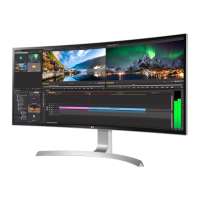
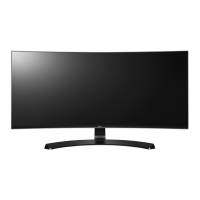
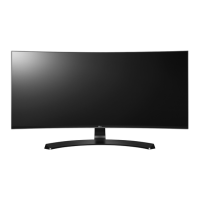
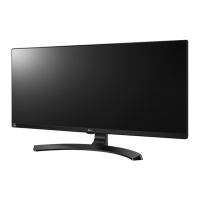
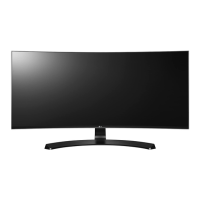
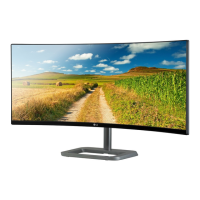
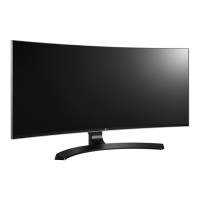
LG 34CB98 - User Manual

LG 34CB98
38 pages
Print Icon
To Next Page IconTo Next Page
Loading...
www.lg.com
* LG LED Monitor applies LCD screen with LED backlights.
Please read this manual carefully before operating your set and retain it for future
reference.
OWNER’S MANUAL
34UC98
34UC88
34CB98
34CB88
IPS LED
MONITOR
(LED Monitor*)

Questions and Answers

  • C
    Cindy DuffySep 12, 2025
    How to fix unstable and shaky screen display with shadow trails on LG 34CB98?
    • M
      Miguel Wilson IISep 12, 2025
      If your LG Monitor's screen display is unstable, shaky, or images leave shadow trails, and the selected resolution is HDMI 1080i 60/50 Hz (interlaced), the screen may be flickering. Try changing the resolution to 1080p or the recommended resolution.
  • R
    ramseykarlaSep 12, 2025
    What to do if my LG 34CB98 screen display is unstable and shaky?
    • S
      Steven MorganSep 12, 2025
      If your LG monitor's screen display is unstable and shaky, or if images leave shadow trails, try changing the resolution to 1080p or the recommended resolution.
  • W
    William PooleSep 9, 2025
    Why does the screen retain an image on my LG 34CB98 Monitor?
    • J
      Jennifer JonesSep 10, 2025
      To extend the lifetime of your LG Monitor and prevent the screen from retaining an image, use a screensaver. Displaying a still image for a prolonged time may cause damage to the screen, resulting in the retention of the image.
  • R
    Rebecca OsborneSep 8, 2025
    Why does my LG Monitor screen retain an image?
    • R
      Randy RamirezSep 9, 2025
      If your LG Monitor screen retains an image, it may be due to displaying a still image for a prolonged time, which can damage the screen. To extend the monitor's lifespan, use a screensaver.
  • T
    Traci CookSep 7, 2025
    Why is the display color abnormal on my LG Monitor?
    • L
      Lauren MendezSep 7, 2025
      If the display color on your LG Monitor is abnormal: * First, ensure that the color is set to 24 bit (true color) or higher. For Windows, navigate to Control Panel > Display > Settings > Color Quality to adjust this. * Next, check the signal cable connection. Reconnect the cable or reinsert the PC's graphics card to ensure a proper connection. * If the issue persists, it may not be an error related to the monitor's performance.
  • N
    Noah RodgersAug 23, 2025
    What to do if nothing is displayed on my LG 34CB98 screen?
    • J
      jbondAug 23, 2025
      If nothing is displayed on your LG Monitor screen, start by checking if the power cord is correctly plugged into the power outlet. Also, verify the power cable connection and ensure the power button is pressed. Confirm that the connected input is enabled via Menu > Quick Settings > Input. If the monitor is in sleep mode, move the mouse or press any key. Lastly, ensure your computer is turned on. If the signals from your PC are out of range, refer to the Product Specification section of this manual to set the appropriate frequency. Also, check the cable and reconnect it.
  • W
    wcareySep 5, 2025
    How to turn off OSD lock on LG 34CB98 Monitor?
    • M
      Michael WolfeSep 5, 2025
      To turn off the OSD lock on your LG Monitor, go to Menu > General and set OSD Lock to Off.
  • R
    rebecca18Sep 4, 2025
    Why is my LG 34CB98 display color abnormal?
    • L
      Lauren JamesSep 4, 2025
      If the display color on your LG Monitor is abnormal, first set the color to 24 bit (true color) or higher by navigating to Control Panel > Display > Settings > Color Quality in Windows. Also, check if the signal cable is properly connected; try reconnecting it or reinserting the PC's graphics card. Note that sometimes, this is not an error and is unrelated to the monitor's performance.
  • S
    Sue JohnsonSep 3, 2025
    How to troubleshoot no sound from the headphone port on my LG Monitor?
    • S
      Stacy PageSep 3, 2025
      If there is no sound from the headphone port on your LG Monitor, first make sure that the headphone port connections are properly made. If the connections are correct, try increasing the volume using the joystick. Finally, set the audio output of the PC to the monitor you are using by going to Control Panel > Hardware and Sound > Sound and set the Monitor as the default device.
  • J
    Jessica BarnesSep 2, 2025
    What to do if the screen display is unstable and shaky on my LG 34CB98?
    • S
      Shannon NewmanSep 2, 2025
      If the screen display on your LG Monitor is unstable and shaky, or if images leave shadow trails, and the selected resolution is HDMI 1080i 60/50 Hz (interlaced), the screen may be flickering. Change the resolution to 1080p or the recommended resolution to resolve this issue.

LG 34CB98 Specifications

General IconGeneral
Screen Size34 inches
Resolution3440 x 1440
Aspect Ratio21:9
Panel TypeIPS
Refresh Rate60 Hz
Brightness300 cd/m²
Color GamutsRGB 99%
CurvedYes
Response Time5 ms
Contrast Ratio1000:1
ConnectivityDisplayPort, HDMI, USB
Built-in SpeakersYes
Viewing Angle178°
PortsDisplayPort, HDMI, USB 3.0
VESA Mount100 x 100 mm

Related product manuals