18
ENGLISH
Connecting Peripherals
USB Cable connection - PC
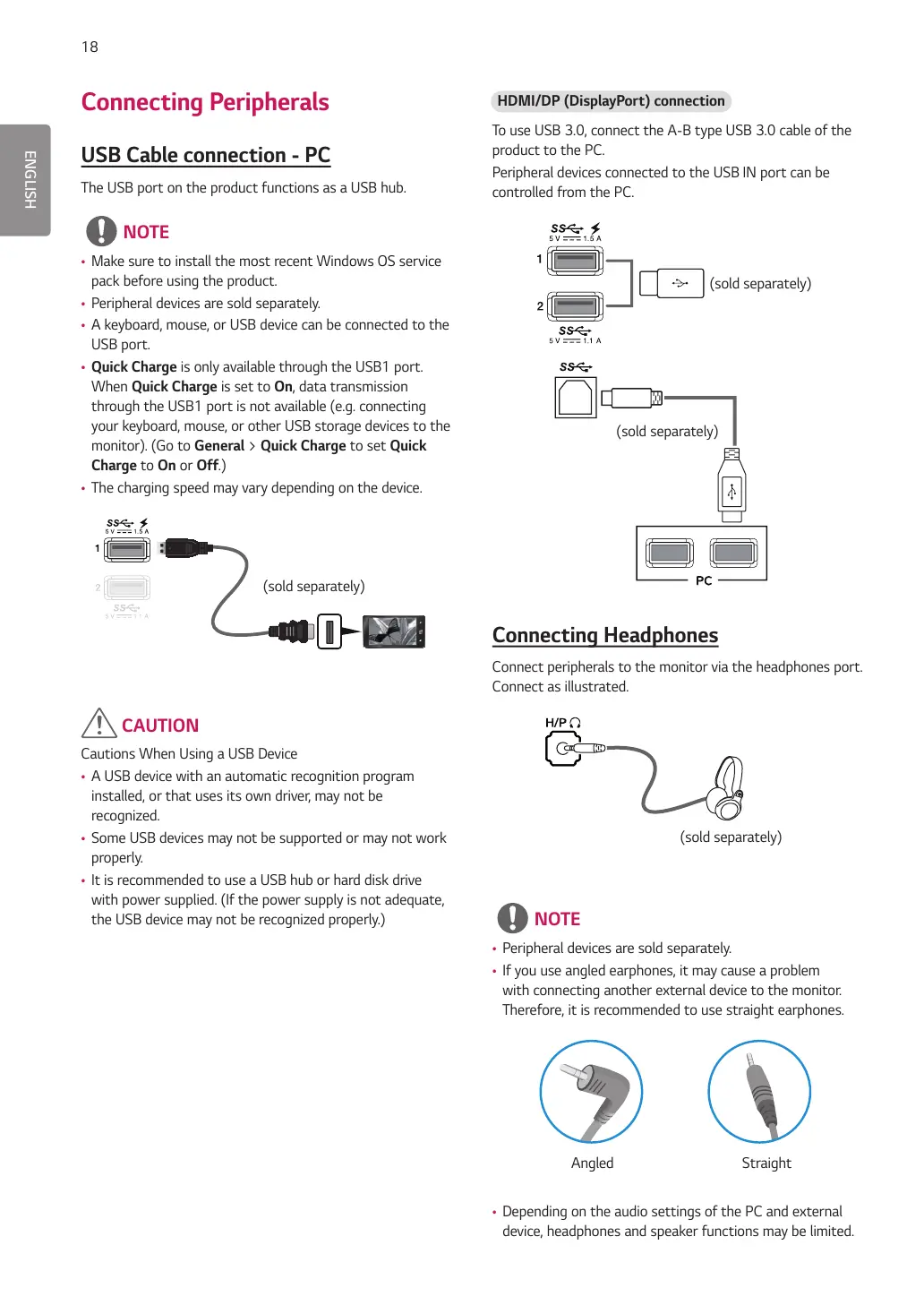
The USB port on the product functions as a USB hub.
NOTE
t Make sure to install the most recent Windows OS service
pack before using the product.
t Peripheral devices are sold separately.
t A keyboard, mouse, or USB device can be connected to the
USB port.
t Quick Charge is only available through the USB1 port.
When Quick Charge is set to On, data transmission
through the USB1 port is not available (e.g. connecting
your keyboard, mouse, or other USB storage devices to the
monitor). (Go to General > Quick Charge to set Quick
Charge to On or Off.)
t The charging speed may vary depending on the device.
(sold separately)
CAUTION
Cautions When Using a USB Device
t A USB device with an automatic recognition program
installed, or that uses its own driver, may not be
recognized.
t Some USB devices may not be supported or may not work
properly.
t It is recommended to use a USB hub or hard disk drive
with power supplied. (If the power supply is not adequate,
the USB device may not be recognized properly.)
HDMI/DP (DisplayPort) connection
To use USB 3.0, connect the A-B type USB 3.0 cable of the
product to the PC.
Peripheral devices connected to the USB IN port can be
controlled from the PC.
(sold separately)
(sold separately)
Connecting Headphones
Connect peripherals to the monitor via the headphones port.
Connect as illustrated.
(sold separately)
NOTE
t Peripheral devices are sold separately.
t If you use angled earphones, it may cause a problem
with connecting another external device to the monitor.
Therefore, it is recommended to use straight earphones.
Angled Straight
t Depending on the audio settings of the PC and external
device, headphones and speaker functions may be limited.


 To Next Page