EasyManua.ls Logo

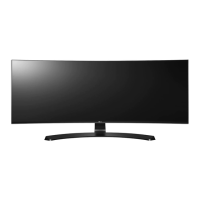
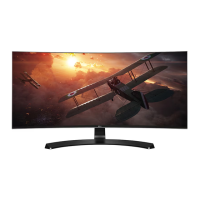
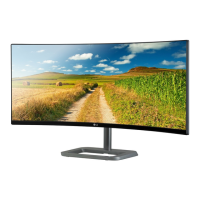
LG 34UC87C - User Manual

LG 34UC87C
36 pages
Print Icon
To Next Page IconTo Next Page
Loading...
www.lg.com
IPS LED MONITOR
LED MONITOR
*
OWNER'S MANUAL
Please read the safety information carefully
before using the product.
34UC87
34UC87M
34UC87C
* LG LED Monitors are LCD Monitors with LED Backlighting.

Questions and Answers

  • D
    David Taylor DDSAug 18, 2025
    How to fix no sound from the headphone port on LG Monitor?
    • B
      brian76Aug 18, 2025
      If there is no sound from the headphone port on your LG Monitor, first ensure that the headphone port connections are properly made. If the connections are correct, try increasing the volume with the joystick. Also, verify that the audio output of the PC is set to the monitor you are using. On Microsoft Windows, go to Control Panel > Hardware and Sound > Sound and set the monitor as the default device.
  • H
    holmesthomasAug 21, 2025
    What to do if LG 34UC87C Monitor screen display is unstable and shaky?
    • Y
      ymoranAug 21, 2025
      If your LG Monitor's screen display is unstable, shaky, or images leave shadow trails, it might be due to the selected resolution. If the resolution is HDMI 1080i 60/50 Hz (interlaced), the screen may flicker. Change the resolution to 1080p or the recommended resolution.
  • M
    Misty SmithAug 25, 2025
    How to fix LG 34UC87C when nothing is displayed on the screen?
    • G
      Gregory CollinsAug 25, 2025
      If nothing is displayed on your LG Monitor screen, verify that the power cord is properly connected to the power outlet. Also, check the power cable connection and ensure the power button is pressed. Verify that the connected input source is enabled in the monitor's menu (Menu - Input). If the monitor is in sleep mode, move the mouse or press any key. Finally, confirm that the computer is turned on.
  • I
    iancraneAug 27, 2025
    What to do if there is no sound from the headphone port on my LG Monitor?
    • A
      Anne MillerAug 27, 2025
      If you're getting no sound from the headphone port on your LG Monitor, first, ensure that the headphone connections are properly made. Next, try increasing the volume using the joystick. Finally, set the audio output of your PC to the monitor. On Microsoft Windows, go to Control Panel > Hardware and Sound > Sound and set the monitor as the default device.
  • N
    Nicole JacksonAug 30, 2025
    Why is the screen display unstable and shaky on my LG 34UC87C?
    • A
      Alice EdwardsAug 30, 2025
      If the screen display on your LG Monitor is unstable, shaky, or images leave shadow trails, and the selected resolution is HDMI 1080i 60/50 Hz (interlaced), the screen may be flickering. Try changing the resolution to 1080p or the recommended resolution.
  • A
    Andrea BarnesSep 2, 2025
    What to do if my LG 34UC87C Monitor screen retains an image?
    • S
      Sherry KelleySep 2, 2025
      If your LG Monitor screen retains an image, it is likely due to displaying a still image for a prolonged time. To extend the lifetime of the monitor, use a screensaver.
  • R
    Randy TorresSep 5, 2025
    Why does the screen retain an image on my LG 34UC87C?
    • N
      Nicholas KellerSep 5, 2025
      If your LG Monitor screen retains an image, it may be due to displaying a still image for a prolonged period, which can cause damage. To extend the monitor's lifespan, use a screensaver.
  • B
    brittany39Sep 9, 2025
    Why is the display color abnormal on my LG 34UC87C Monitor?
    • M
      Matthew JenkinsSep 9, 2025
      If the display color on your LG Monitor is abnormal, it could be due to several reasons. If the display appears discolored (16 colors), set the color to 24 bit (true color) or higher via Control Panel > Display > Settings > Color Quality in Windows. If the display color appears unstable or monochrome, check if the signal cable is connected properly; reconnect the cable or reinsert the PC's video card. Finally, spots on the screen (red, green, blue, white, or black) may appear, which is normal for an LCD screen and not an error related to the monitor's performance.
  • P
    palmeryolandaSep 12, 2025
    How to turn off OSD lock on LG 34UC87C Monitor?
    • B
      boltonwilliamSep 12, 2025
      If the OSD Lock message is being displayed on your LG Monitor, it means the OSD is locked. To unlock it, navigate to Menu > Settings and set OSD Lock to Off.
  • B
    Brian Wu VNov 14, 2025
    Why is nothing displayed on my LG Monitor screen?
    • J
      Jennifer SawyerNov 14, 2025
      If nothing is displayed on your LG Monitor screen, several factors could be at play. First, ensure the monitor's power cord is correctly plugged into the power outlet. If the power LED isn't on, check the power cable connection and press the power button. If the power LED is on but not displaying white, verify that the connected input is enabled via Menu - Input. A blinking power LED indicates sleep mode; move the mouse or press a key to wake it, and also confirm the computer is on. The issue might also be out-of-range signals from the PC (video card), so refer to the Product Specification section of this manual to set the appropriate frequency. Check and reconnect the signal cable between the PC and the monitor if it's missing or disconnected. Finally, DisplayPort 1.2 in a Mac product may...

LG 34UC87C Specifications

General IconGeneral
BrandLG
Model34UC87C
CategoryMonitor
LanguageEnglish

Related product manuals