8
ENG
ENGLISH
ASSEMBLING AND PREPARING
2
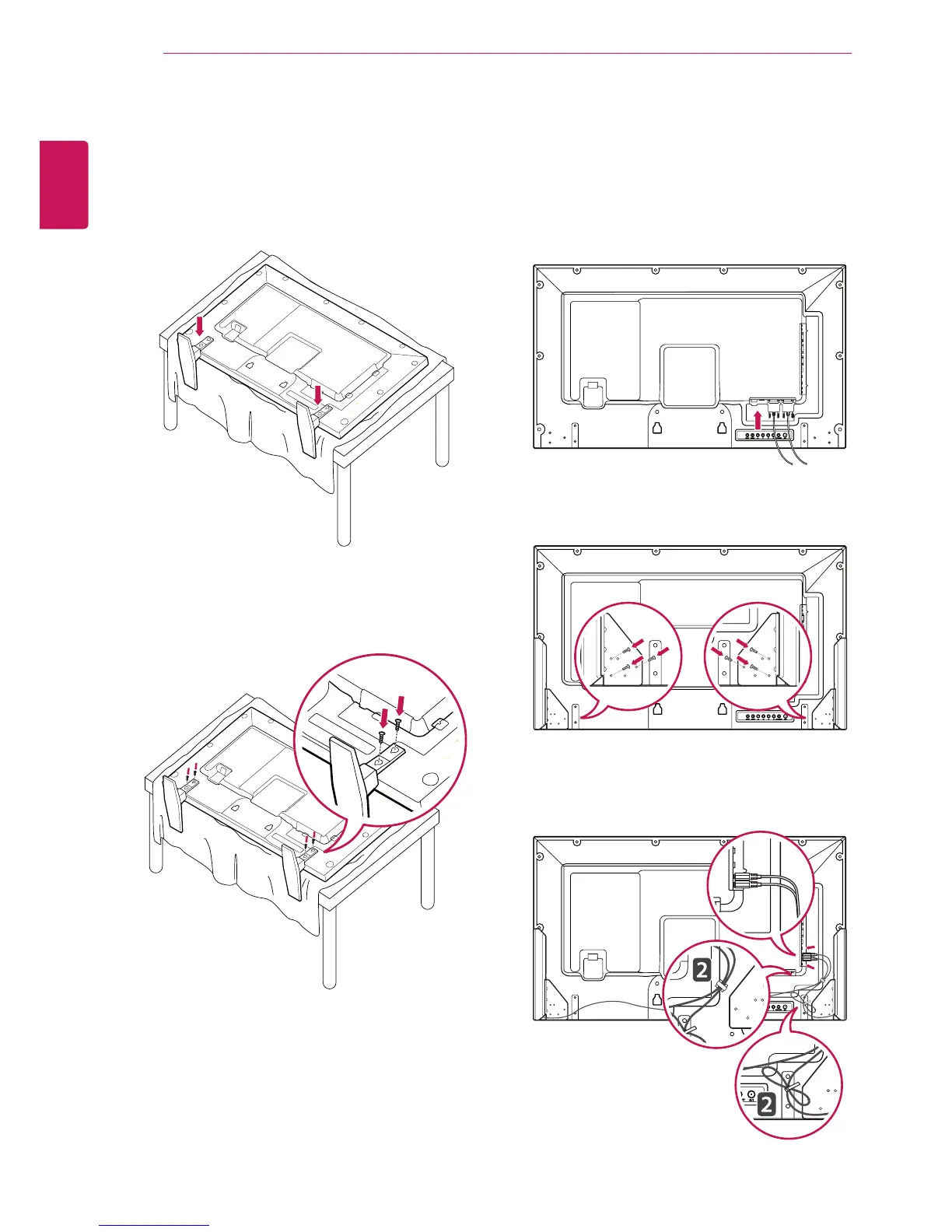
Usethescrewstosecurethestandontherear
sideoftheproductasshowninthediagram.
Connecting the stand Connecting the speaker
-Onlyonsomemodels.
1
Placeasoftclothonthetableandputthe
productwiththescreenfacingdownward.
-Onlyonsomemodels.
1
ConnecttheinputsignalcabletotheMonitor
beforeinstallingthespeakers.Useacabletie
toorganizethecables.
3
Thenconnectthespeakercable.Afterinstalling
yourspeakers,useholdersandcabletiesto
organizethespeakercables.
2
Mountthespeakerbyusingascrewasshown
inthefollowing.



 To Next Page