6
ENG
ENGLISH
ASSEMBLING AND PREPARING
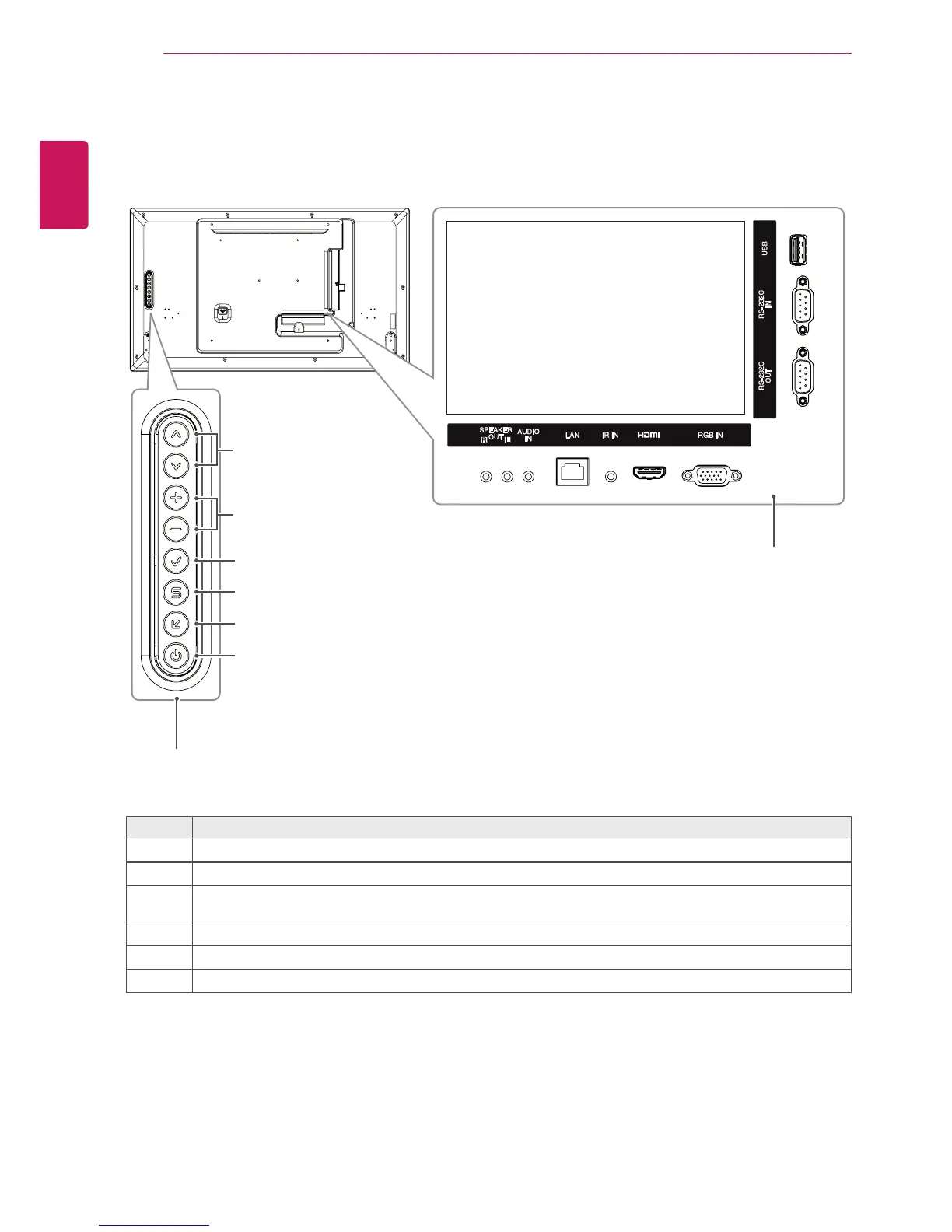
Parts and Buttons
Connection Panel
Screen Buttons
No. Description
1
Movestheselectionupanddown.
2
Adjuststhevolumelevel.
3
Displaysthecurrentsignalandmode.
Pressthisbuttontoadjustthescreenautomatically(availableonlyinRGBmode)
4
Accessesthemainmenus,orsavesyourinputandexitsthemenus.
5
Changestheinputsource.
6
Turnsthepoweronoroff.
1
2
6
5
4
3



 To Next Page