EasyManua.ls Logo

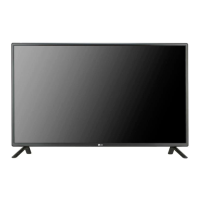
LG 47LT55A - User Manual

LG 47LT55A
93 pages
Print Icon
To Next Page IconTo Next Page
Loading...
www.lg.com
OWNER’S MANUAL
MONITOR SIGNAGE
Please read this manual carefully before operating the your set and
retain it for future reference.
MONITOR SIGNAGE MODELS
42LT55A
47LT55A

Table of Contents

Questions and Answers

  • J
    Julie LutzSep 8, 2025
    Why do black spots appear on the screen of my LG Monitor?
    • A
      Alexandra CabreraSep 9, 2025
      If black spots appear on the screen of your LG Monitor, this may be due to several pixels (red, green, white, or black color) which is attributable to the unique characteristics of the LCD panel and is not a malfunction.
  • J
    James ReynoldsAug 25, 2025
    Why is there no sound coming from my LG Monitor?
    • J
      Jonathan PattonAug 25, 2025
      If there is no sound coming from your LG Monitor, ensure the audio cable is connected properly. Also, adjust the volume and verify that the sound settings are configured correctly.
  • R
    Richard LeAug 25, 2025
    Why does the screen image look abnormal on my LG Monitor?
    • H
      Hayden SmithAug 26, 2025
      If the screen image on your LG Monitor looks abnormal when using a D-Sub analog signal, press the "AUTO" button on the remote control to automatically select the optimal screen status. If the adjustment is not satisfactory, select [PICTURE] - [Screen] - [Position], [Size] or [Phase] in the OSD menu. Also, verify that the video card resolution and frequency are supported by the product. If the frequency is out of range, set it to the recommended resolution in the Control Panel "Display" Setting menu. Ensure the proper input signal is connected to the signal port by using a matching signal cable.
  • A
    Alexis ReidSep 22, 2025
    How to turn off 'Key Lock On' on LG 47LT55A?
    • B
      Brandon GraySep 22, 2025
      If your LG Digital Signage displays a 'Key Lock On' message, the Lock function prevents the OSD settings from being changed inadvertently. To release the lock, go to Menu and Option and disable the Key Lock option.
  • S
    Stephanie ToddSep 9, 2025
    How to turn off Key Lock on my LG Monitor?
    • D
      dianamartinSep 9, 2025
      If the 'Key Lock On' message appears when pressing the Menu button on your LG Monitor, the Lock function prevents the OSD settings from being changed. To release the lock, go to Menu and Option and disable the Key Lock option.
  • S
    Shannon BeardSep 14, 2025
    Why is touch location incorrect on LG Digital Signage?
    • B
      Billy LewisSep 14, 2025
      If the location of a touch on your LG Digital Signage does not correspond to the touch coordinates, it may be that the touch screen is not calibrated properly. To resolve this, change your tablet PC settings (Windows 7) by going to Control Panel > Hardware and Sound > Tablet PC Settings > Display > Display options > Calibrate or Reset. Additionally, if using Windows XP, change the display setting to Full Screen. When using HDMI, set the Input Label to PC.
  • T
    Tiffany GibsonSep 3, 2025
    Why does 'Unknown Product' appear on my LG 47LT55A?
    • K
      Katherine CervantesSep 4, 2025
      If the 'Unknown Product' message appears when your LG Digital Signage is connected, see if the plug&play function is supported by referring to the video card user manual.
  • J
    Jeffrey JimenezSep 4, 2025
    How to correct touch input on the wrong monitor with LG Digital Signage?
    • D
      Dalton MeadowsSep 4, 2025
      If a touch is applied to a monitor other than the one you intended with your LG Digital Signage, change your tablet PC settings (Windows 7). For Windows XP, set the monitor as the default monitor.
  • M
    Matthew ReedSep 23, 2025
    Why can't I start LG TDS on my LG Digital Signage?
    • M
      marie48Sep 23, 2025
      If you cannot start LG TDS, check whether the operating system is Windows XP, as LG TDS is supported only in Windows XP. Please install .NET Framework 3.5.
  • L
    ltownsendAug 29, 2025
    How to fix the audio on my LG 47LT55A Digital Signage?
    • K
      keithrodgersAug 29, 2025
      If the audio function on your LG Digital Signage does not work, check if the audio cable is connected properly. Also, ensure that the volume is appropriately adjusted and the sound settings are correctly configured.

LG 47LT55A Specifications

General IconGeneral
BrandLG
Model47LT55A
CategoryDigital Signage
LanguageEnglish

Related product manuals