ENGLISH
59
USING THE TOUCH SCREEN
To Use the Touch Screen on
Windows XP
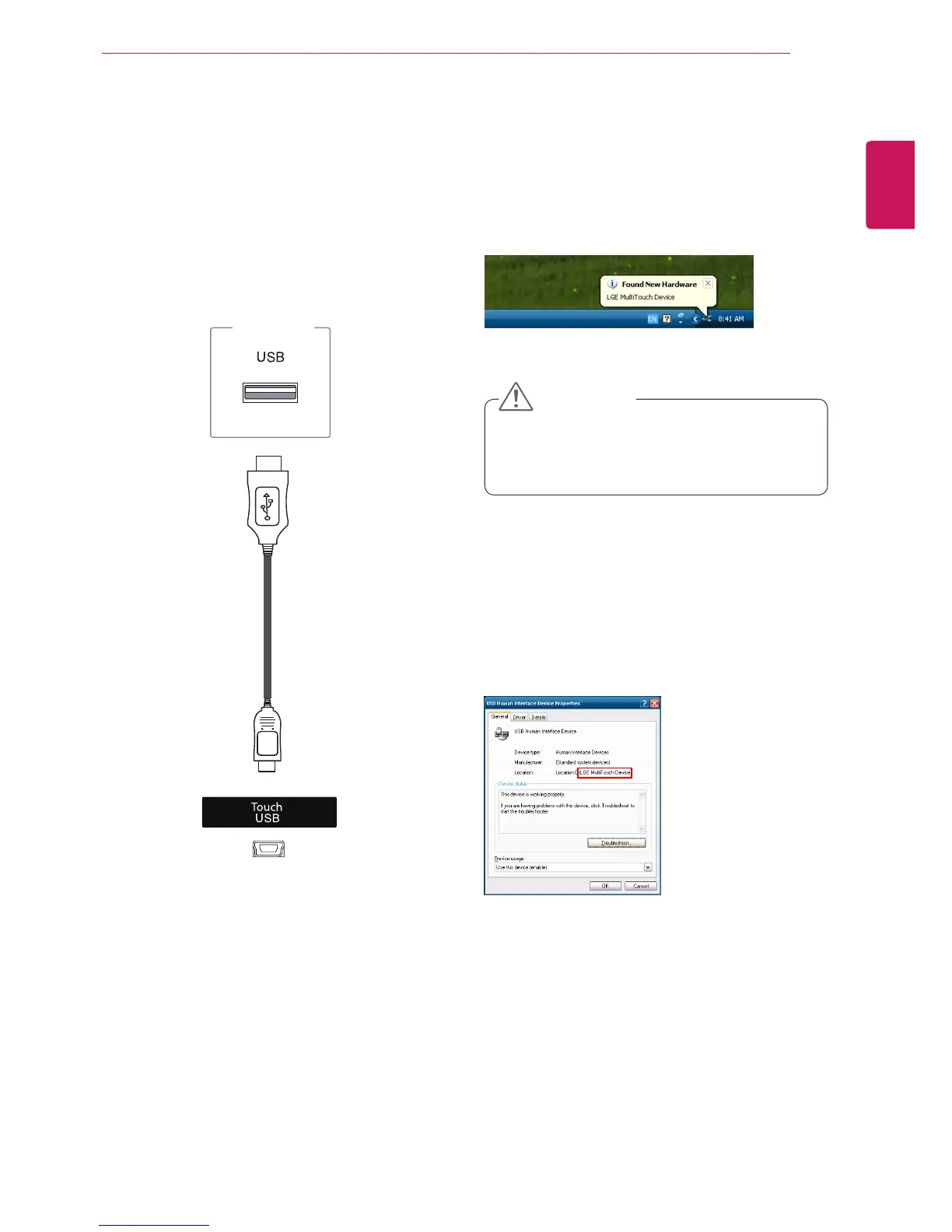
Plug a USB cable into the Touch
USB port on the
back of the monitor.
You can see the details of the current touch screen
on the Device Manager window. Go to Control
Panel > System > Hardware > Device Manager >
Human Interface Devices.
You can see LGE MultiTouch Device on the USB
Human Interface Device Properties window.
Then, connect the USB cable to your PC so that it
automatically recognizes the touch screen monitor.
PC
y
Once your PC recognizes the monitor, you
will be able to use the touch screen.
CAUTION



 To Next Page