ENGLISH
14
Connecting the Speakers
- For certain models only.
- The image may be different according to the model.
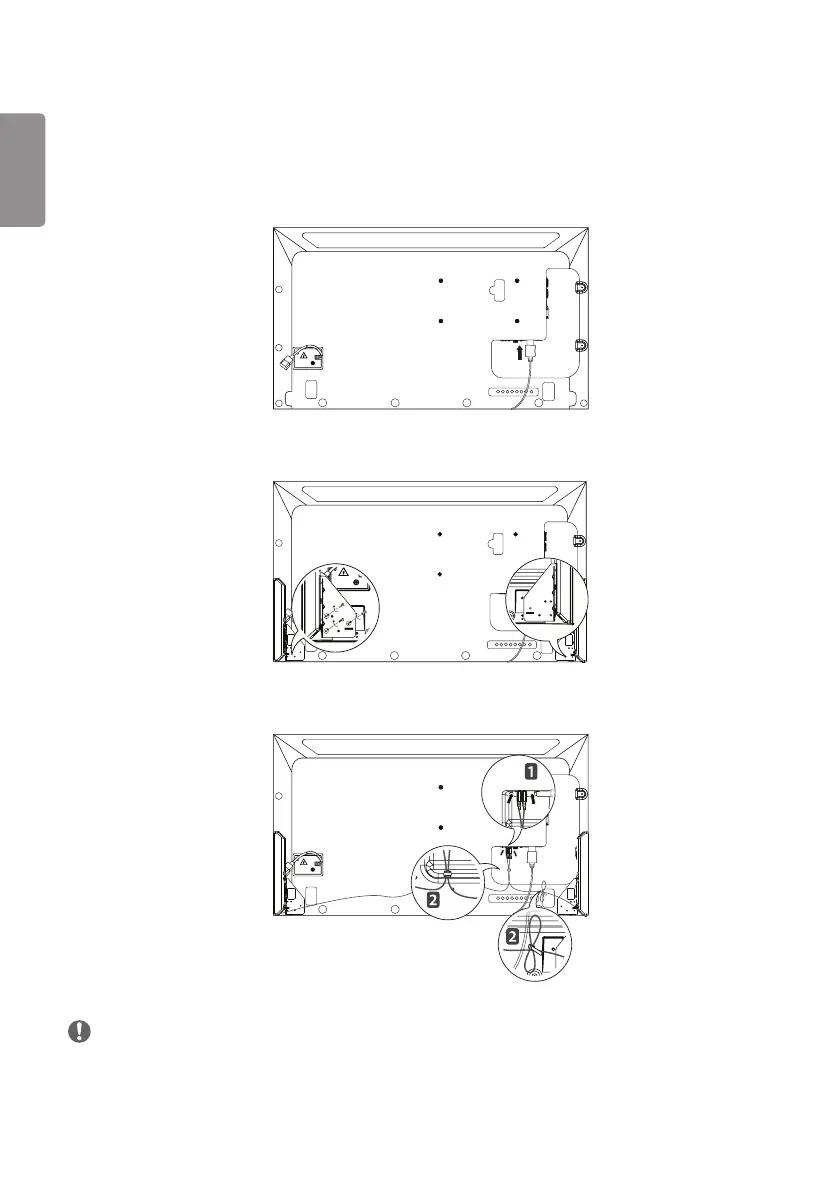
1 Connect an input signal cable before installing the speakers.
2 Mount the speakers by using screws as shown below. Make sure the power cable is disconnected before making a
connection.
3 Then connect the speaker cable. After installing your speakers, use the cable holders and cable ties to arrange the
speaker cables.
NOTE
• Please turn off the power before removing the cable. Connecting or removing the speaker cable while turned on may
result in no sound.



 To Next Page