3
ENG
ENGLISH
ACCESSING INSTALLATION MENU
NOTE
Images in the manual may look different from the actual product.
1
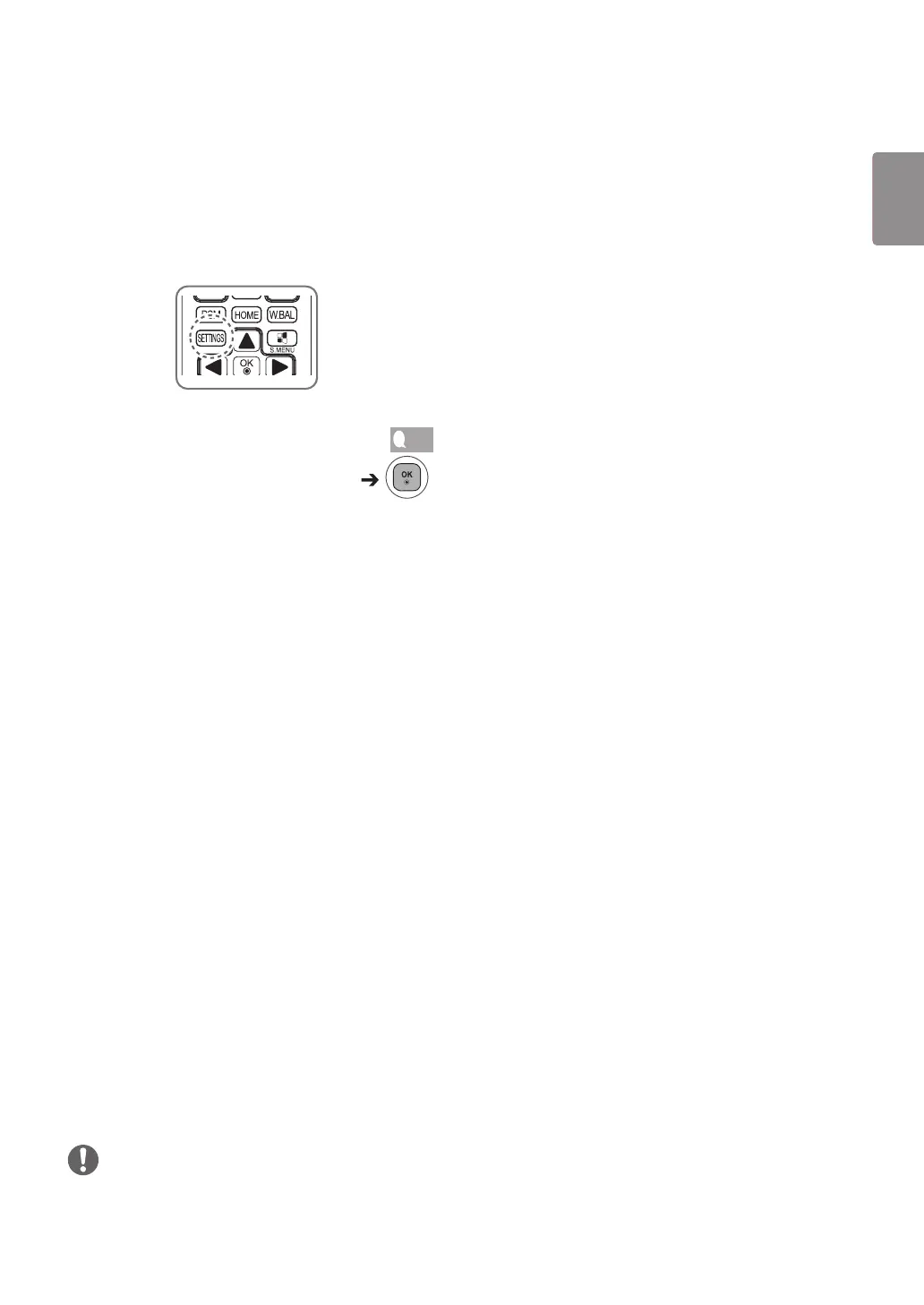
Press and hold the SETTINGS button for 5 seconds.
2
When Toast (The top right corner ) is displayed, enter your password.
(The default value is 0, 0, 0, 0 )
3
When the Installation Menu is displayed, select the desired option.
- Signage Setup
- USB Cloning
- Password Change
- Tile Mode
- Fail Over
- ISM Method
- Server
- Lock Mode


 To Next Page