EasyManua.ls Logo

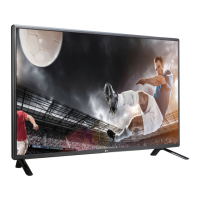
LG 55LS33A - User Manual

LG 55LS33A
76 pages
Print Icon
To Next Page IconTo Next Page
Loading...
www.lg.com
OWNER’S MANUAL
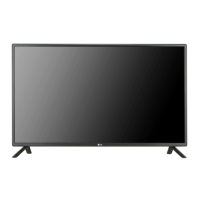
MONITOR SIGNAGE
32LS33A
42LS33A
47LS33A
55LS33A
65LS33A
42LS35A
47LS35A
55LS35A
Please read this manual carefully before operating the your set and
retain it for future reference.
MONITOR SIGNAGE MODELS

Questions and Answers

  • P
    portizSep 16, 2025
    What to do if the operation does not work normally on my LG Digital Signage?
    • C
      Carol SaundersSep 16, 2025
      If your LG Digital Signage isn't operating normally, check if the Off Timer is set. Also, examine the power control settings. A power interruption could also be the cause.
  • O
    ogarzaSep 18, 2025
    Why does an after-image appear on my LG 55LS33A Digital Signage?
    • J
      Jennifer RobertsSep 18, 2025
      To address after-images on your LG Digital Signage, use the screen-saver function. Also, image sticking can occur, which is normal for LCD screens, when a dark image is displayed after a high contrast image.
  • J
    Jeffrey YoungSep 18, 2025
    What to do if 'Unknown Product' message appears when my LG 55LS33A Digital Signage is connected?
    • J
      Jeremiah BradshawSep 18, 2025
      To resolve the 'Unknown Product' message when connecting your LG Digital Signage, check if the plug&play function is supported by referring to the video card user manual.
  • M
    Michael HuntSep 19, 2025
    What to do if no image is displayed on LG Digital Signage?
    • J
      Jeffrey BrooksSep 22, 2025
      First, ensure the power cord is properly connected to the outlet. Check the signal cable between the PC and the product to make sure it's connected correctly. Also, press the 'INPUT' menu on the remote control to verify the input signal. If the signal from the PC is out of the product's frequency range, adjust the frequency range according to the specifications in the manual.
  • M
    Michael PorterSep 23, 2025
    What to do if the audio function does not work on LG 55LS33A?
    • J
      Jesus SellersSep 23, 2025
      Check if the audio cable is connected properly. Adjust the volume and ensure the sound is set correctly. You may also want to select the appropriate equalize sound and adjust the volume again.
  • W
    William HammondSep 23, 2025
    What to do if after-image appears on LG 55LS33A Digital Signage?
    • E
      elandrySep 23, 2025
      If you are using a fixed image for a long time, use the screen-saver function. Also, it is normal for LCD screens to display a dark image after an image with high contrast.
  • D
    Daniel HernandezSep 23, 2025
    Why does the operation not work normally on my LG 55LS33A?
    • C
      Cristian GonzalezSep 23, 2025
      Check if the Off Timer is set and review the power control settings. Also, consider that the power might have been interrupted.
  • W
    William CraigAug 31, 2025
    How to fix no image on LG 55LS33A?
    • A
      Angela WilsonAug 31, 2025
      If no image is displayed on your LG Digital Signage, first, ensure the power cord is properly connected to the outlet. Also, check that the signal cable between the PC and the product is securely connected. Use the 'INPUT' menu on the remote control to verify the input signal. If the signal from the PC (video card) is out of the vertical or horizontal frequency range, adjust the frequency range by referring to the Specifications in this manual.
  • M
    Maria Holmes MDAug 25, 2025
    What to do if my LG Monitor displays no image?
    • J
      Jennifer BakerAug 25, 2025
      If your LG Monitor displays no image, ensure the power cord is correctly connected to the outlet. Also, verify that the signal cable between your PC and the monitor is securely connected. Check the input signal by pressing the 'INPUT' menu on the remote control. Finally, ensure the signal from your PC's video card is within the monitor's vertical or horizontal frequency range, adjusting as needed by referring to the Specifications in this manual.
  • M
    Maria LongAug 26, 2025
    Why is no image displayed on my LG Monitor?
    • C
      Cheryl HarrisonAug 26, 2025
      There might be several reasons: * Ensure the power cord is securely connected to the outlet. * The signal from your PC's video card may be outside the LG Monitor's vertical or horizontal frequency range. Refer to the manual's specifications to adjust the frequency range. * Verify the signal cable between your PC and the monitor is properly connected. * Use the 'INPUT' menu on the remote control to check the input signal.

Summary

ASSEMBLING AND PREPARING

Wall Mounting Guidelines

Safety and procedural information for mounting the monitor on a wall.

REMOTE CONTROL

Remote Control Button Functions

Explains the primary buttons and their operations on the remote control.

Additional Remote Control Features

Describes further functions and buttons of the remote control.

MAKING CONNECTIONS

PC Connectivity and RGB Setup

How to connect and configure a PC using RGB input.

HDMI and IR Receiver Connections

Instructions for connecting via HDMI and setting up the IR receiver.

USB and LAN Connectivity

Guide to connecting USB storage and setting up LAN network connections.

USING THE MONITOR

ENTERTAINMENT

My Media and USB Storage

Connecting USB devices and accessing multimedia features.

Viewing Movies from USB

Instructions for playing movie files stored on a USB device.

Viewing Photos from USB

Instructions for displaying photo files stored on a USB device.

Listening to Music from USB

How to play music files stored on a USB storage device.

CUSTOMIZING SETTINGS

Accessing Main Menu Settings

Guide to navigating the monitor's main settings menus.

Picture Settings and Modes

Adjusting picture quality, brightness, contrast, and selecting picture modes.

Basic Image Adjustment Options

Fine-tuning basic image parameters like backlight, sharpness, and color.

Advanced Picture Controls

Advanced settings for picture modes, color management, and noise reduction.

Audio Settings and Sound Modes

Adjusting sound quality, effects, and audio synchronization.

Network Settings and Status

Configuring network settings and checking network status.

TROUBLESHOOTING

Image Display Problems

Solutions for issues like no image, out of range messages, or check signal.

Connection and Driver Issues

Troubleshooting 'Unknown Product' messages and driver installation.

Screen Image Anomalies

Resolving issues with screen position, lines, noise, and general display abnormality.

After-Image and Screen Sticking

Solutions for after-images and image sticking on the screen.

Audio Function Troubleshooting

Addressing problems with no sound, low volume, or poor sound quality.

Screen Color Issues

Troubleshooting poor color resolution, instability, or black spots.

CONTROLLING THE MULTIPLE PRODUCT

RS-232 C Communication Parameters

Details on RS-232C wiring, communication parameters, and protocols.

RS-232 C Command Reference List

Comprehensive list of commands and their hexadecimal data for RS-232C control.

RS-232 C Transmission and Receiving Protocol

Explains the structure of commands and acknowledgements for RS-232C communication.

LG 55LS33A Specifications

General IconGeneral
BrandLG
Model55LS33A
CategoryDigital Signage
LanguageEnglish

Related product manuals