EasyManua.ls Logo

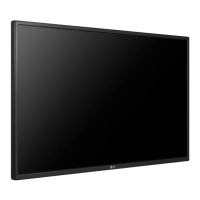
LG 55WL30MS - User Manual

LG 55WL30MS
94 pages
Print Icon
To Next Page IconTo Next Page
Loading...
www.lg.com
OWNER’S MANUAL
MONITOR SIGNAGE
42WL30MS
47WL30MS
55WL30MS
60WL30MS
Please read this manual carefully before operating the your set and
retain it for future reference.
MONITOR SIGNAGE MODELS
ENG
ENGLISH

Table of Contents

Questions and Answers

  • L
    Laura WatersSep 10, 2025
    What to do if 'Key Lock On' message appears on LG 55WL30MS?
    • X
      xhowardSep 10, 2025
      If the 'Key Lock On' message appears on your LG Digital Signage, it means the OSD settings are locked to prevent accidental changes. To release the lock, go to Menu and Option and disable the Key Lock option.
  • B
    Brent HudsonAug 23, 2025
    Why is the audio not working on my LG Monitor?
    • J
      Jennifer CarterAug 23, 2025
      If the audio function on your LG Monitor isn't working, ensure the audio cable is properly connected. Adjust the volume and verify that the sound settings are correctly configured. Try selecting an appropriate equalizer sound and adjusting the volume again.
  • G
    gonzaleztaylorAug 25, 2025
    What to do if the screen image looks abnormal on my LG Monitor?
    • L
      Lindsay KiddAug 25, 2025
      If the screen image on your LG Monitor looks abnormal, for a D-Sub analog signal, press the AUTO button on the remote control to automatically select the optimal screen status. If this isn't satisfactory, use the Position, Clock or Phase OSD menus for further adjustments. Ensure that your video card resolution and frequency are supported by the monitor; if the frequency is out of range, set it to the recommended resolution in the Control Panel Display Setting menu. Also, make sure the correct input signal is connected to the appropriate signal port.
  • D
    Donna HowardAug 26, 2025
    Why is the screen color abnormal on my LG Monitor?
    • T
      thomasrandyAug 27, 2025
      If your LG Monitor's screen color is abnormal, set the number of colors to more than 24 bits (true color) by selecting Control Panel - Display - Settings - Color Table menu in Windows. Also, check the connection status of the signal cable and re-insert the PC video card. Note that several pixels (red, green, white or black color) may appear on the screen, which is attributable to the unique characteristics of the LCD panel and not a malfunction.
  • A
    anna57Aug 27, 2025
    What to do if my LG Monitor's operation does not work normally?
    • L
      Laura SchwartzAug 27, 2025
      If the operation of your LG Monitor does not work normally, check if the sleep timer is set or if there are any power control settings enabled. A power interruption could also be the cause.
  • S
    Stephen KennedyAug 29, 2025
    Why does after-image appear on my LG Monitor?
    • J
      Jean FranklinAug 29, 2025
      If an after-image appears on your LG Monitor, and you've been using a fixed image for a long time, the pixels may be damaged quickly. Use the screen-saver function. Also, when a dark image is displayed after an image with high contrast, it may cause image sticking, which is normal for LCD screens.
  • S
    Scott RobinsonSep 18, 2025
    What to do if 'Unknown Product' message appears when LG 55WL30MS Digital Signage is connected?
    • M
      Miss Paula GarciaSep 18, 2025
      If the 'Unknown Product' message appears when your LG Digital Signage is connected, see if the plug&play function is supported by referring to the video card user manual.
  • J
    johnleonardSep 12, 2025
    Why after-image appears on my LG 55WL30MS?
    • G
      greennicholasSep 12, 2025
      If an after-image appears on your LG Digital Signage: * If you use a fixed image for a long time, the pixels may be damaged quickly. Use the screen-saver function. * When a dark image is displayed on the screen after an image with high contrast (black and white or gray), this may cause image sticking. This is normal for LCD screens.
  • J
    John BaileySep 8, 2025
    How to fix abnormal screen color on LG 55WL30MS Digital Signage?
    • L
      Linda WalshSep 8, 2025
      If the screen color on your LG Digital Signage is abnormal, try the following: * Set the number of colors to more than 24 bits (true color) by selecting Control Panel - Display - Settings - Color Table menu in Windows. * Check the connection status of the signal cable and re-insert the PC video card. Note: Several pixels (red, green, white or black color) may appear on the screen. This is normal for LCD screens and not a malfunction.
  • L
    larrycastroSep 5, 2025
    What to do if the screen image looks abnormal on LG Digital Signage?
    • B
      bartonterriSep 5, 2025
      If the screen image looks abnormal on your LG Digital Signage, try these steps: * For D-Sub analog signal, press the AUTO button on the remote control to automatically select the optimal screen status. If adjustment is not satisfactory, use the Position, Clock or Phase OSD menu. * Check if the video card resolution and frequency are supported by the product. If the frequency is out of range, set to the recommended resolution in the Control Panel Display Setting menu. * Ensure the correct input signal is connected to the signal port by using the signal cable that matches the source input signal.

Summary

OWNERS MANUAL MONITOR SIGNAGE

ASSEMBLING AND PREPARING

Parts and Connections Overview

Identifies screen buttons, connection panel ports, and their functions.

Connecting Stand and Speaker

Step-by-step guide for attaching the stand and connecting speakers.

IR Receiver and Security System

Information on connecting IR receivers and Kensington security systems.

Wall Mounting Instructions

Guidelines and precautions for securely mounting the monitor on a wall.

Securing the product to a wall (optional)

Additional safety and mounting steps for securing the product to a wall.

REMOTE CONTROL

Remote Control Buttons Overview

Explains the function of each button on the remote control.

Remote Control Navigation and Functions

Details on navigation buttons, INFO, SETTINGS, EXIT, and SIMPLINK functions.

USING THE MONITOR

Connecting to a PC

Instructions for connecting a PC using RGB, DVI, HDMI, and Display Port.

ENTERTAINMENT

CUSTOMIZING SETTINGS

PICTURE Settings

General picture adjustments like Aspect Ratio, Energy Saving, and Picture Mode.

AUDIO Settings

Adjusting sound quality, volume, and audio modes for optimal listening.

MAKING CONNECTIONS

TROUBLESHOOTING

No Image Display Issues

Troubleshooting steps for when the screen displays no image or error messages.

Abnormal Screen Image Issues

Solutions for distorted images, lines, noise, or after-images on the screen.

Audio and Color Issues

Troubleshooting steps for no sound, poor audio quality, or abnormal screen colors.

Operation and Power Issues

Resolving problems related to the device operation or sudden power loss.

SPECIFICATIONS

42 WL30 MS Specifications

Technical details including screen size, resolution, input connectors, and power.

47 WL30 MS Specifications

Technical details including screen size, resolution, input connectors, and power.

55 WL30 MS Specifications

Technical details including screen size, resolution, input connectors, and power.

60 WL30 MS Specifications

Technical details including screen size, resolution, input connectors, and power.

CONTROLLING THE MULTIPLE PRODUCT

RS-232 C Communication Setup

Instructions for connecting and configuring multiple monitors via RS-232C.

Command Reference List

Comprehensive list of commands and their parameters for controlling the product.

LG 55WL30MS Specifications

General IconGeneral
BrandLG
Model55WL30MS
CategoryDigital Signage
LanguageEnglish

Related product manuals