EasyManua.ls Logo

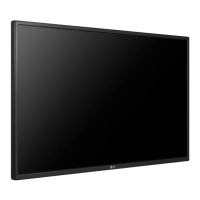
LG 55WV70MD-B.AUS - User Manual

LG 55WV70MD-B.AUS
85 pages
Print Icon
To Next Page IconTo Next Page
Loading...
www.lg.com
OWNER’S MANUAL
MONITOR SIGNAGE
55WV70MD
Please read this manual carefully before operating your set and retain it
for future reference.
MONITOR SIGNAGE MODELS
ENG
ENGLISH

Table of Contents

Questions and Answers

  • H
    hollymartinezSep 5, 2025
    Why is the screen displayed abnormally on my LG Monitor?
    • M
      Michael MosesSep 5, 2025
      If the screen is displayed abnormally on your LG Monitor, it may be due to an improper input signal connected to the signal port. Ensure you connect the correct signal cable that matches the source input signal.
  • R
    Ruben DavisAug 25, 2025
    Why does my LG Monitor screen appear extremely dark?
    • Y
      ymooreAug 25, 2025
      If the power is on but your LG Monitor's screen is very dark, try adjusting the brightness and contrast settings. If this doesn't help, the backlight may need repair.
  • A
    Amber BoydAug 25, 2025
    Why does my LG Monitor suddenly turn off?
    • B
      Barbara Brown MDAug 26, 2025
      If your LG Monitor suddenly turns off, check if the sleep timer is set. Also, review the power control settings and ensure there are no power interruptions.
  • C
    Christopher SwansonSep 13, 2025
    Why is the screen displayed abnormally on my LG 55WV70MD-B.AUS Digital Signage?
    • R
      robertweissSep 14, 2025
      If the screen is displayed abnormally on your LG Digital Signage, the proper input signal is not connected to the signal port. Connect the signal cable that matches with the source input signal.
  • M
    mooreericSep 23, 2025
    Why is the screen displaying abnormally on my LG 55WV70MD-B.AUS Digital Signage?
    • R
      richard13Sep 23, 2025
      If the screen is displayed abnormally on your LG Digital Signage, the proper input signal may not be connected to the signal port. Connect the signal cable that matches the source input signal.
  • A
    Anne ValdezSep 9, 2025
    Why is the screen extremely dark on my LG 55WV70MD-B.AUS Digital Signage?
    • C
      Christina EdwardsSep 10, 2025
      If the power is on but the screen appears extremely dark on your LG Digital Signage, try to adjust the brightness and contrast. If the issue persists, the backlight may need repair.
  • K
    Kayla CookSep 1, 2025
    How to remove thin lines on LG Media Player screen?
    • C
      Crystal EwingSep 2, 2025
      If thin lines appear on the background screen of your LG Media Player when using a D-Sub analog signal, press the "AUTO" button on the remote control to automatically select an optimal screen status. If adjustment is not satisfactory, use the Clock OSD menu.
  • P
    Philip GutierrezSep 23, 2025
    Why does an after-image appear when I turn off my LG Digital Signage?
    • H
      Heidi AlvarezSep 23, 2025
      If an after-image appears when your LG Digital Signage is turned off, it may be because using a fixed image for a long time can damage the pixels quickly. Use the screen-saver function to prevent this.
  • C
    Colleen HoffmanSep 18, 2025
    Why is there no sound on my LG 55WV70MD-B.AUS Digital Signage?
    • P
      Philip WilliamsSep 18, 2025
      If there is no sound on your LG Digital Signage, check if the audio cable is connected properly. Also, adjust the volume and ensure the sound is set correctly.
  • K
    Kyle ChristianAug 28, 2025
    Why is the screen displayed abnormally on my LG Media Player?
    • M
      Michelle BeltranAug 28, 2025
      If your LG Media Player screen is displaying abnormally, ensure that the signal cable is correctly connected to the appropriate signal port, matching the source input signal.

LG 55WV70MD-B.AUS Specifications

General IconGeneral
Screen Size55 inches
Brightness700 cd/m²
Viewing Angle (H x V)178° x 178°
Panel TypeIPS
Operation Hours24/7
OrientationPortrait & Landscape
Operating Temperature0°C to 40°C
Storage Temperature-20°C to 60°C
Standby Power Consumption0.5W
Frequency50/60Hz
Warranty3 years
Display TypeLCD
Resolution1, 920 x 1, 080 (FHD)
Response Time12 ms
Surface TreatmentAnti-Glare, 3H
Life Time (Typ.)50, 000 hours
InputHDMI, DVI-D
OutputAudio
Input Voltage100-240V
Operating SystemNo

Related product manuals