19
Getting Started
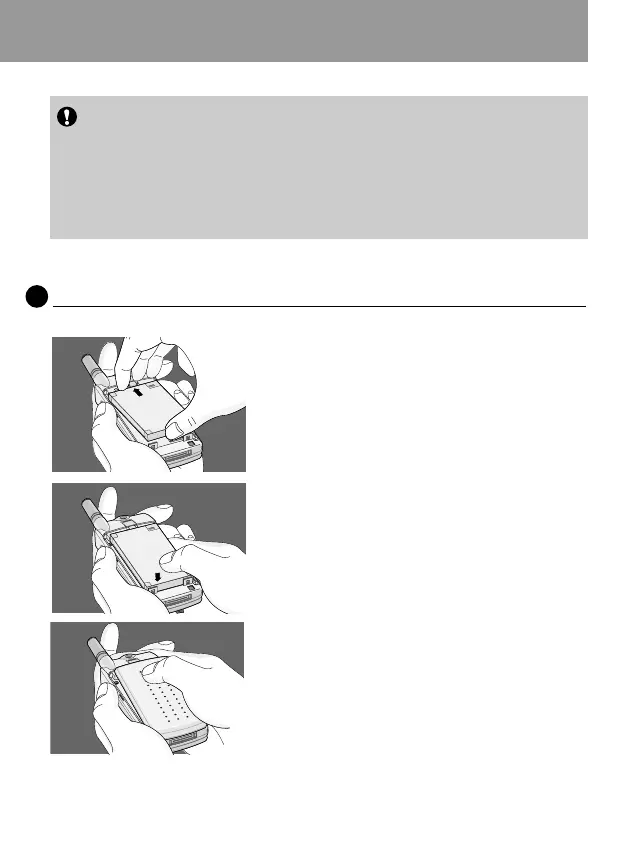
Installing the Battery
2
1. Place the top end of the battery on the
phone. (See the picture left for purposes of
illustration.)
2. Push the battery in until you hear a
“CLICK” sound.
Notice
• Before installing SIM card, please make sure that the phone is
switched off and the battery is removed.
• The metal contact of the SIM card can be easily damaged by
scratches. Pay special attention to the SIM card when you handle
and install. Follow the instructions supplied with the SIM card.
3. Close the battery cover.



 To Next Page