ENGLISH
52
Screen Share
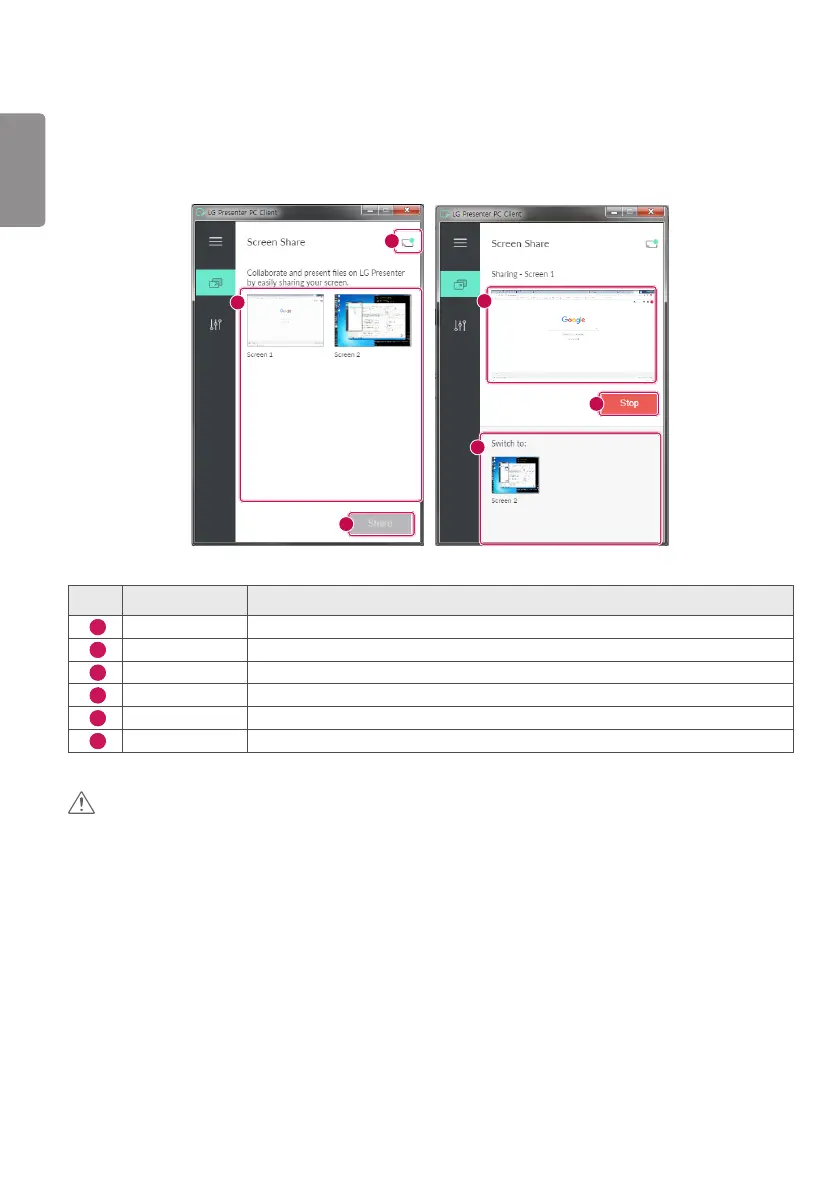
1 Select the screen you want to share and press the Share button.
2 To leave Screen Share, press the Stop button.
1
3
2
4
6
5
No. Item Description
1
Connection status It shows the currently connected user's name and you can also disconnect here.
2
Screen list It shows the list of PC screens available to share.
3
[Share] Press this button to start Screen Share.
4
Thumbnail It shows a thumbnail of the screen currently shared.
5
[Stop] Stops Screen Share.
6
Switch screen It switches between screens to share.
CAUTION
• if Screen Share does not work or won’t connect to the Signage device, check the firewall settings on your PC.


 To Next Page