ENGLISH
16
Tiling Displays
How to Mount the Set
Example of 2 x 2 Tiling
When installing Tiling, start from the displays at the bottom.
Landscape
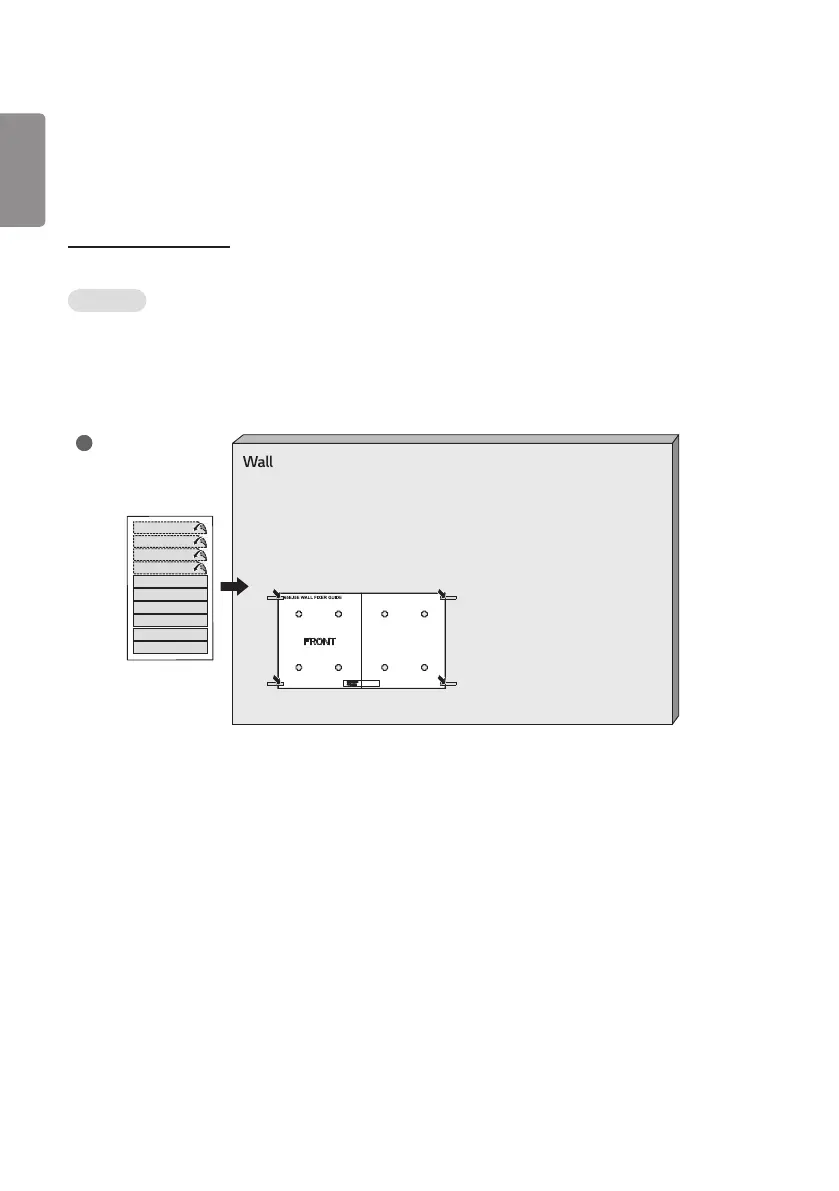
1 Attach the Wall Fixer Guide on the wall.
2 Fix the four wall fixers on the holes of the Wall Fixer Guide (by tightening 8 screws).
3 After fixing the wall fixers, remove the Wall Fixer Guide.
4 Slide the display from top to down direction to secure it.
1



 To Next Page