ENGLISH
29
Using the Input List
(Home) →
• HDMI → DISPLAYPORT
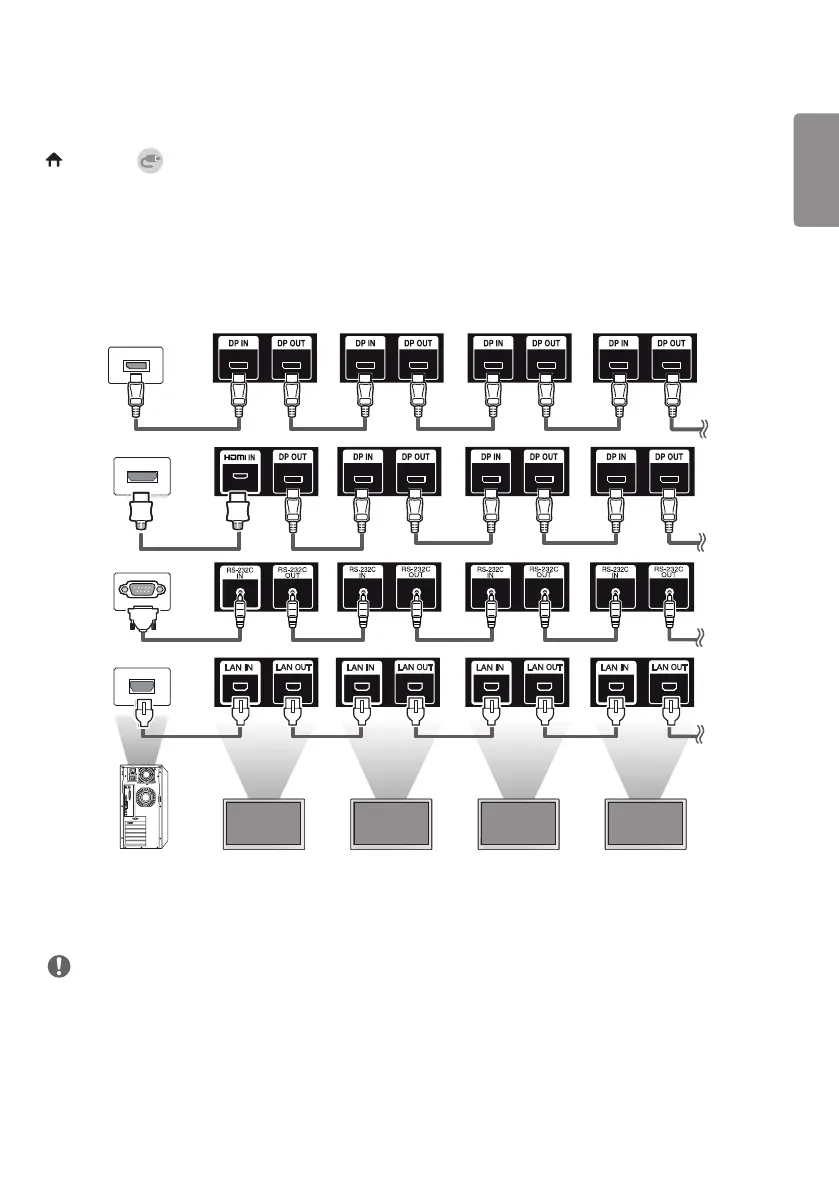
Connecting Multiple Monitors
To use multiple monitors connected to each other, connect the end of the signal input cable (DP cable) to the DP OUT
connection in one monitor and connect the other end to the DP IN connection of the other monitor.
MONITOR 1 MONITOR 2 MONITOR 3 MONITOR 4
NOTE
• Daisy chaining the video output may be limited depending on the performance of the input device that supports
HDCP.



 To Next Page